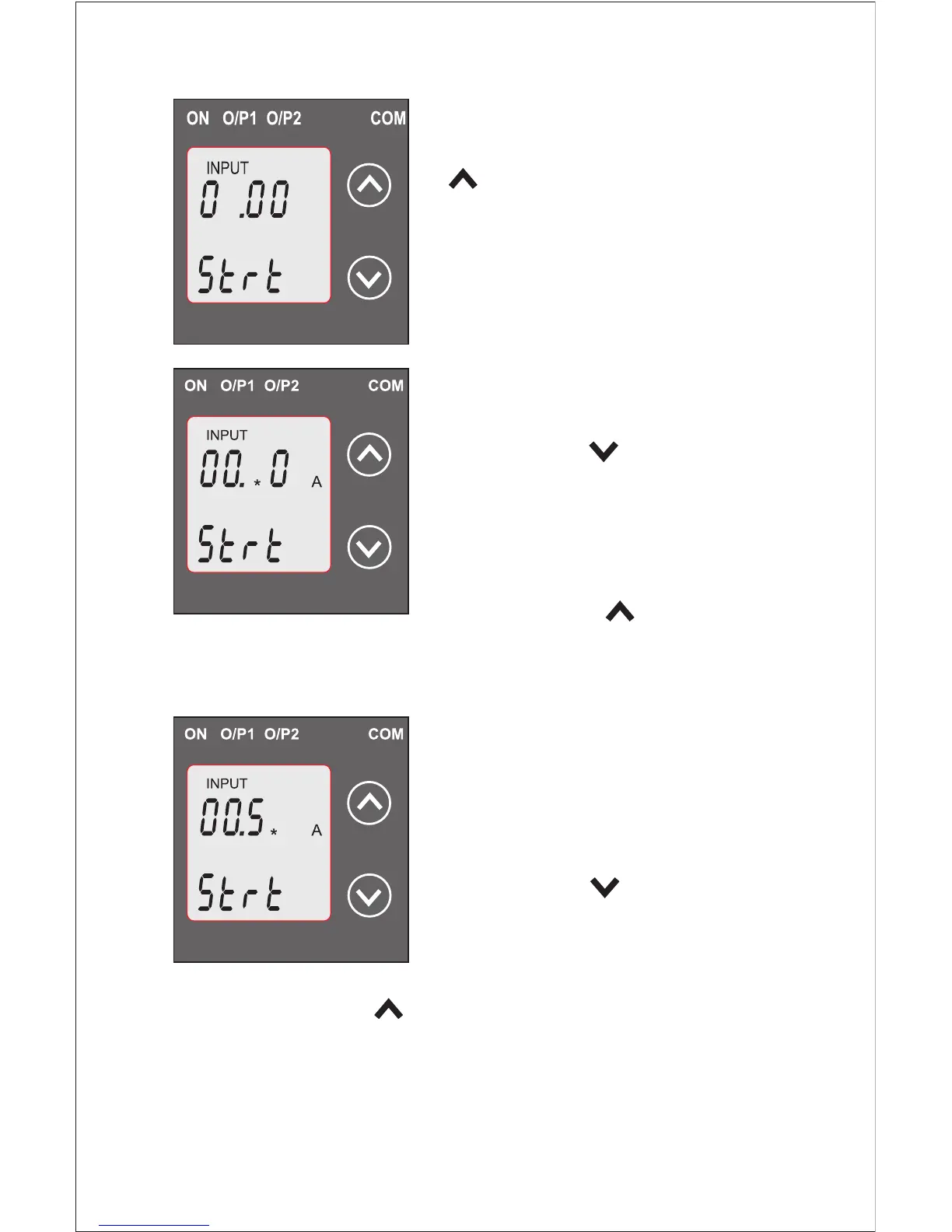
depending on set value of End
value of Input. Pressing the“
Up” key will advance the
operation to the next digit and set
the second digit, in this case to “0”
Enter New / Change Start value
of Input, second digit entered,
prompting for third digit.
(*Denotes that digit will be
flashing).
Pressing the “ Down” key will
scroll the value of the third digit
from 0 through to 9, the value will
wrap from 9 round to 0 depending
on set value of End value of Input.
Pressing the “ Up” key will
advance the operation to the next digit and set the third digit,
in this case to “5”.
Enter New / Change Start value
of Input, third digit entered
prompting for fourth digit. (*
denotes that digit will be
flashing).
Pressing the “ Down” key will
scroll the value of the fourth digit
from 0 through to 9, the value will
wrap from 9 round to 0 depending on set value of End value
of Input. Pressing “ Up” key will advance to confirmation
screen & set 4th digit. In this case to “0”.
20
*
A
*


 To Next Page