35
3.3 Programming Via optional RS485 (MODBUS)
communication port.
1) To change O/P switches from Current to Voltage or vice
versa, ensure that transducer should be Electrically dead
and all connection wires should be disconnected.
(Refer section 4 for programming through MODBUS)
3.3.1: DIP Switch Setting for Changing Output type
The Transducer output type can be changed from DC
current to DC voltage depending upon user requirement on
site. To change output type user has to set the transducer
output type parameter either to voltage or current along
with DIP switch setting.
The transducer output type parameters can be configured
using one of the three below given methods.
A) PRKAB 601(optional) : Using PRKAB601 through
Transducer programming port (COM) and using PC based
configuration software.
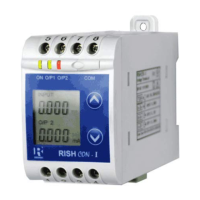
B) Front display (optional): Using front display user can
enter into programming mode and can change the output
type.
C) Modbus Rs485(optional): Using Modbus interface user
can configure the output type refer Modbus Rs485 section.
Note: If DIP switch setting is done first and then output type
parameter is configured using either of the above three
methods then switch OFF - ON the Transducer.
For changing DIP switches follow these steps


 To Next Page