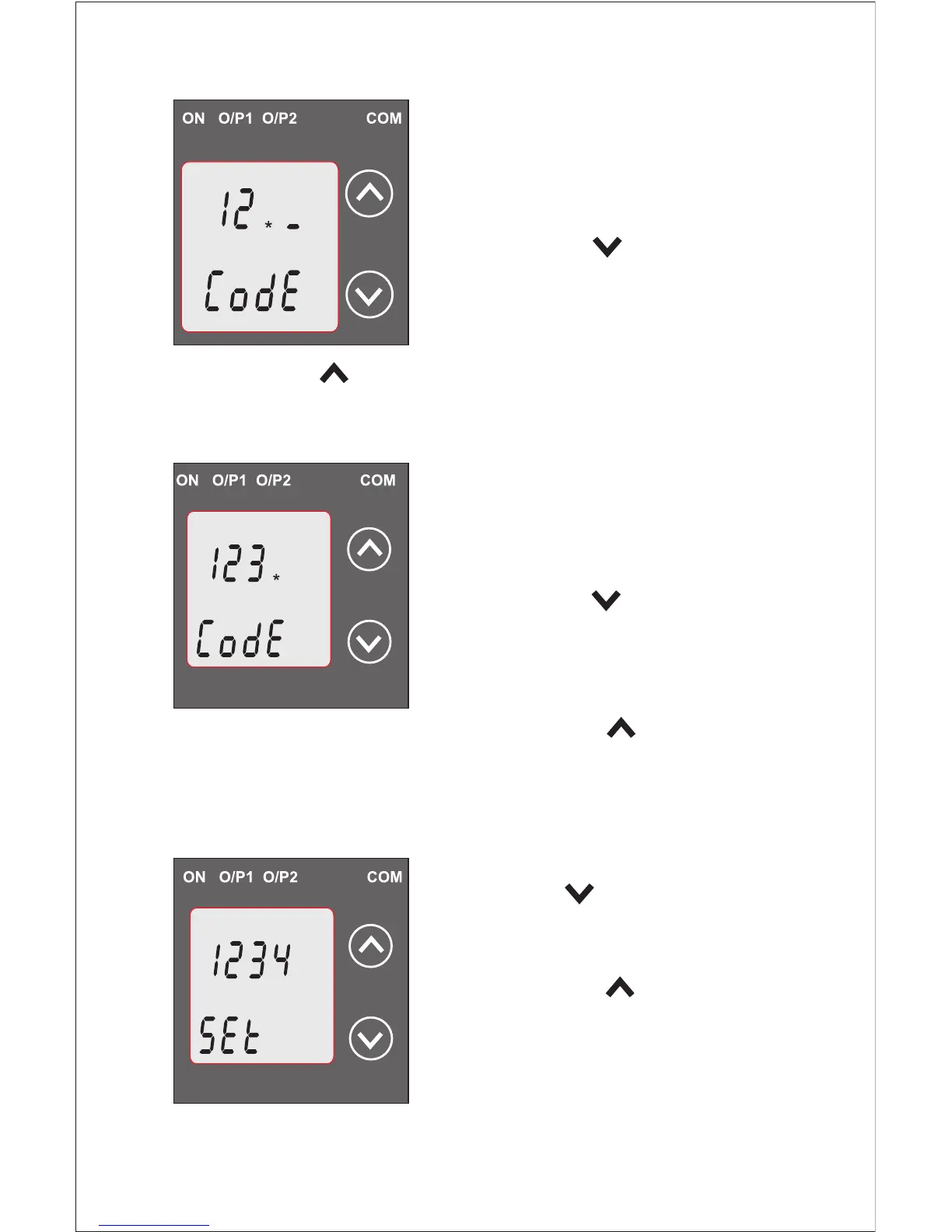
Enter Password, second digit
entered, prompt for third digit.
(*Denotes that digit will be
flashing).
Pressing the “ Down” key will
scroll the value of the third digit
from 0 through to 9, the value will
wrap from 9 round to 0.
Pressing the “ Up” key will advance the operation to the
next digit and set the third digit. In this case to “3”.
Enter Password, third digit
entered, prompt for fourth digit.
(*Denotes that digit will be
flashing).
Pressing the “ Down” key will
scroll the value of the fourth digit
from 0 through to 9, the value will
wrap from 9 round to 0.
Pressing the “ Up” key will
advance the operation to the “Password Set / Confirmed”
and set the fourth digit. In this case to “4”.
Password Set/Confirmed.
Pressing “ Down” key will
enter to the “New /change Password”
entry stage.(section 3.1.1.2)
Pressing the “ Up” key will
confirm New password and
advance to current Transformer
parameter setting (section 3.1.2).
7


 To Next Page