8
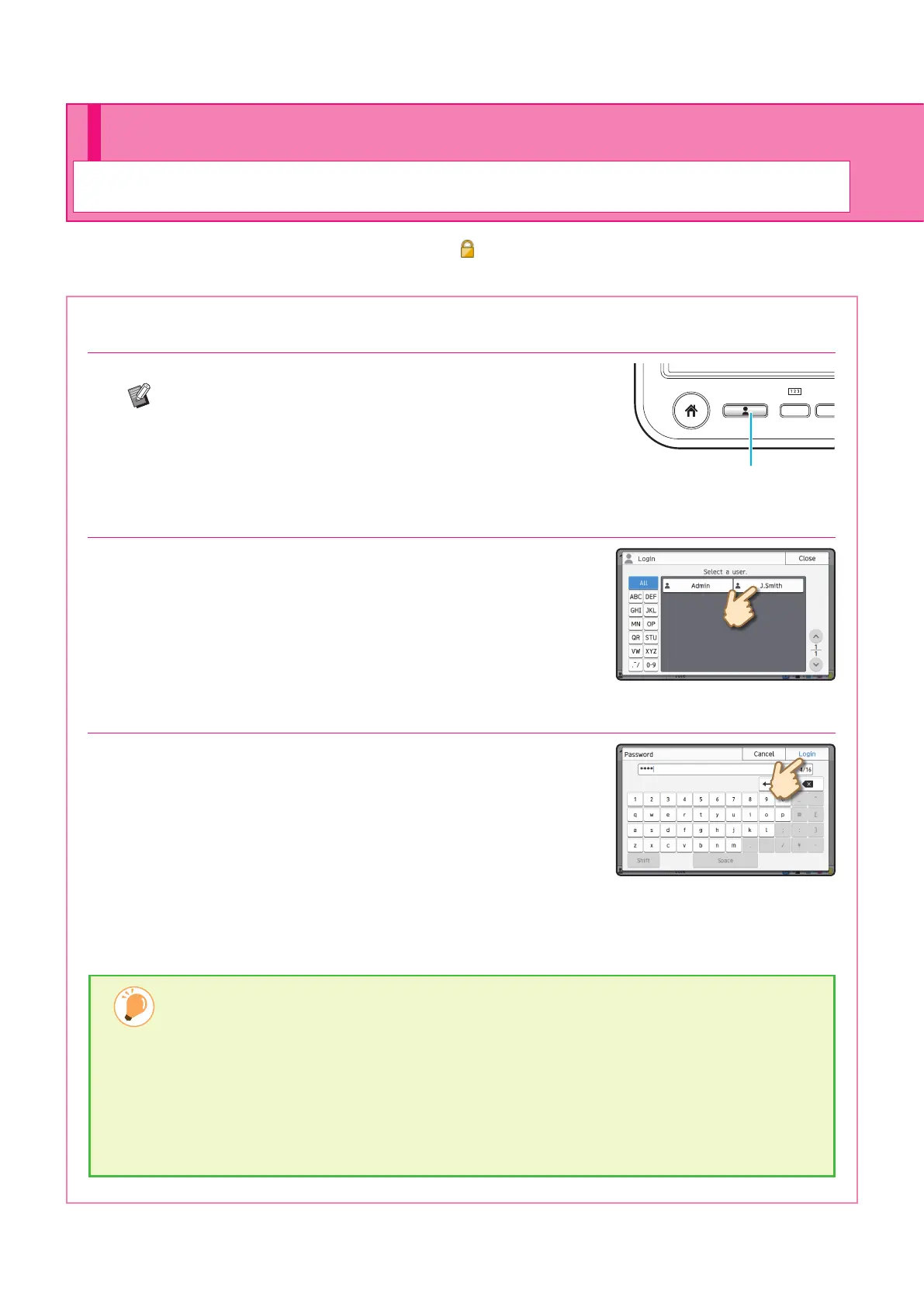
1. Press the [Login/Logout] key.
The [Login] screen is displayed.
The [Login] screen can be displayed regardless of the
mode button that is touched.
F1
Login / Logout
2. Select the user name.
3. Enter your password and touch [Login].
To log out, press the [Login/Logout] key.
Login is required when using functions indicated with the (lock icon).
Logging In
When Logging In for the First Time
Change the temporary password provided by the administrator to a password of your own choosing.
1. Enter the temporary password on the [Password] screen, and touch [Login].
The [Change Password] screen is displayed.
2. Enter the new password and touch [Next].
3. Enter the new password again and touch [OK].
Preparation
ComColor FT Series Quick Guide



 To Next Page