4
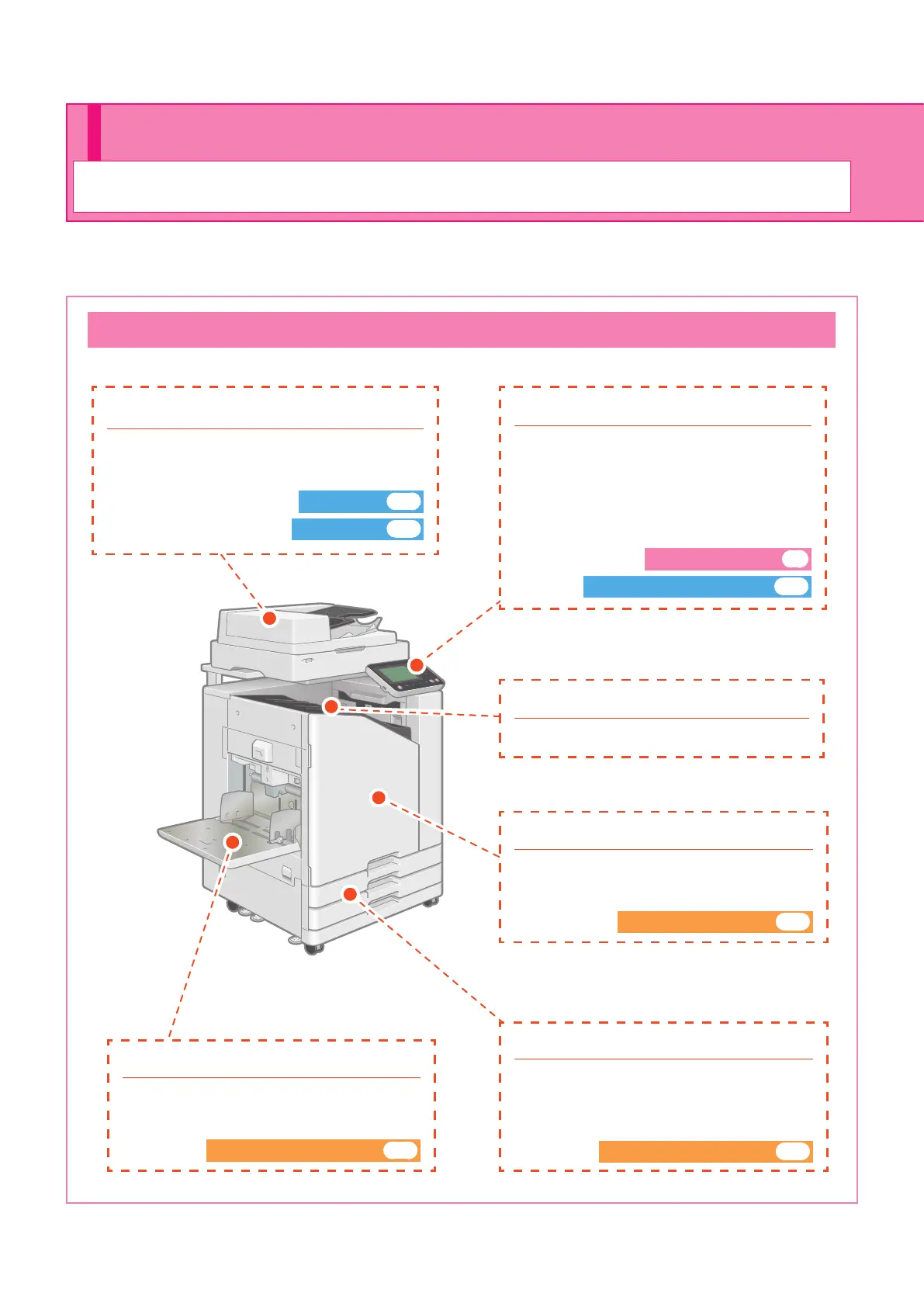
This section describes the main parts of the machine. For more information on each part name and function, see
the "User's Guide".
This Machine
About This Machine
Preparation
● Front cover
Open when paper is jammed or when
replacing an ink cartridge.
When Ink Runs Out►► p.30
● Standard tray
Load special paper (thick paper, envelopes,
etc.) here. You can also load plain paper.
When Paper Runs Out►► p.28
● Scanner (optional)
Use the scanner to copy or scan documents
that are read from the platen glass or the ADF.
Copying►► p.10
Scanning►► p.14
● Feed tray 1, Feed tray 2
Load the paper to be used for printing here.
Special paper (thick paper, envelopes, etc.)
cannot be loaded.
When Paper Runs Out►► p.28
● Operation panel
Use to perform operations or congure
settings.
The viewing angle can be adjusted for
improved visibility.
The USB port is located on the left side.
Operation Panel►► p.5
Using a USB Flash Drive►► p.24
● Face down tray
Printouts are output face down.
ComColor FT Series Quick Guide



 To Next Page