28
When Paper Runs Out
Routine Care
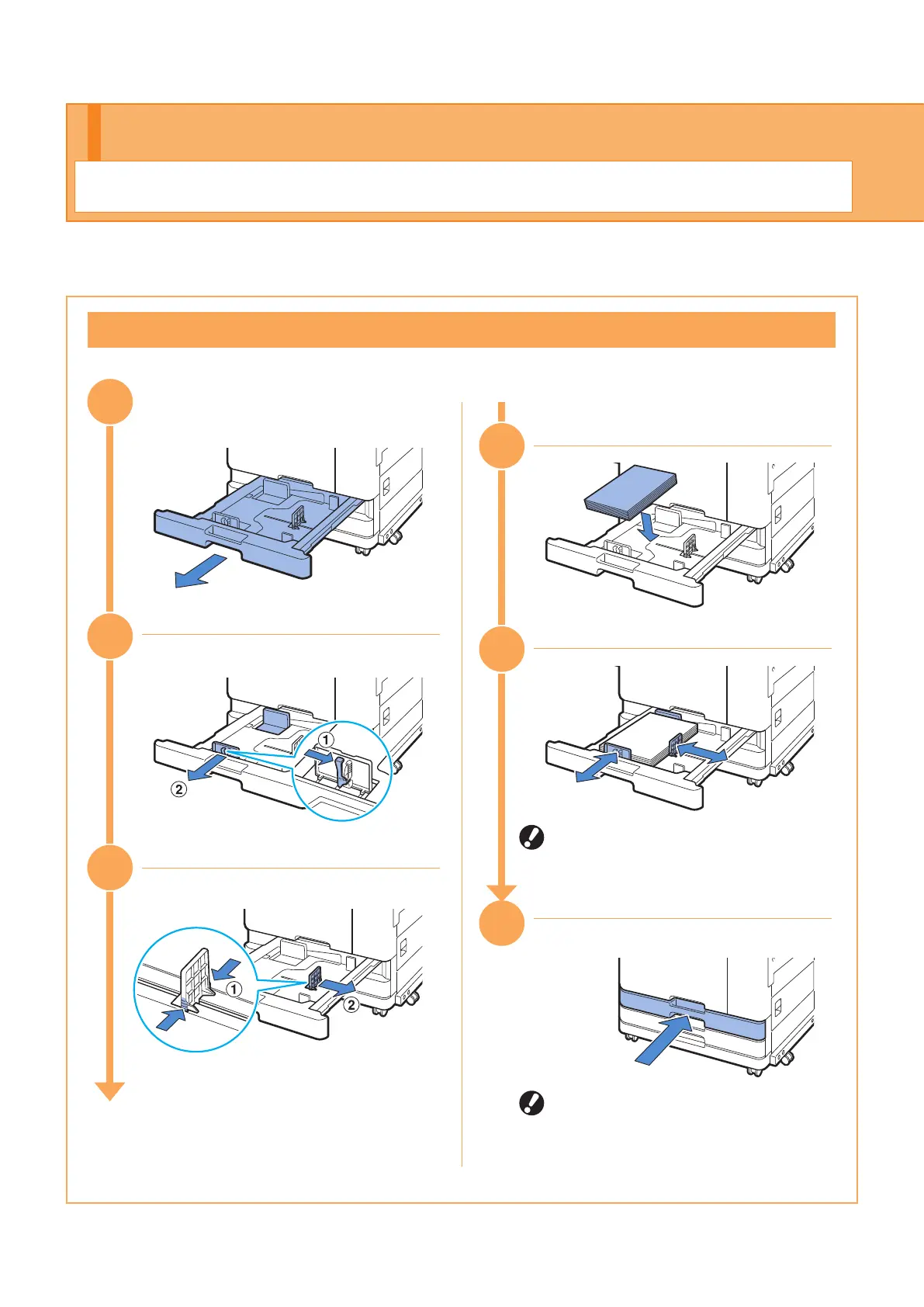
Loading Paper in the Feed Tray
When using A4 paper
The machine detects the size of the
paper based on the stopper position.
Make sure to position the stopper
against the edge of the paper.
When you have switched to a dierent
type or size of paper, update the feed
tray settings from [Home] screen -
[System Info] - [Paper Tray Setting].
Load paper in the feed trays or standard tray.
We recommend loading the feed trays with the types of paper you use most often.
33
32
3
1
35
36
34
ComColor FT Series Quick Guide



 To Next Page