11
When you are copying on letterhead paper, envelopes, or other paper with a pre-printed logo, the orientation
of the original and paper is important.
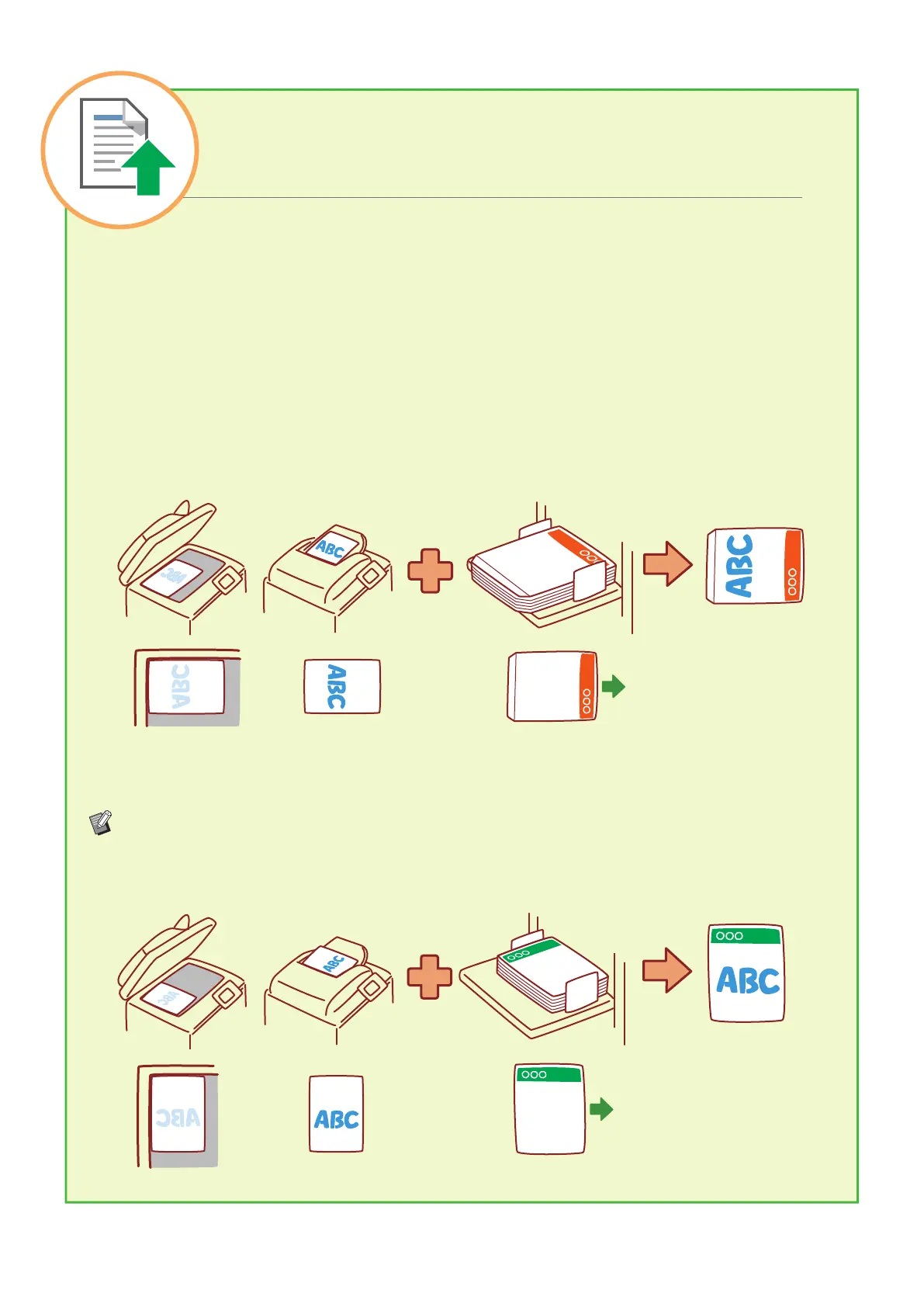
The orientation of the original and paper is described below, using an example of copying a single-sided
original.
● Example of Loading Envelopes
On the touch panel, set [Original Orientation] to [Top Side Left].
Original orientation
Load originals so that the bottom
edge is scanned rst.
Envelope loading orientation
Load envelopes so that the bottom
edge enters the machine rst.
Output
orientation
● Example of Loading Letterhead Paper
On the touch panel, set [Original Orientation] to [Top Side Up].
If the optional stacking tray is connected, outputting printouts face up will become available.
Original orientation Paper loading orientation Output orientation
(when output face up)
Loading Orientation of Originals
and Paper
ComColor FT Series Quick Guide



 To Next Page