10
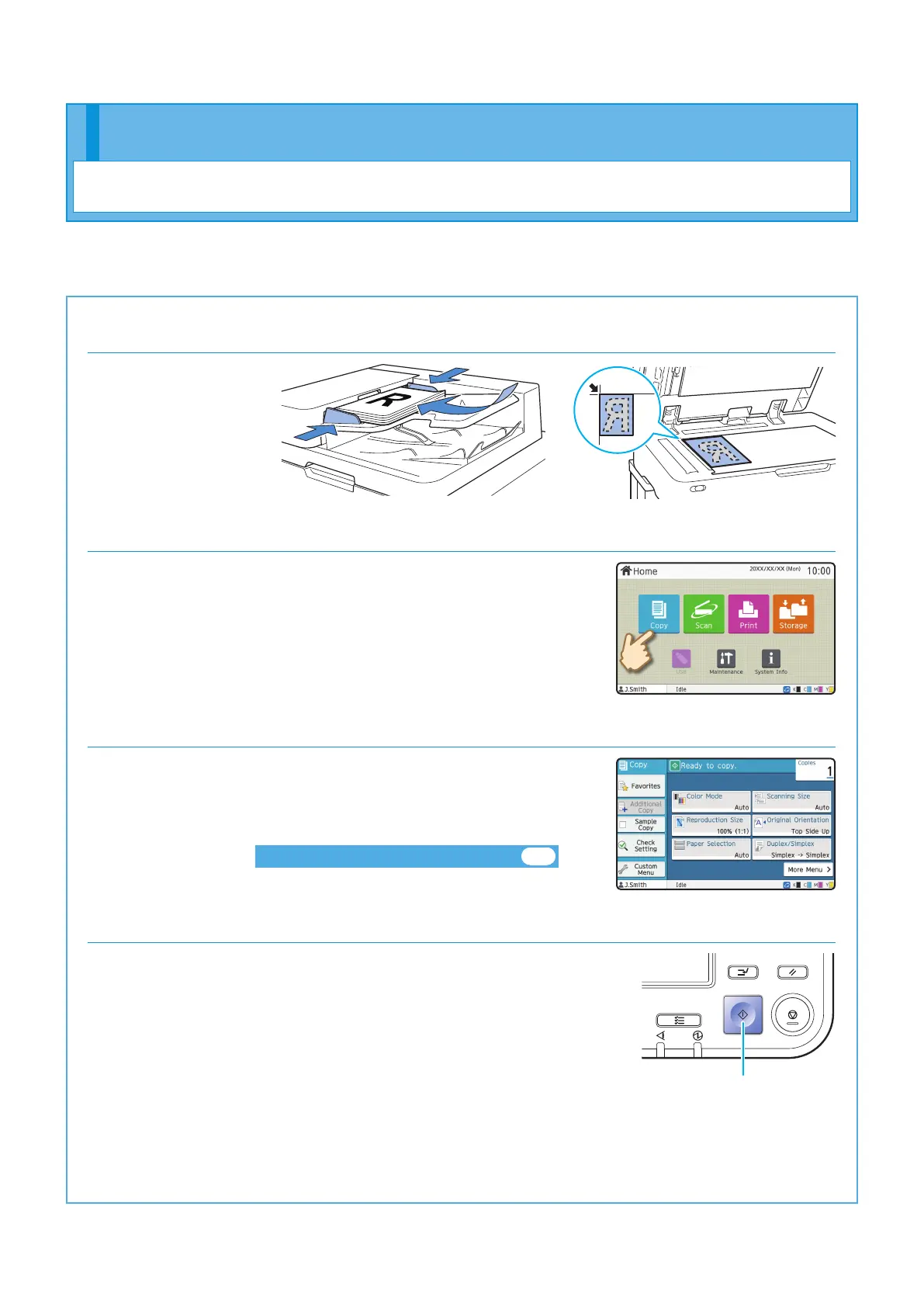
1. Load the original.
2. Touch [Copy] on the [Home] screen.
3. Change the settings as needed.
Enter the number of copies using the numeric keys.
Touch [More Menu] to display other setting buttons that are
available when copying.
About the Various Copying Functions►► p.12
4. Press the [Start] key.
Start
This section describes the basic copy procedure.
Copying
Getting Started
ComColor FT Series Quick Guide



 To Next Page