18
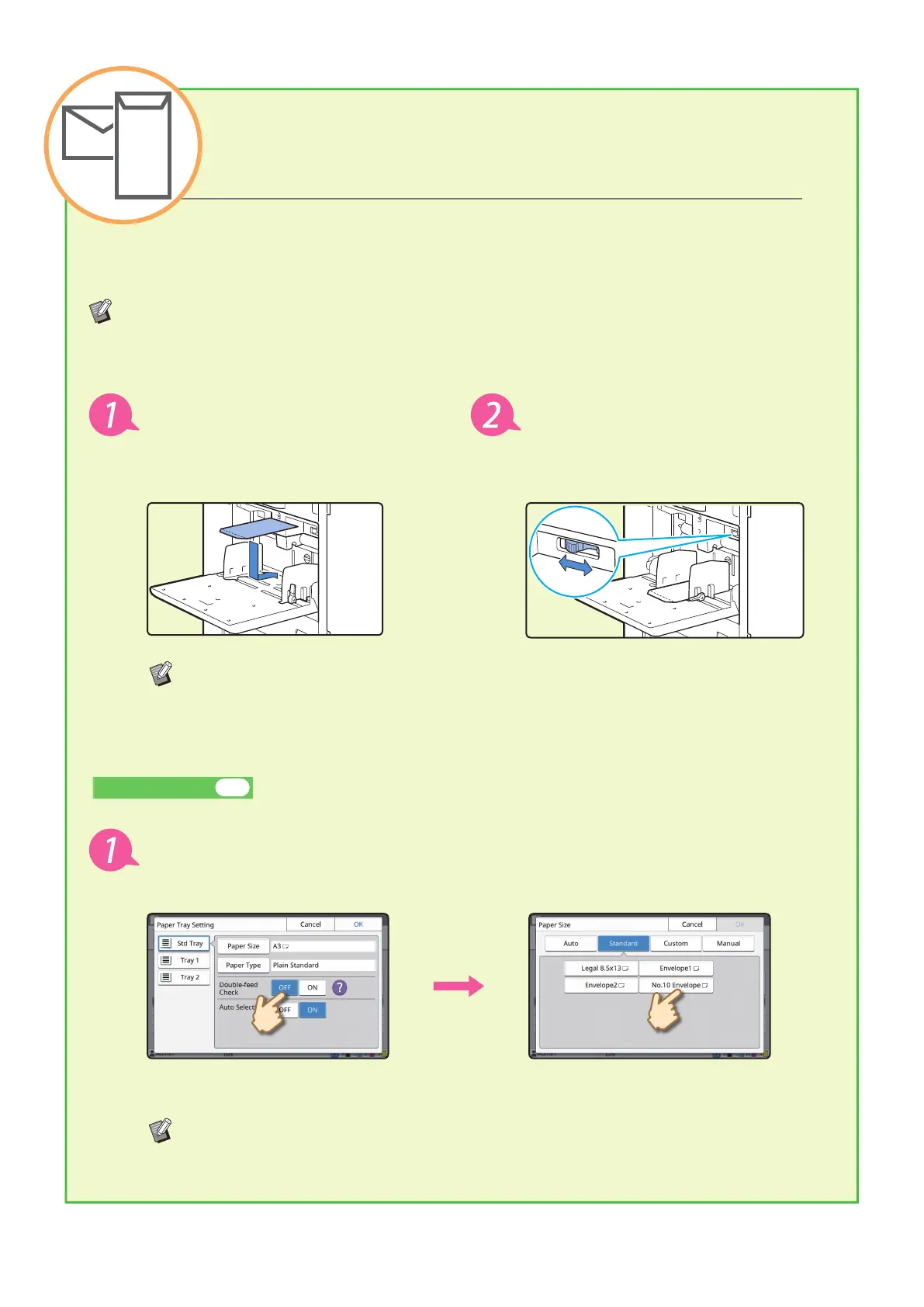
The following describes how to print on No.10 Envelope size envelopes as an example.
The document data used here is set to the same size as the envelope and its orientation is set to Portrait.
When printing on envelopes, it is recommended that you connect the optional stacking tray and envelope
feeder.
Loading the Envelope
Load the envelope in the standard
tray.
Adjust the paper feed pressure
adjustment lever to suit "thick
paper".
Load the envelope so that the bottom edge (without the ap) enters the machine rst.
Specifying the Paper Size for the Standard Tray Using the Operation Panel
Touch [Home] screen - [System Info] - [Paper Tray Setting] - [Std Tray].
Consumables►► p.33
If you load an envelope the paper size of which cannot be selected from [Standard],
register your envelope size in [Custom Paper Entry] on the administrator menu.
Touch [OFF] in [Double-feed Check]
and then touch [Paper Size].
[Standard]: Touch envelope size you
select.
Touch [OK].
How to Print on Envelopes?
ComColor FT Series Quick Guide



 To Next Page