15
The [Favorites] button is located in the top left area of screens such as the [Copy] screen or [Scan] screen.
Once you register your preferred settings in [Favorites], you can retrieve them whenever you like.
If you register frequently used settings, you can eliminate the need to congure the same settings each time.
What is the [Favorites] Function?
Press the [Start] key.
Copies are made using the registered settings.
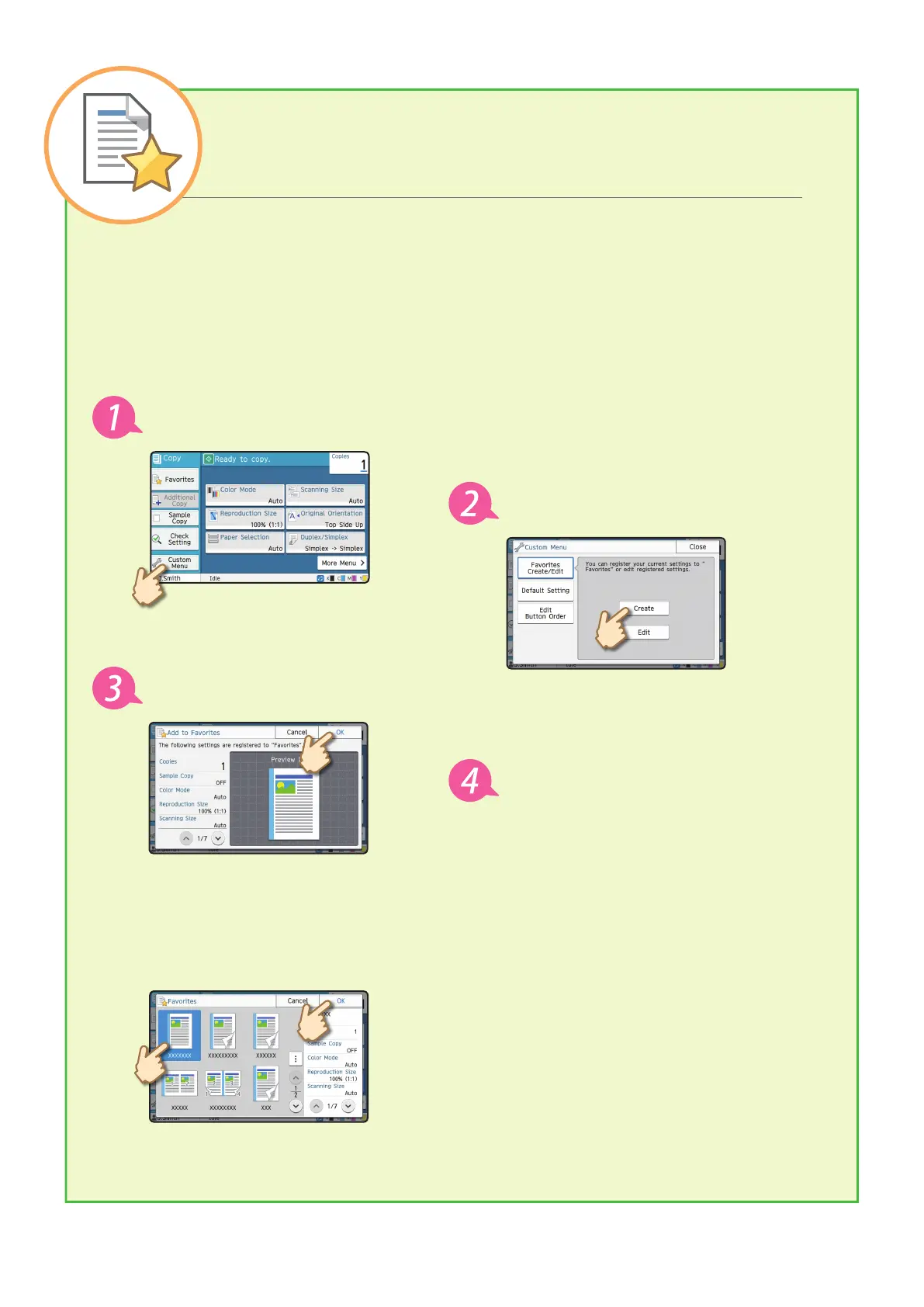
Registering the current settings for future use
The procedure for registering settings to [Favorites] is described below, using copy settings as an example.
Retrieving [Favorites] settings for easy copying
Touch [Favorites] on the [Copy] screen. Select the desired settings, and touch [OK].
Touch [Custom Menu].
Touch [Create].
Check the settings, and touch [OK].
Enter the registration name, and touch
[OK].
The settings are registered to [Favorites].
ComColor FT Series Quick Guide



 To Next Page