14
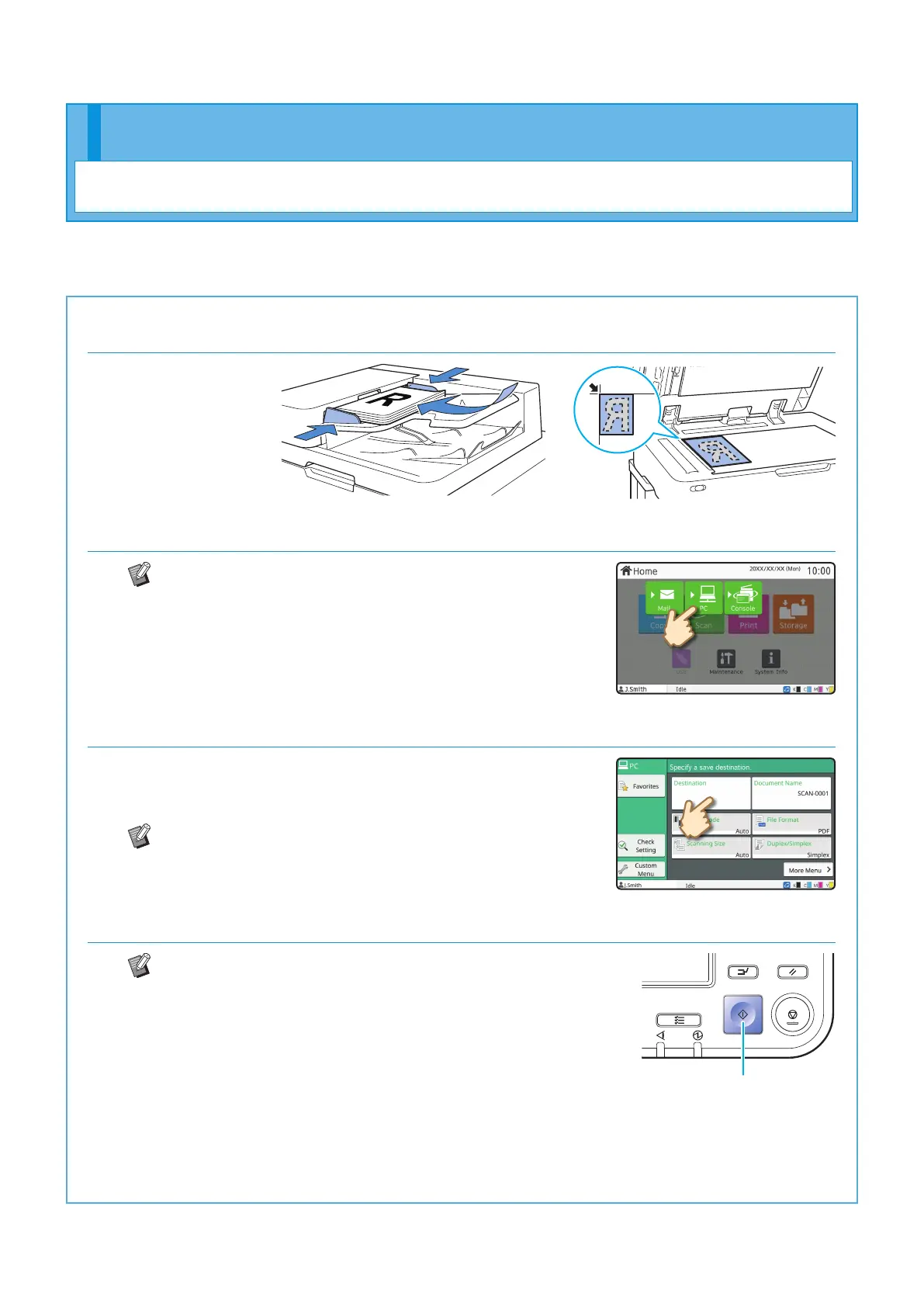
1. Load the original.
2. Touch [Scan] - [PC] on the [Home] screen.
Select [Mail] to send the scanned data by e-mail, or
select [Console] to save the scanned data to the
internal hard disk of this machine.
3. Touch [Destination], and select the destination.
Change the settings as needed.
Touch [More Menu] to display other setting buttons that are
available when scanning.
To save data to a computer not listed in [Destination],
contact your administrator.
4. Press the [Start] key.
For more information on the procedure for sending the
scanned data with [Mail] and [Console], see the "User's
Guide".
Start
For scanning, you can select either [Mail], [PC], or [Console] as the destination for sending or storing the data.
In this section, the procedure for sending the data to a computer is described as an example.
Scanning
Getting Started
ComColor FT Series Quick Guide



 To Next Page