24
You can save the scanned data to a USB ash drive.
You can also print PRN les saved to a USB ash drive from the printer driver.
Saving Scanned Data to a USB Flash Drive
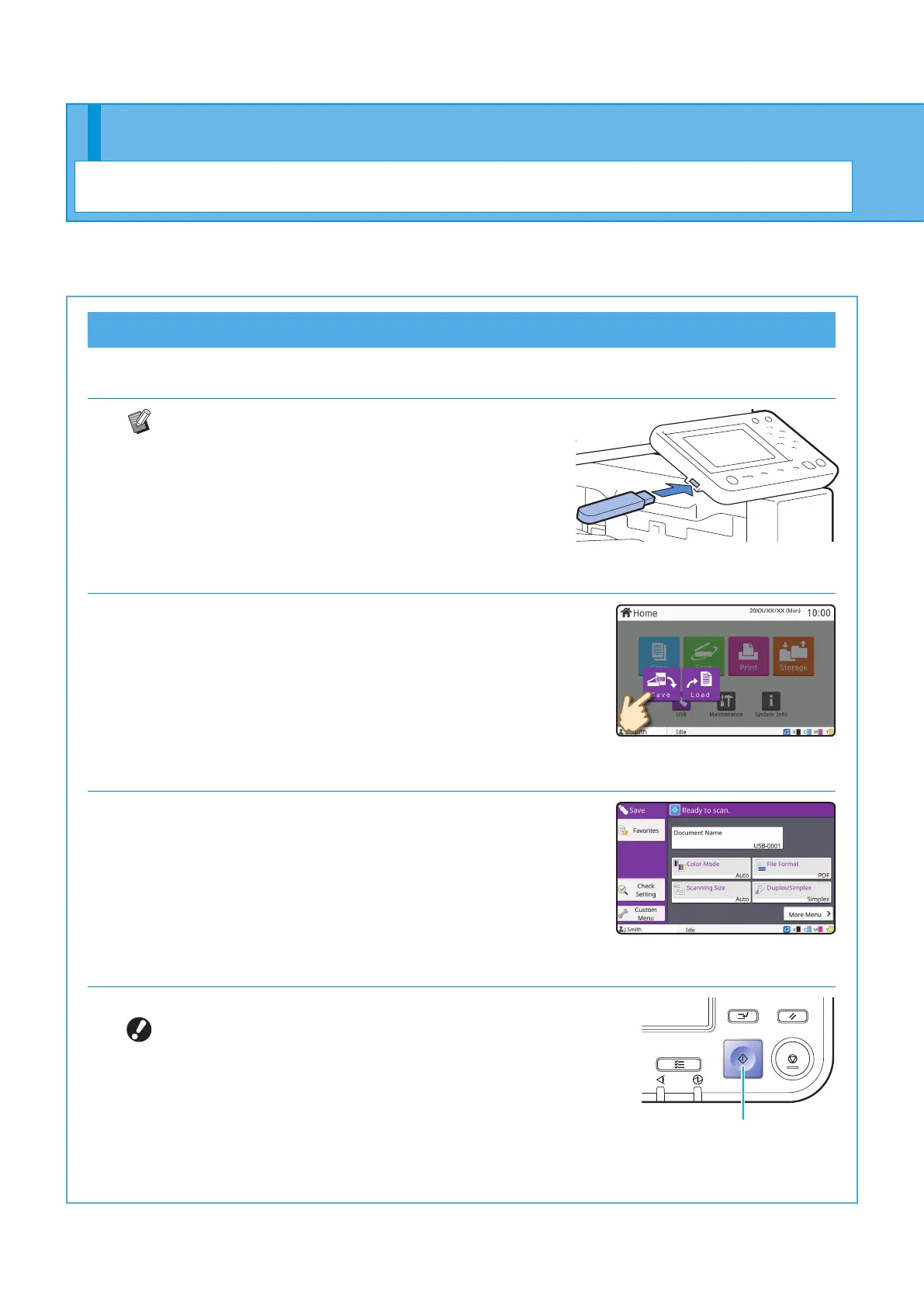
1. Load the original and connect a USB ash drive to the machine.
You can use a USB ash drive compatible with Mass
Storage Class and le system format (FAT16, FAT32,
exFAT).
2. Touch [USB] - [Save] on the [Home] screen.
3. Change the settings as needed.
Touch [More Menu] to display other setting buttons that can be
used with [Save] for the USB mode.
4. Press the [Start] key.
The data is saved to the USB ash drive.
Do not remove the USB ash drive until saving is
nished.
Start
Using a USB Flash Drive
Getting Started
ComColor FT Series Quick Guide



 To Next Page