23
Printing Data Saved to Storage
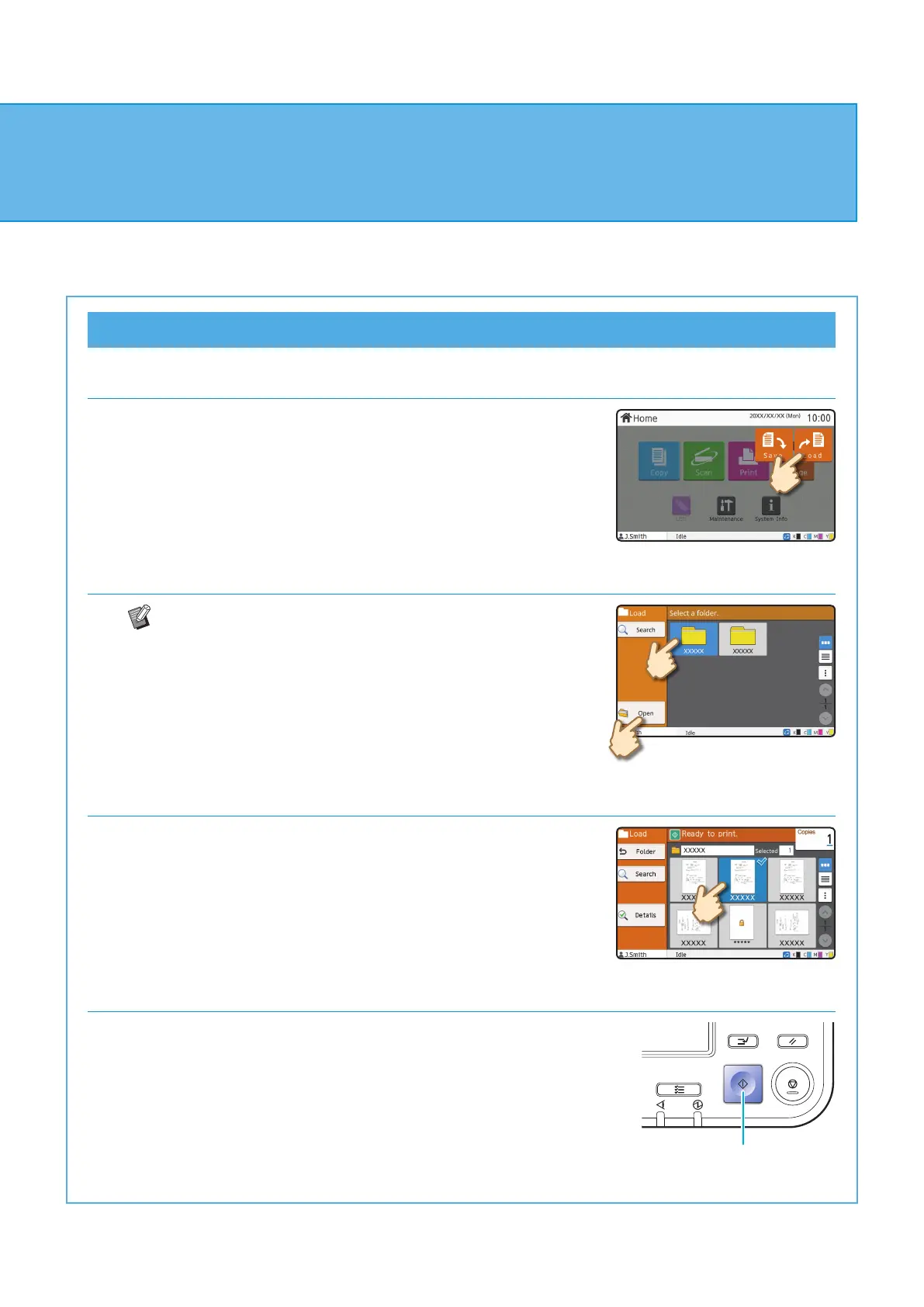
1. Touch [Storage] - [Load] on the [Home] screen.
2. Select the folder that you want to load, and touch [Open].
You can touch [Search] to search the documents in a
folder. For more information, see the "User's Guide".
3. Select the document.
Touch [Details] to display the details of the document.
Enter the number of copies using the numeric keys.
4. Press the [Start] key.
Start
Using Storage
ComColor FT Series Quick Guide



 To Next Page