22
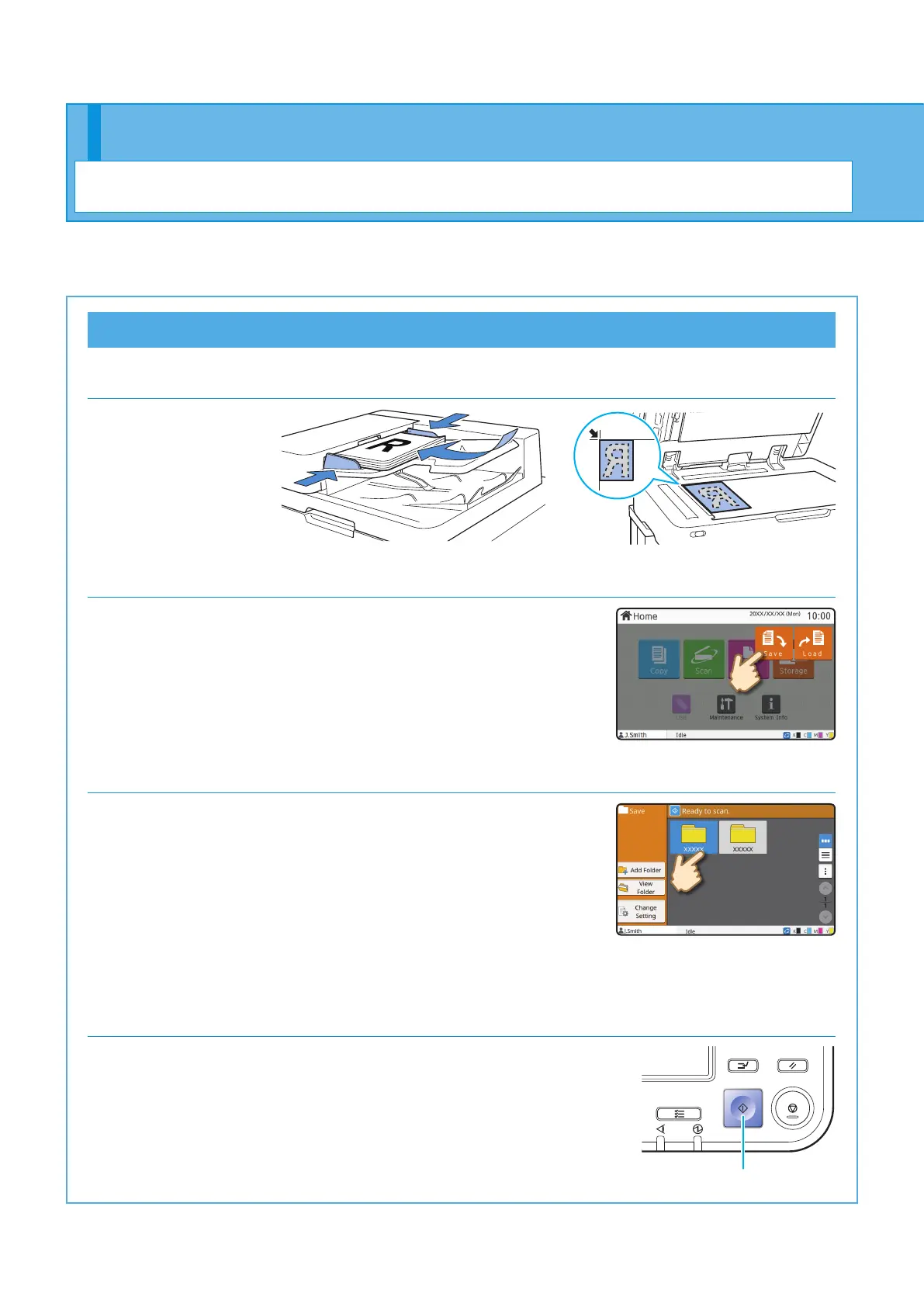
Saving Scanned Data to Storage
1. Load the original.
2. Touch [Storage] - [Save] on the [Home] screen.
3. Select the destination folder.
You can touch [Add Folder] to create a new folder to use as the
destination.
Touch [View Folder] to display a list of documents in a folder.
This enables you to ensure that the selected folder is the
appropriate destination for the data.
You can touch [Change Setting] to change the settings.
4. Press the [Start] key.
Start
Using Storage
Getting Started
You can save the scanned data to the internal hard disk of this machine. The settings are saved for each job,
making it easy to print later with the same settings.
ComColor FT Series Quick Guide



 To Next Page