7
Using the Touch Panel
Preparation
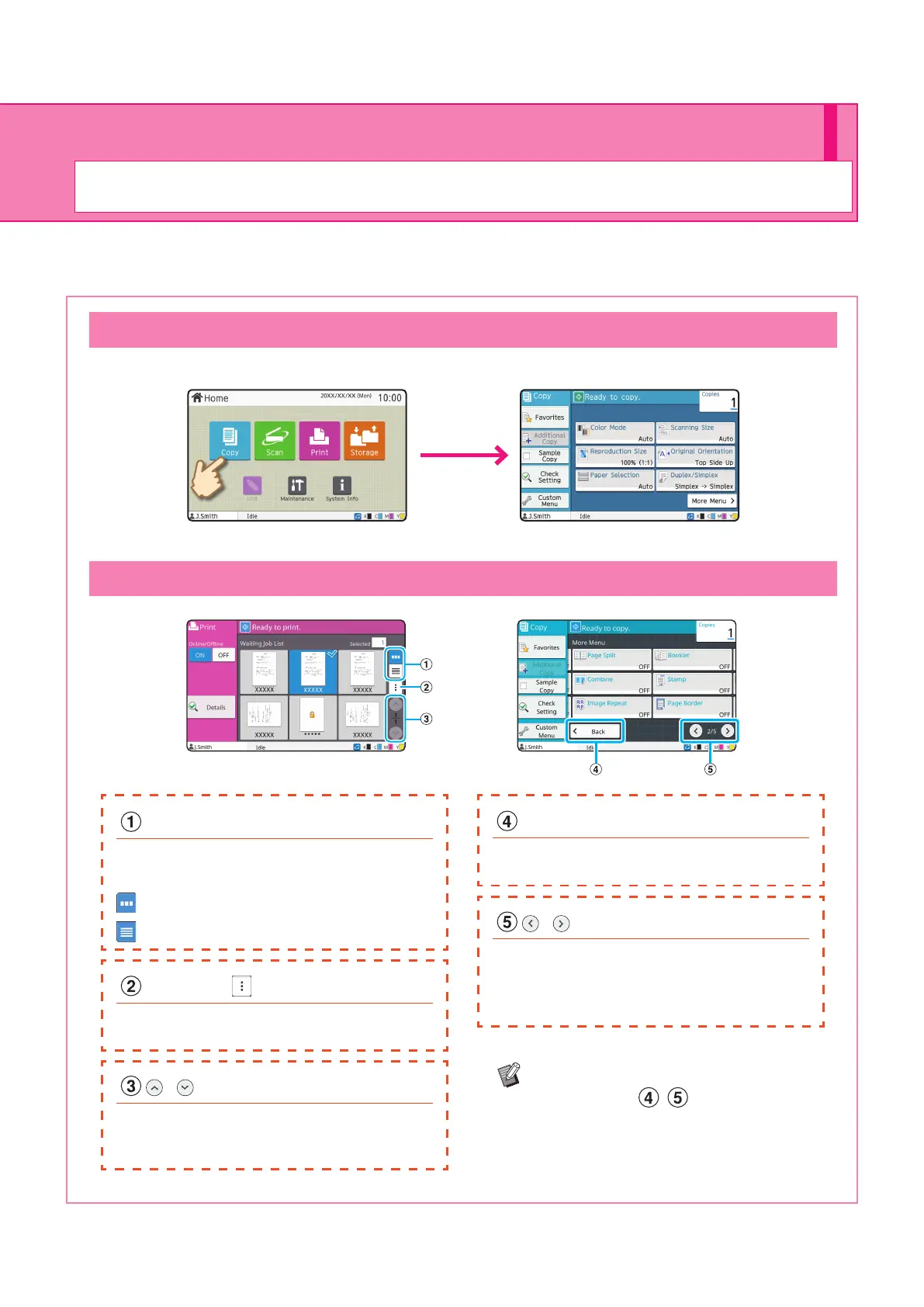
Selecting an Item
Touch a button to select an item.
Buttons and Sub Menu
View Selection Buttons
You can select whether to view the waiting
jobs as thumbnails or as a list.
: View as thumbnails.
: View as a list.
/ Buttons
Use these buttons to switch the view pages.
The current page and total number of pages
are displayed as a fraction.
/ Buttons
Use these buttons to switch the setting button
pages.
The current page and total number of setting
button pages are displayed.
Back Button
Touch this button to return to the initial screen
of each mode.
Sub Menu
You can edit or delete the settings for the
selected job.
Touch [More Menu] to display other
setting buttons ( , ) which are not
displayed on the initial screen.
ComColor FT Series Quick Guide



 To Next Page