5
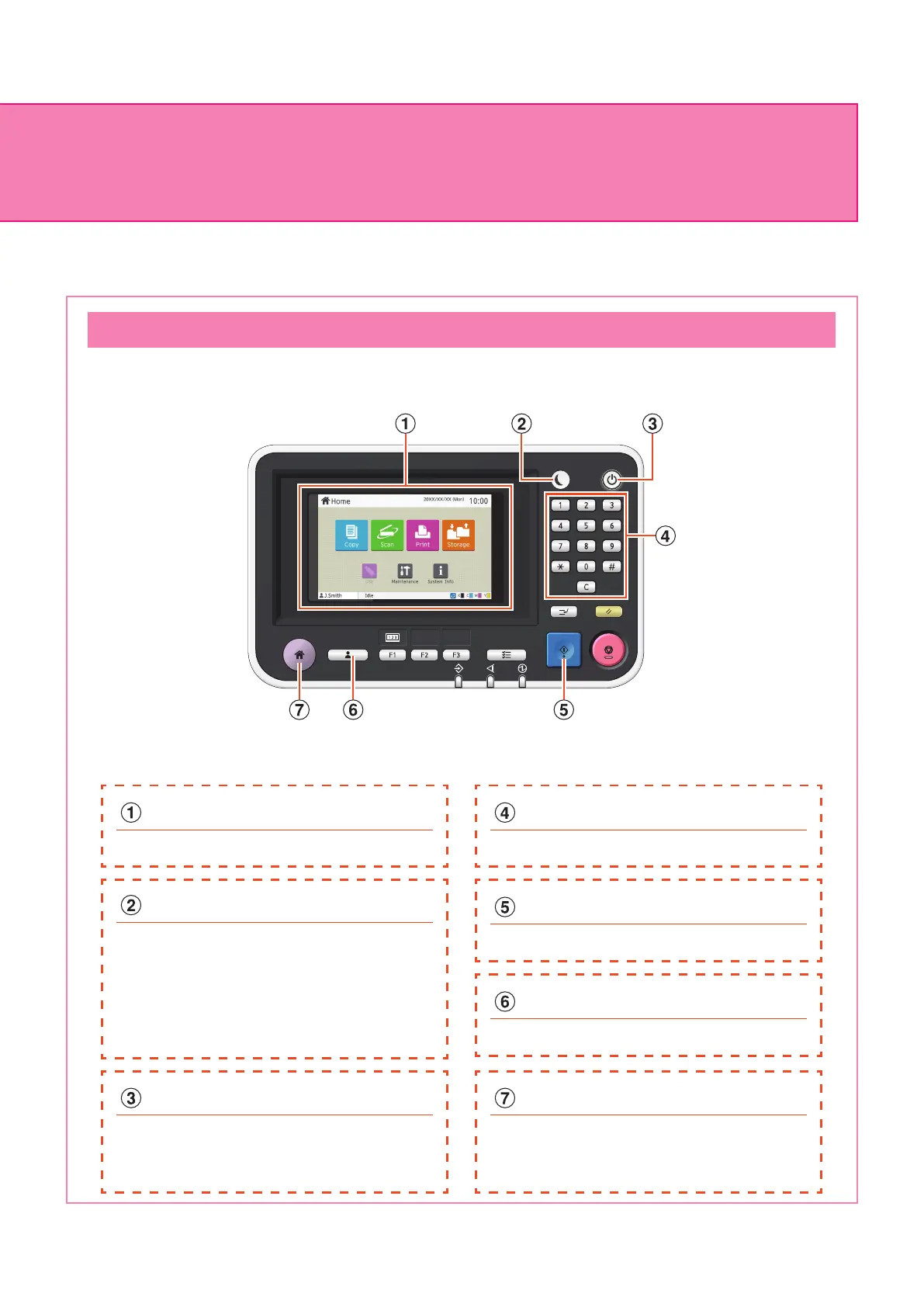
You can operate the machine by using the touch panel and keys on the operation panel. To use a button on the
touch panel, touch it with your nger.
Operation Panel
Touch panel
Use to perform operations or congure settings.
Power key
When pressed, the power turns on and the
key lights up.
To turn o the power, press and hold the key.
Start key
Press this key to start an operation.
Numeric keys
Use these keys to enter numbers.
Login / Logout key
Press this key to log in or log out.
Home key
Press this key to return to the [Home] screen
(initial screen) from the screen for each
function.
Wake Up key
This key lights up when this machine is in
power saving mode.
Pressing this key when it is lit makes the
machine ready for operation.
Pressing this key when it is not lit puts the
machine into sleep state.
About This Machine
ComColor FT Series Quick Guide



 To Next Page