2: System Description
18
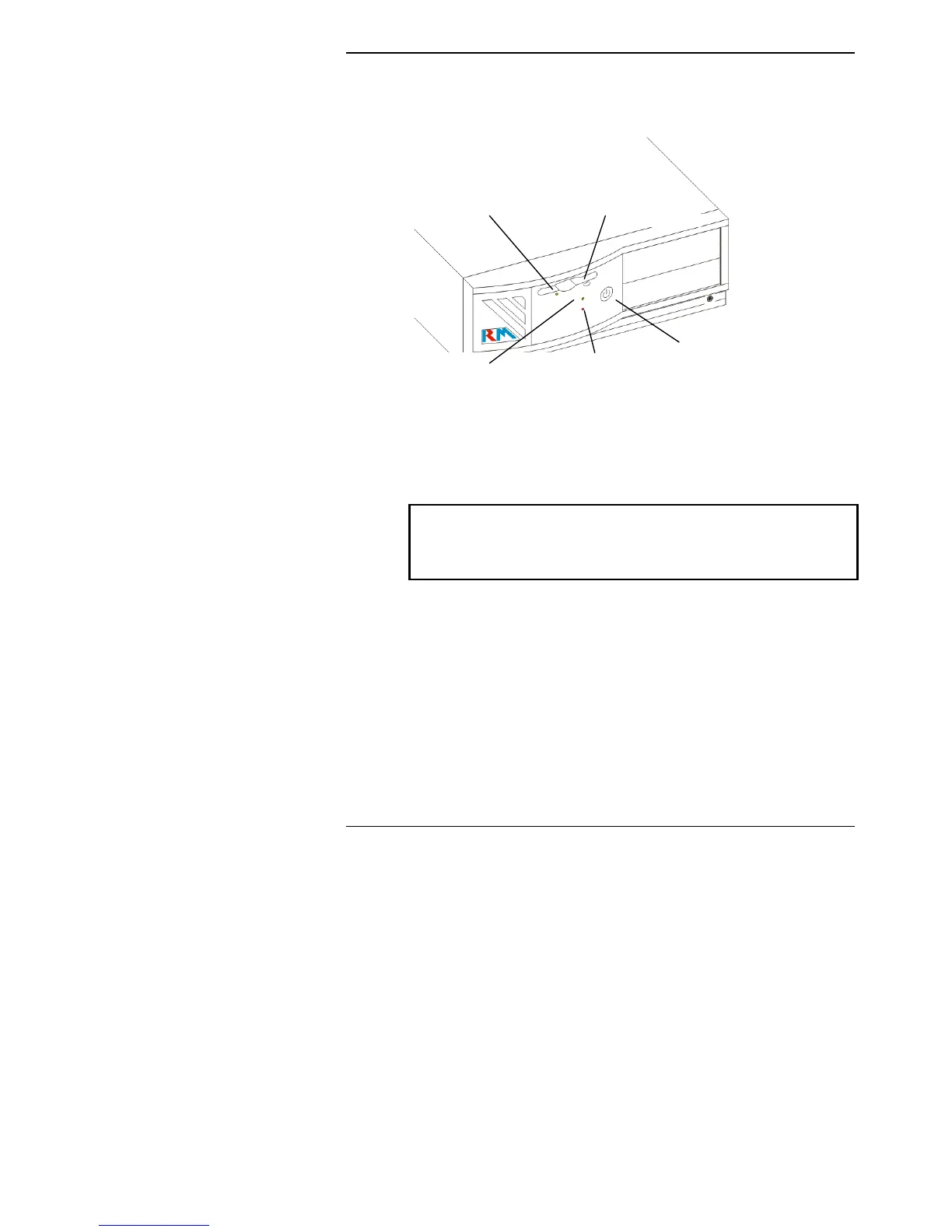
The Front of the Computer
Power LED HDD LED
FDD LED Eject Button
Power switch
Power switch
The power switch is used to switch the computer on and off. If you
switch off the computer using the power switch, wait about five
seconds before switching on again.
Caution:
Think before you press the power switch. Restarting your computer means you
lose all un-saved work. If possible, save your work and quit from any applications
which you are running.
Power LED (POWER)
This LED (light emitting diode) is lit to indicate that the computer is
switched on and the power supply is operational.
Hard disk drive LED (HDD)
This is lit when the computer is accessing the hard disk or a device
attached to the hard disk interface.



 To Next Page