2: System Description
26
Backing up floppy disks
Always make backups (copies) of programs and data which are
important to you. Store the backup in a safe place.
There is additional help on backing up in RM PC Help.
Labelling floppy disks
Always label your disks carefully so that you know which files they
contain. Place the label on the front of the disk and make sure that
the label does not touch any metal areas on the disk.
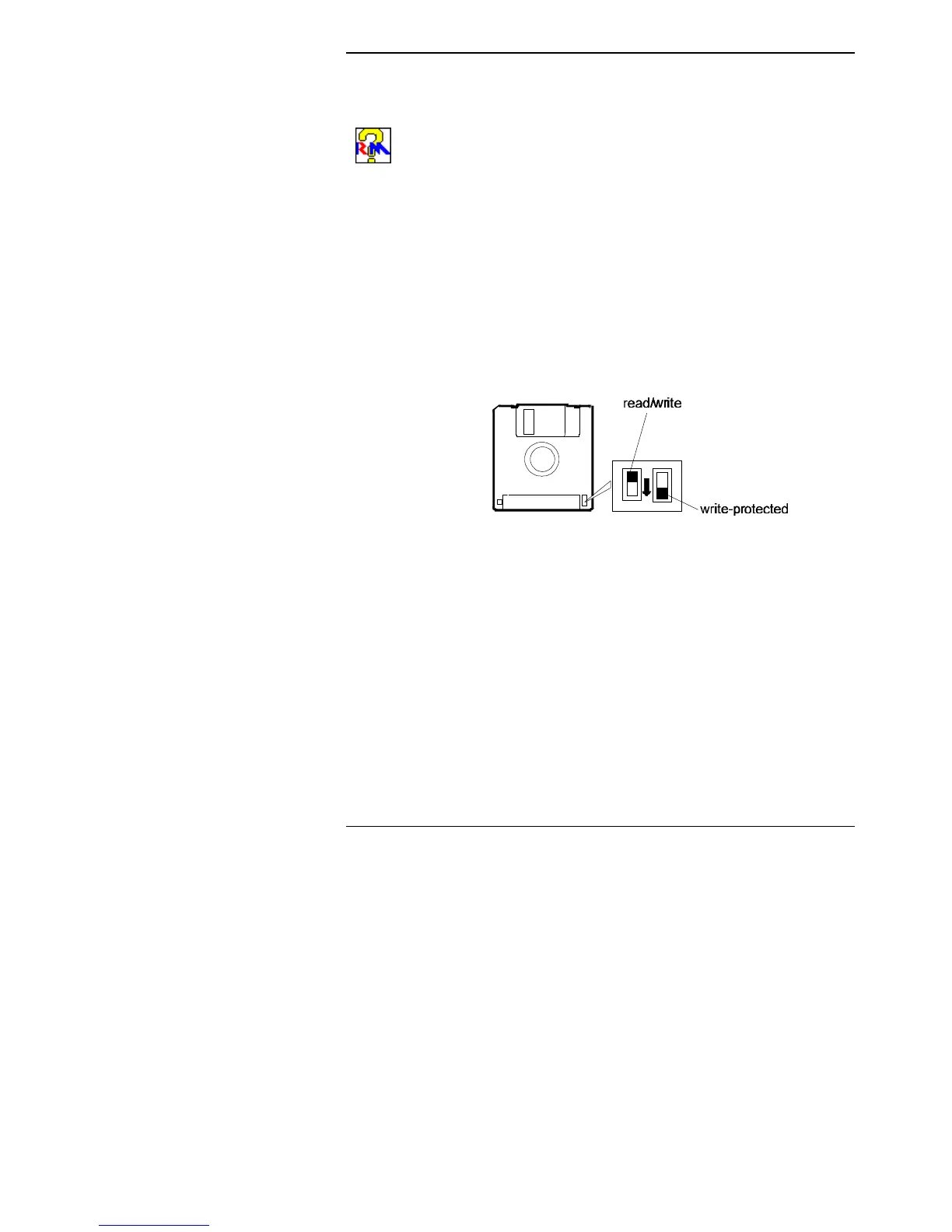
Write-protecting floppy disks
Write-protecting a floppy disk allows you to read the files on it but
not to change files, delete files or add new files to the disk. To
write-protect a 3.5 inch floppy disk, turn it over and slide the plastic
square as shown below.
Later, if you want to write to the disk, you can slide the plastic
square back to the read/write position.



 To Next Page