Robotiq inc. © 2016 28
3.8.1 Installation
Make sure the 2-Finger Gripper is properly mounted to the robot arm. Refer to Section 3.4 for detailed information on the mechanical installation. Before
proceeding with the installation of the URCaps package, make sure your Universal Robots’ controller is compatible with the package (refer to Section 3.7).
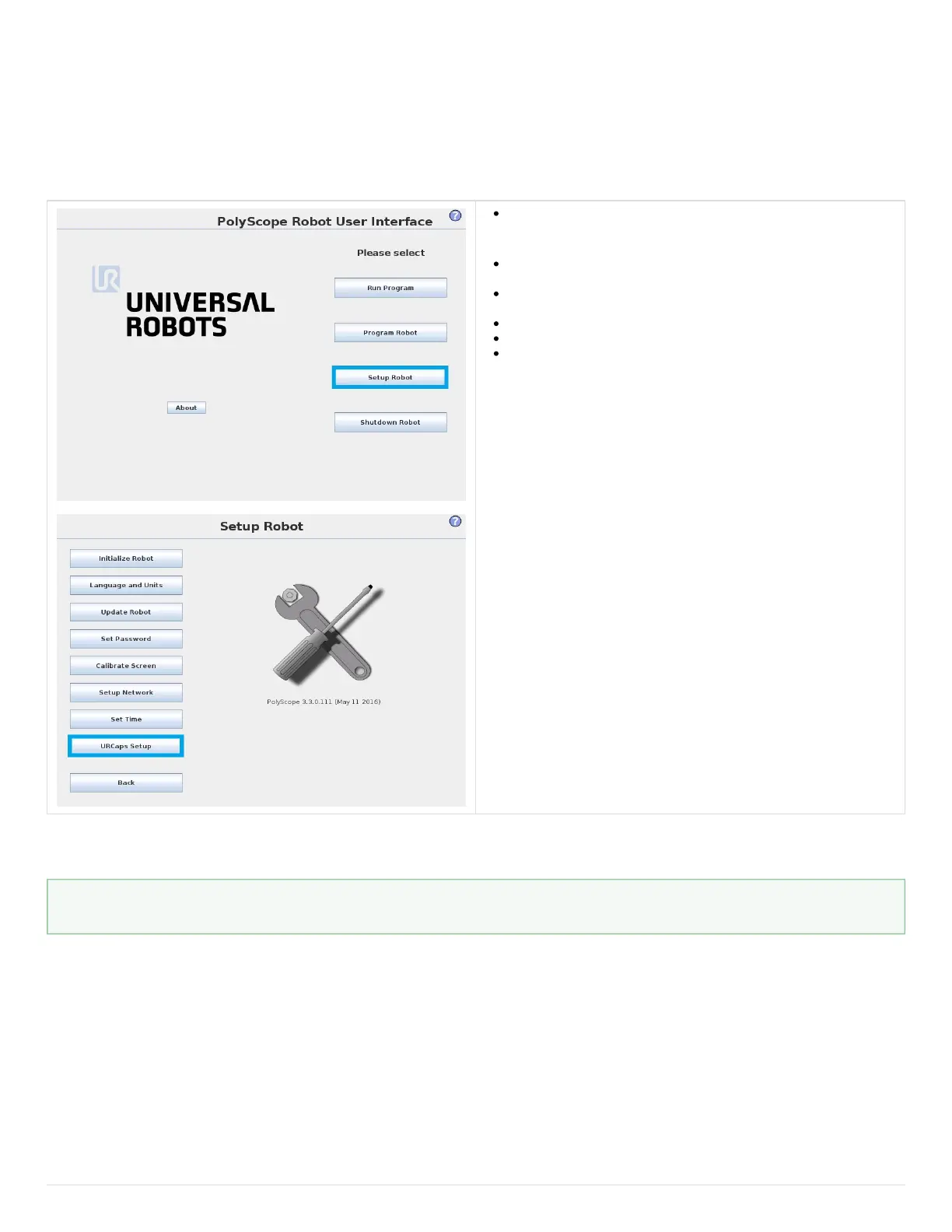
Follow this procedure to install the 2-Finger Gripper URCaps package :
Make sure that your Polyscope version is up-to-date and that your
Universal Robots controller is compatible with the Gripper’s URCaps
package.
Go to and click on the 2-Finger Gripper productsupport.robotiq.com
page.
Download the Robotiq_2-Finger_Adaptive_Gripper-X.X.X.urcap on a
blank USB stick.
Insert the USB stick in the UR teach pendant or controller.
Go in Setup Robot.
Tap URCaps Setup.
How to know your Polyscope version?
In Polyscope, go in the Home page and tap the About button. A window containing the Universal Robots software version will pop up.



 To Next Page