www.cel-robox.com
2.0 Overview
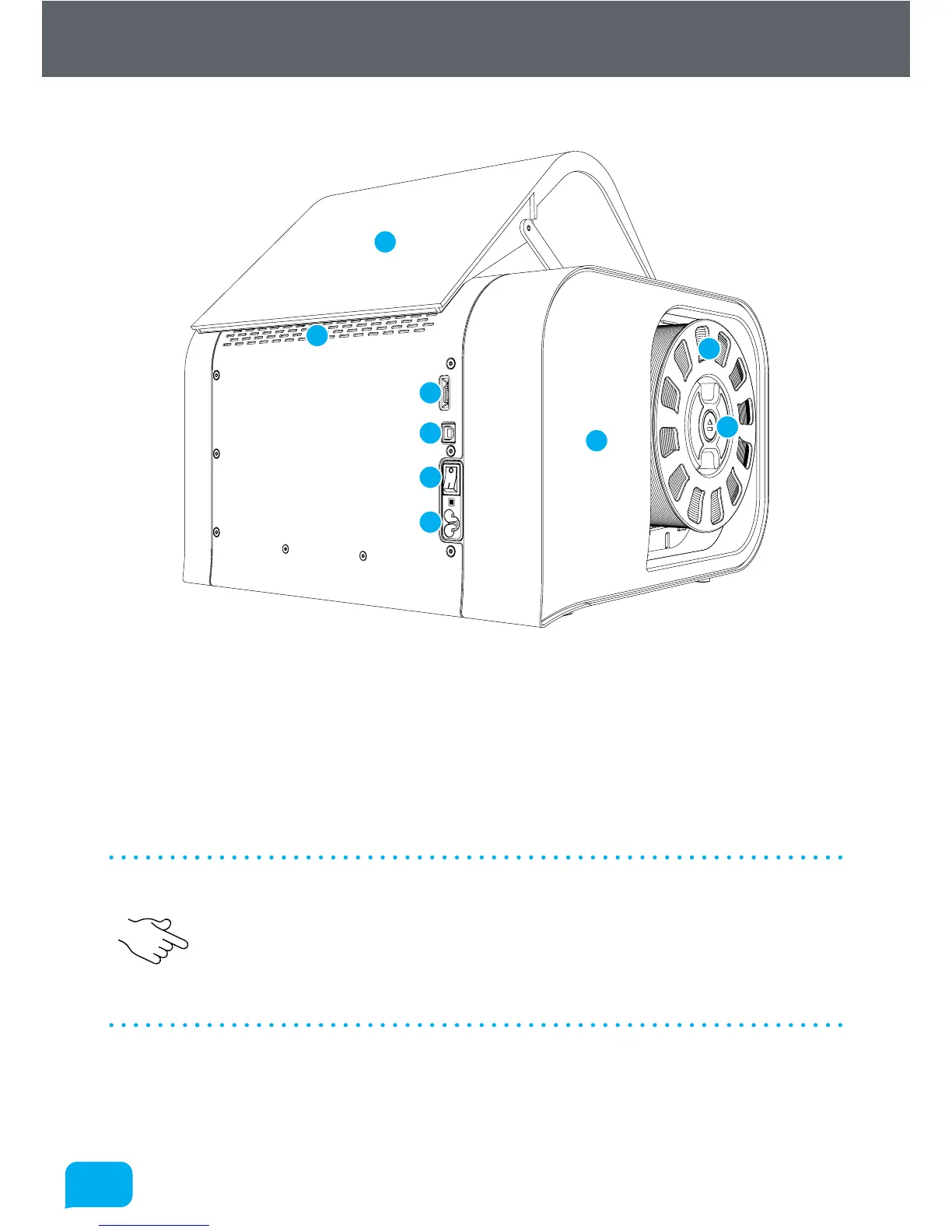
This view shows the rear connections of Robox® and the SmartReel™ location.
1
2
8
3
6
7
4
9
5
1 microSD Card Flash Storage 6 Pause/Resume/Eject Button
2 USB Type B Socket 7 Outlet Vents
3 Power Switch 8 Door
4 C5 ‘Cloverleaf’ Power Inlet 9 Side Cover
5 Robox® SmartReel™
• Although there is a microSD card accessible from the back of Robox®, this
cannot be read by any other machine and is only for use as internal flash
storage - access is provided only for diagnostic/repair purposes.
• Do NOT connect the USB cable until you have completed the installation of
AutoMaker™ - see section 3.3.



 To Next Page