www.cel-robox.com
5.0 AutoMaker Soware
5.3.7 Advanced Settings - SmartReel™ Programming
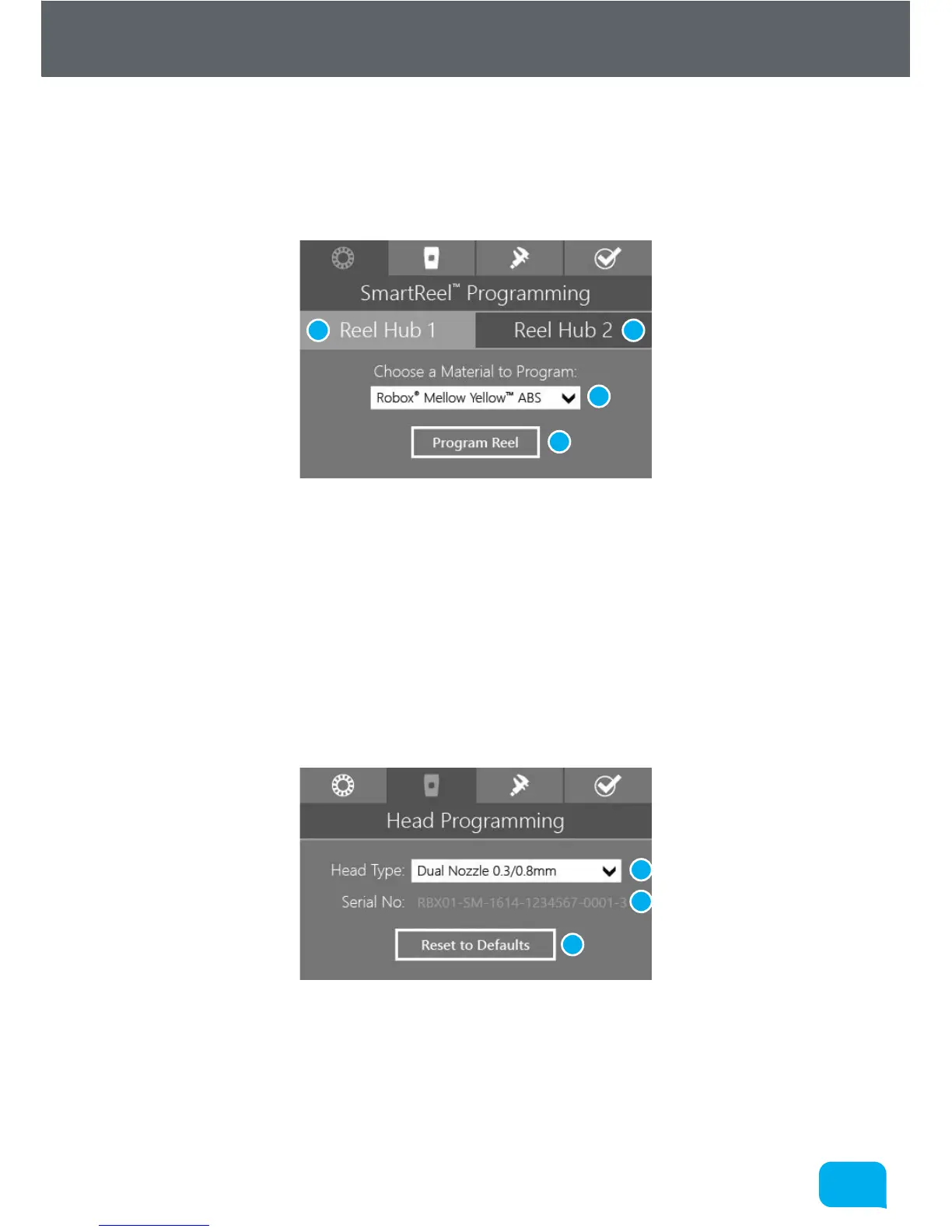
This page is for writing custom material parameters to a Robox® SmartReel™.
Simply choose which reel to apply the settings to, choose a material from the list
- custom or oicial, then click the Program Reel button.
1 Apply to Reel Hub 1 3 Material Selection
2 Apply to Reel Hub 2 4 Program Reel
5.3.8 Advanced Settings - Head Programming
This page is for programming the print head with the correct settings based on
CEL supplied defaults. Simply click the type of head you have, and click Reset
to Defaults. It also displays the unique serial number for your printhead which is
useful when contacting CEL support.
1 Select Head Type 3 Reset Head Defaults
2 Head Serial Display
1 2
3
4
1
2
3



 To Next Page