www.cel-robox.com
5.0 AutoMaker Soware
5.5.3 Print Settings
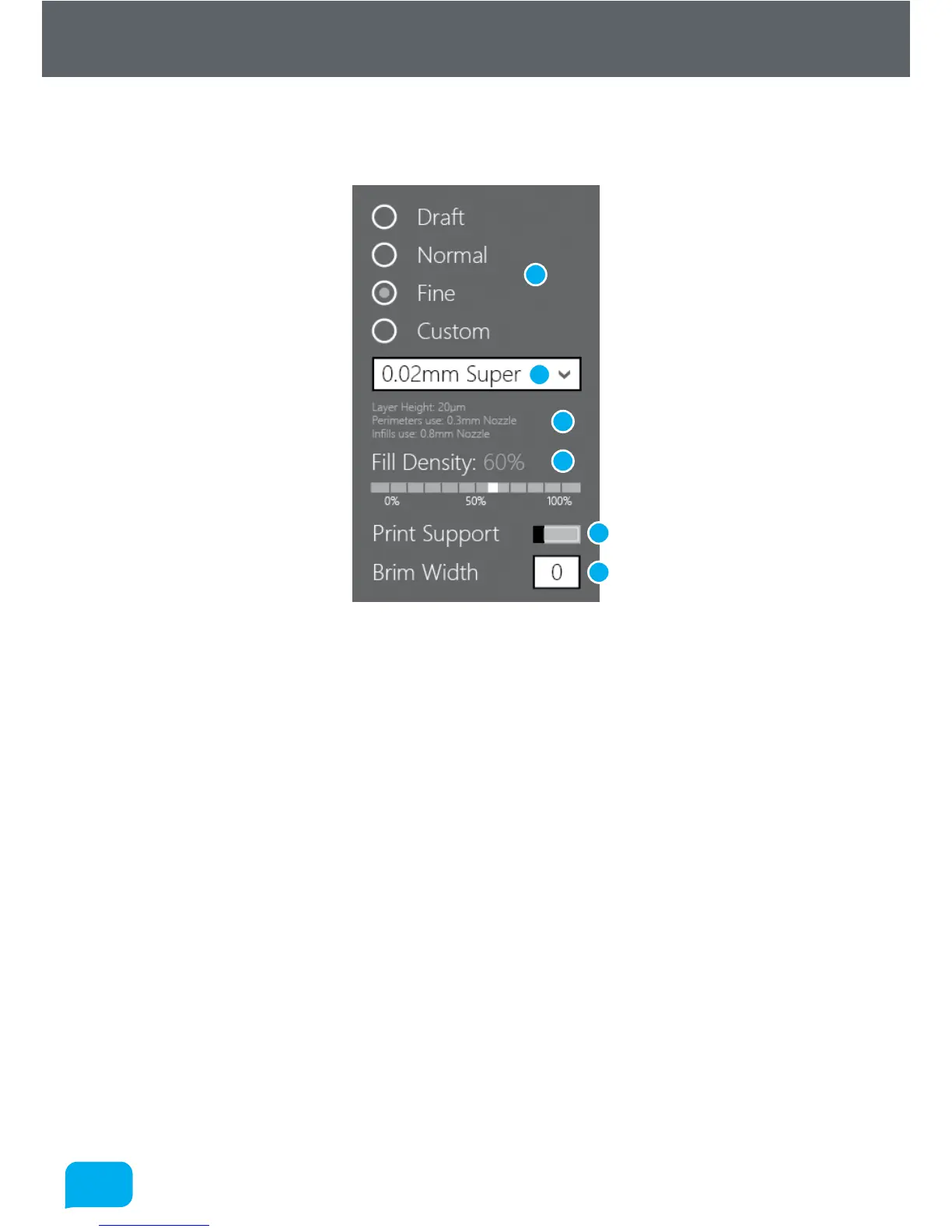
This allows you to adjust the quality and print profile for production.
1 Quality Setting 4 Fill Density
2 Custom Print Profile 5 Support Material Setting
3 Profile Summary 6 Brim Width
• Quality Setting
This allows you to select a basic quality setting from the list of options - Dra,
Normal or Fine. The final option - Custom allows you to create a new profile
or to select from a previously created one. To create a new profile, click the
selection box and choose Create New... - this will expand the Advanced Tray
to the right (see section 5.5.5).
• Profile Summary
This displays a brief summary of the currently selected print settings. The
information available is as follows:
• Layer Height in microns (µm).
• Perimeters use - which nozzle is used to print the outside surface of the
object.
• Infills use - which nozzle is used to print the inside fill of the object.
1
2
3
4
5
6



 To Next Page