www.cel-robox.com
5.0 AutoMaker Soware
5.3.6 Advanced Settings
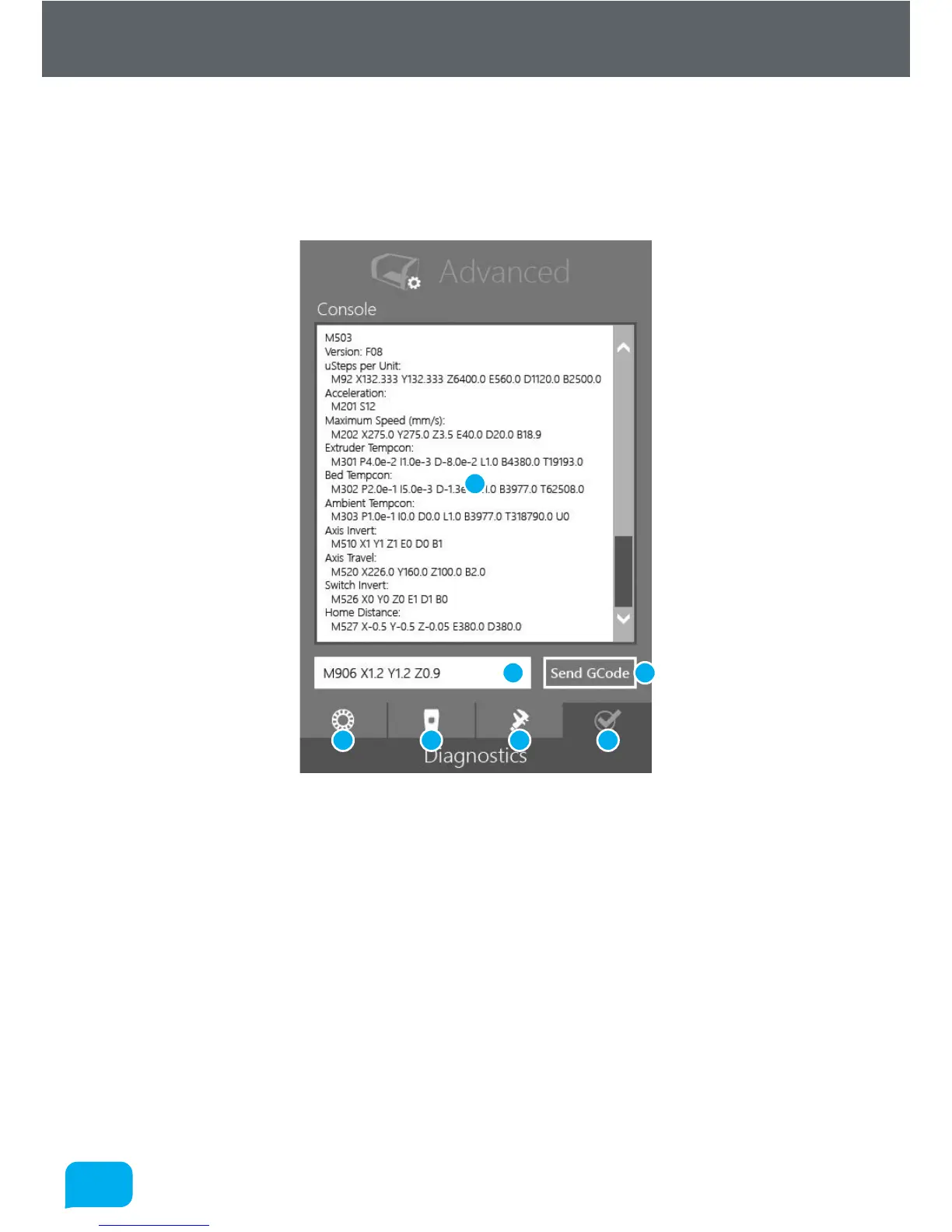
This part of the screen allows you to perform more advanced functions relating
to the overall printer - print job settings are accessed from the Settings Screen -
see section 5.5. Its functions are summarised below:
1 GCode Console Output 5 Head Programming
2 GCode Text Entry 6 Calibration and Maintenance
3 Send GCode to Robox® 7 Diagnostics
4 SmartReel™ Programming
• GCode Console
This console allows you to manually send GCode commands to Robox® over
the USB cable. Simply type the command in the text entry box (2) and then
click Send GCode (3). A list of all GCode commands applicable to Robox®
can be found in the Supplementary Information section at the back of this
manual - section 8.1.
1
2 3
4 5 6 7



 To Next Page