www.cel-robox.com
5.0 AutoMaker Soware
5.3 Status Screen
This section explains the status screen in more detail.
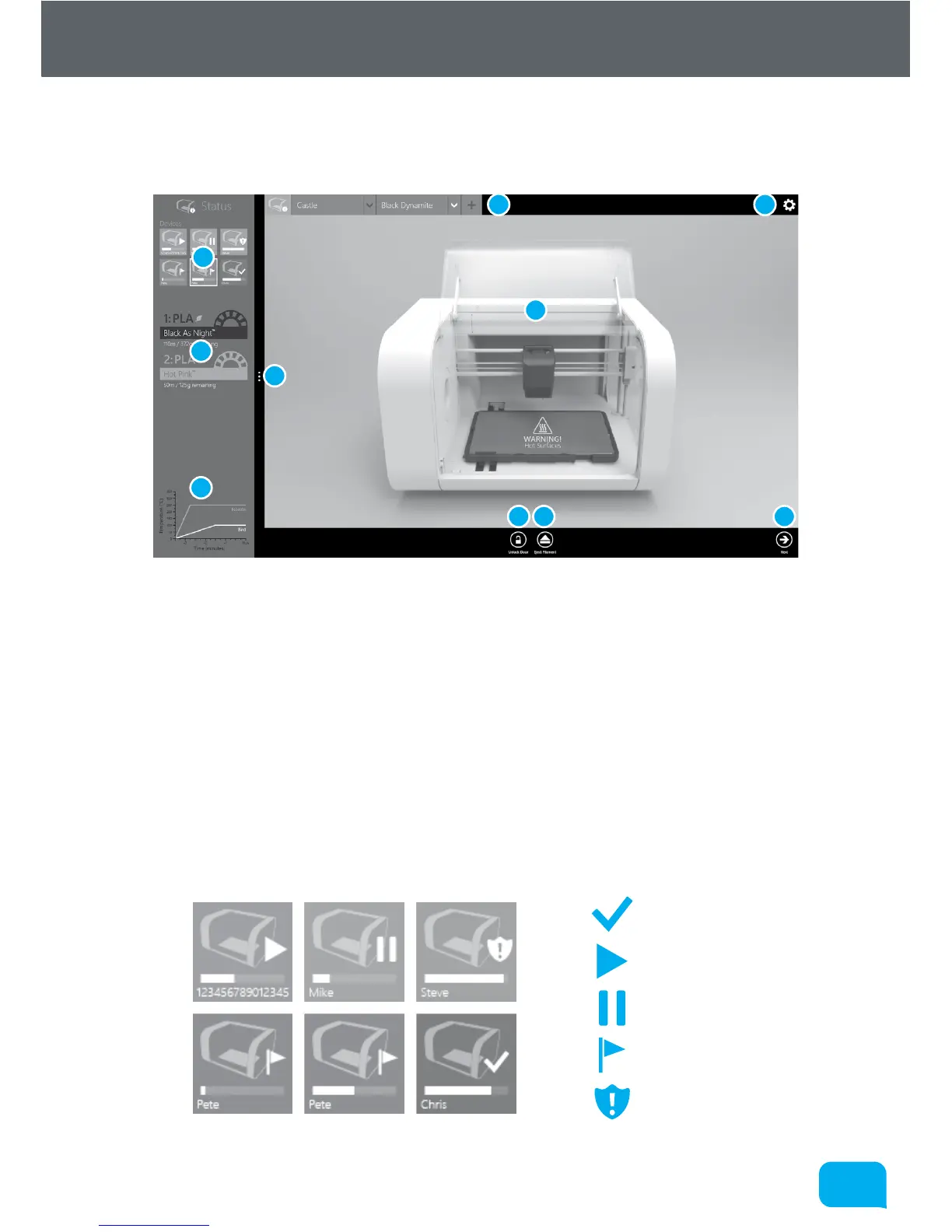
1 Connected Printers 6 Current Printer Status
2 Installed Filament 7 Unlock Door
3 Temperature Display 8 Eject Filament
4 Projects Tabs 9 Display Advanced Settings
5 Preferences 10 Go To Settings Screen
5.3.1 Connected Printers
This area of the screen displays the status of all printers which are currently
attached to your PC.
Ready
Printing
Paused
Notification
Error
1
2
3
4 5
6
7 8 10
9



 To Next Page