www.cel-robox.com
5.0 AutoMaker Soware
5.3.9 Advanced Settings - Calibration and Maintenance
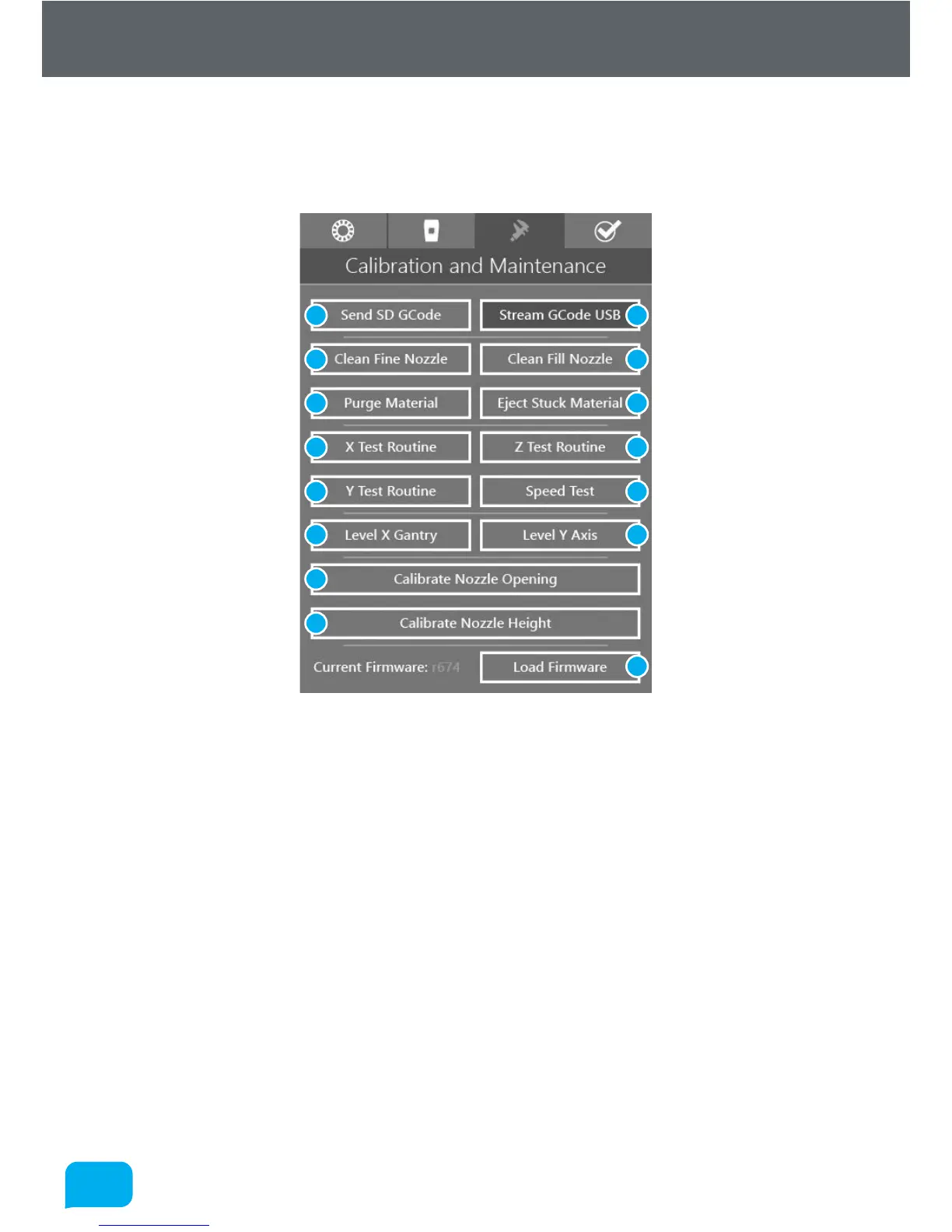
This page is for executing a wide range of ‘macros’ (small GCode programs that
execute sequentially) and for access to machine calibration - see section 7.1.
1 Send SD GCode 9 Y Test Routine
2 Stream GCode USB 10 Speed Test
3 Clean Fine Nozzle 11 Level X Gantry
4 Clean Fill Nozzle 12 Level Y Axis
5 Purge Material 13 Calibrate Nozzle Opening
6 Eject Stuck Material 14 Calibrate Nozzle Height
7 X Test Routine 15 Load Firmware
8 Z Test Routine
• Send GCode Manually
AutoMaker™ can be used to send GCode manually to Robox® by one of two
methods - SD (1) or USB (2) i.e. sending data to the onboard SD flash storage
before executing, or transmitting each command one by one over the USB
1 2
3 4
5 6
7 8
9 10
11 12
15
13
14



 To Next Page