www.cel-robox.com
5.0 AutoMaker Soware
5.5.5 Advanced Settings - Print Profile
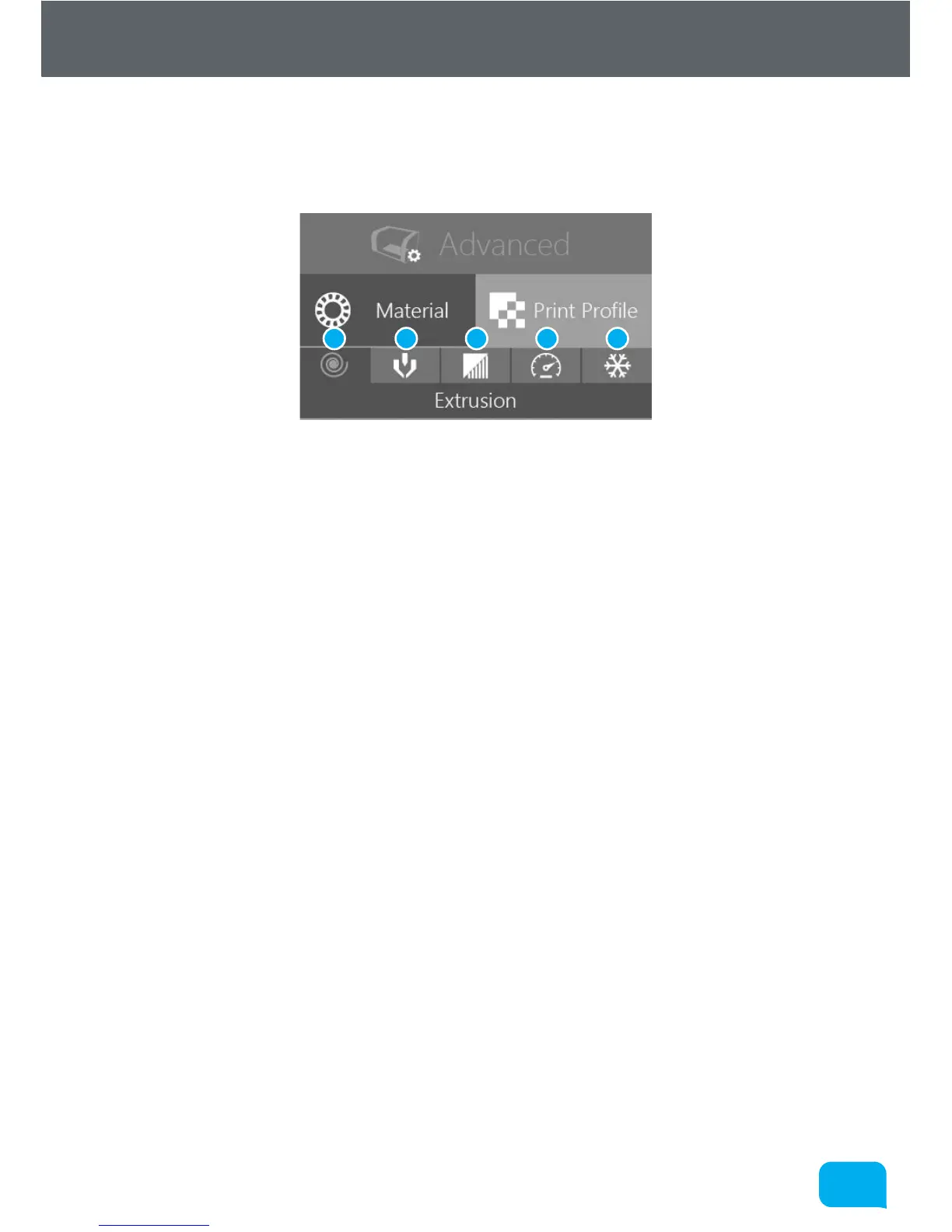
This section explains the advanced page, and it’s associated functions and
options:
1 Advanced Extrusion Settings 4 Advanced Speed Settings
2 Advanced Nozzle Settings 5 Advanced Cooling Settings
3 Advanced Support Settings
• Advanced Extrusion Settings
This allows you to adjust advanced printing profile parameters relevant to
extrusion e.g. layer height, fill density and fill pattern - see section 5.5.6.
• Advanced Nozzle Settings
This allows you to adjust advanced printing profile parameters relevant to
both nozzles and needle valve control - see section 5.5.7.
• Advanced Support Settings
This allows you to adjust advanced printing profile parameters relevant to
automatic support material generation e.g. angle threshold and support
pattern and density - see section 5.5.8.
• Advanced Speed Settings
This allows you to adjust advanced printing profile parameters relevant
to print speed e.g. perimeter speed, infill speed and bridging speed - see
section 5.5.9.
• Advanced Cooling Settings
This allows you to adjust advanced printing profile parameters relevant to
cooling e.g. fan speeds and minimum time per layer - see section 5.5.10.
3 41 52



 To Next Page