www.cel-robox.com
5.0 AutoMaker Soware
5.3.10 Advanced Settings - Diagnostics
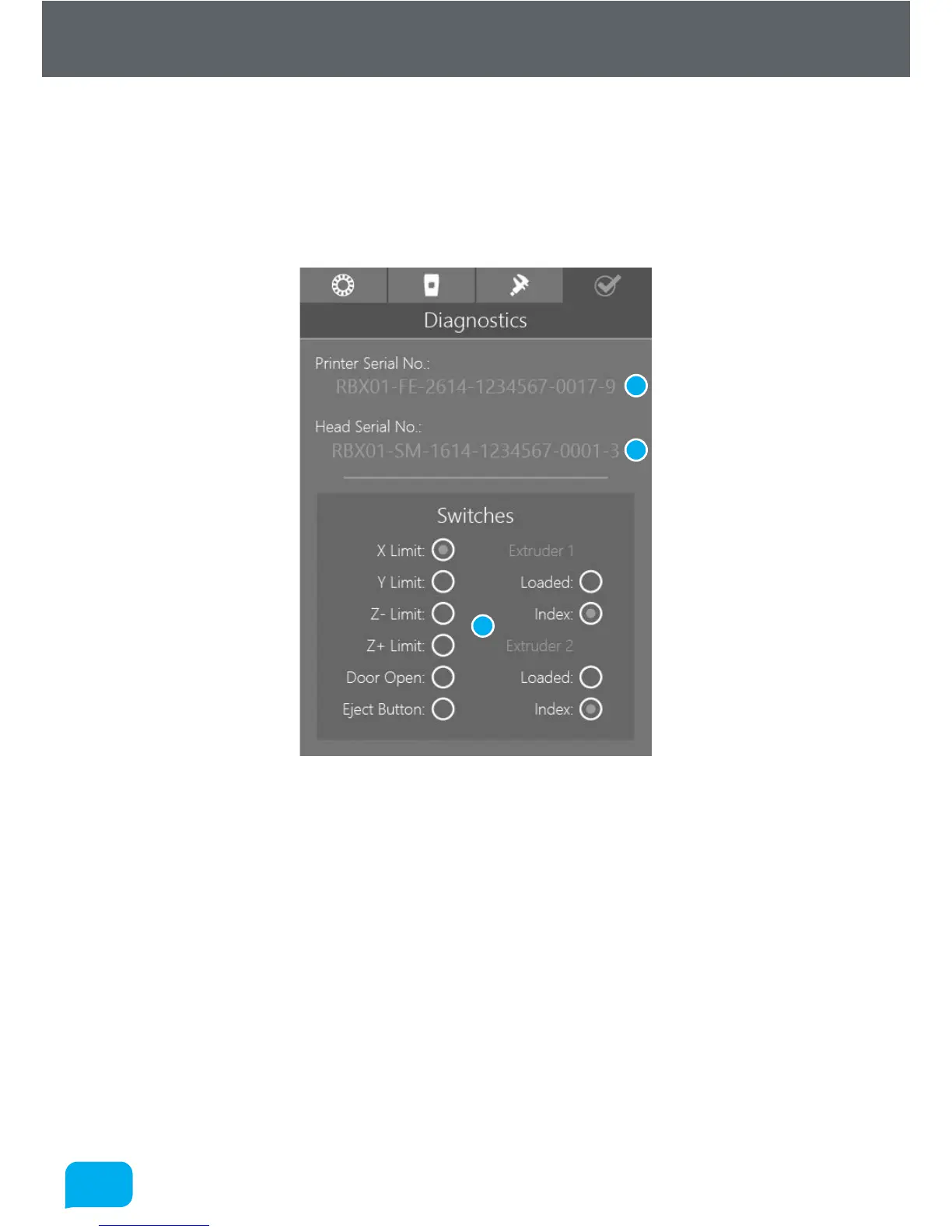
This page is really only intended for diagnosing possible faults with your Robox®.
It displays the serial numbers of the printer and the head which will be required
when contacting CEL support. It also displays the state of all of the microswitches
in the printer so that you can verify they are functioning correctly.
1 Printer Serial Number 3 Switch Diagnostics
2 Head Serial Number
• Switch Diagnostics
When any of these switches are triggered on the hardware, they will light up
on screen, so you can verify if they are working. There are lights for all limit
switches, the door open switch (located in the top le of the build chamber,
where it interacts with the door arm), the reel eject button, and the feedback
from both extruders. Each extruder has two outputs - ‘loaded’ is the extruder
output switch which detects when filament leaves the extruder, and index is
the output from the indexing wheel which measures the passage of filament
- you will see it toggle on and o as you move filament back and forth.
1
2
3



 To Next Page