www.cel-robox.com
3.0 Getting Started
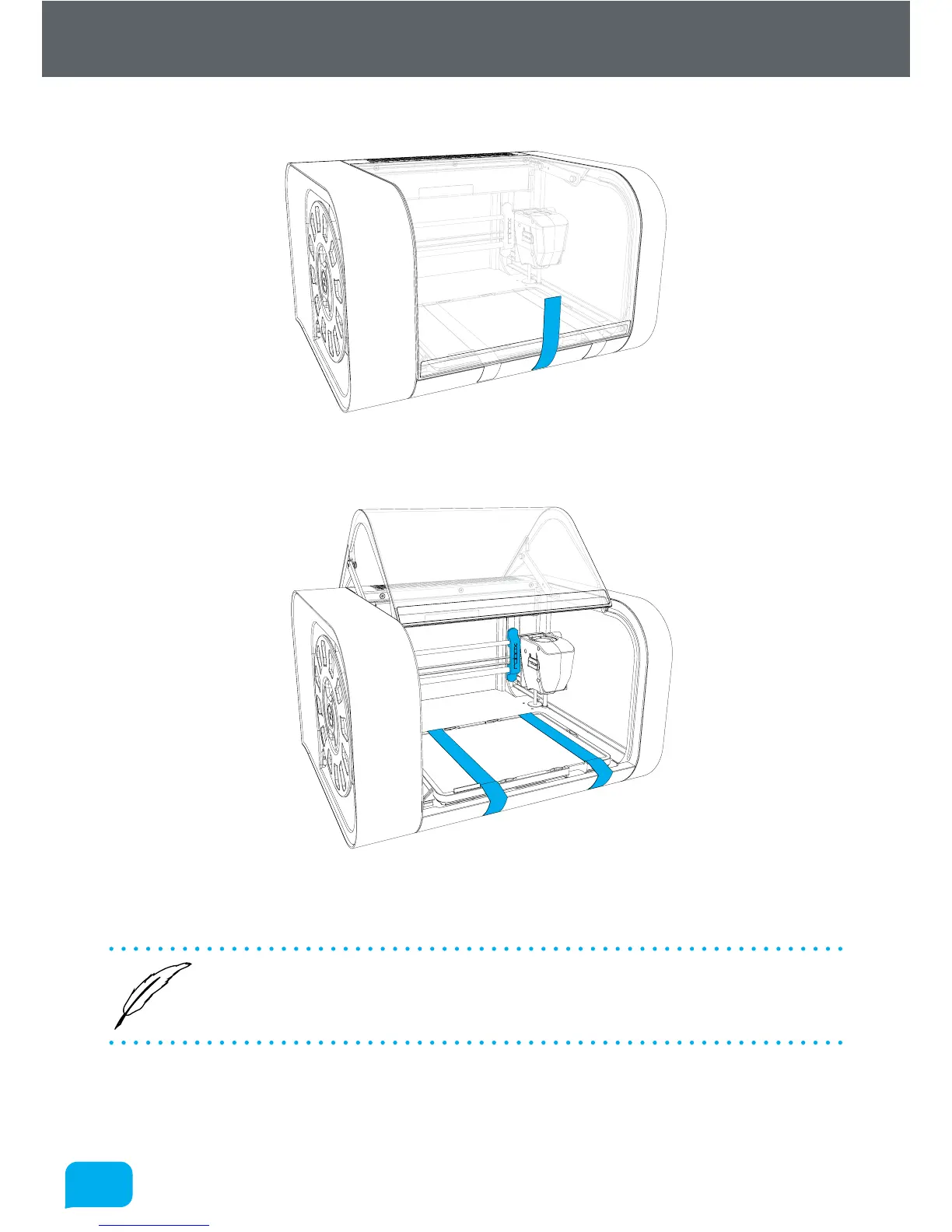
4. Remove the packing tape which is used to secure the door.
5. Remove the packing tape and warranty card which are secured to the bed and
the blue plastic packing clip used to secure the printhead.
6. Ensure that the head and bed are free to move before proceeding. You can
move them both by hand to check.
• We recommend that you keep hold of all of your packaging materials
should you need to return any parts to us.



 To Next Page