www.cel-robox.com
3.0 Getting Started
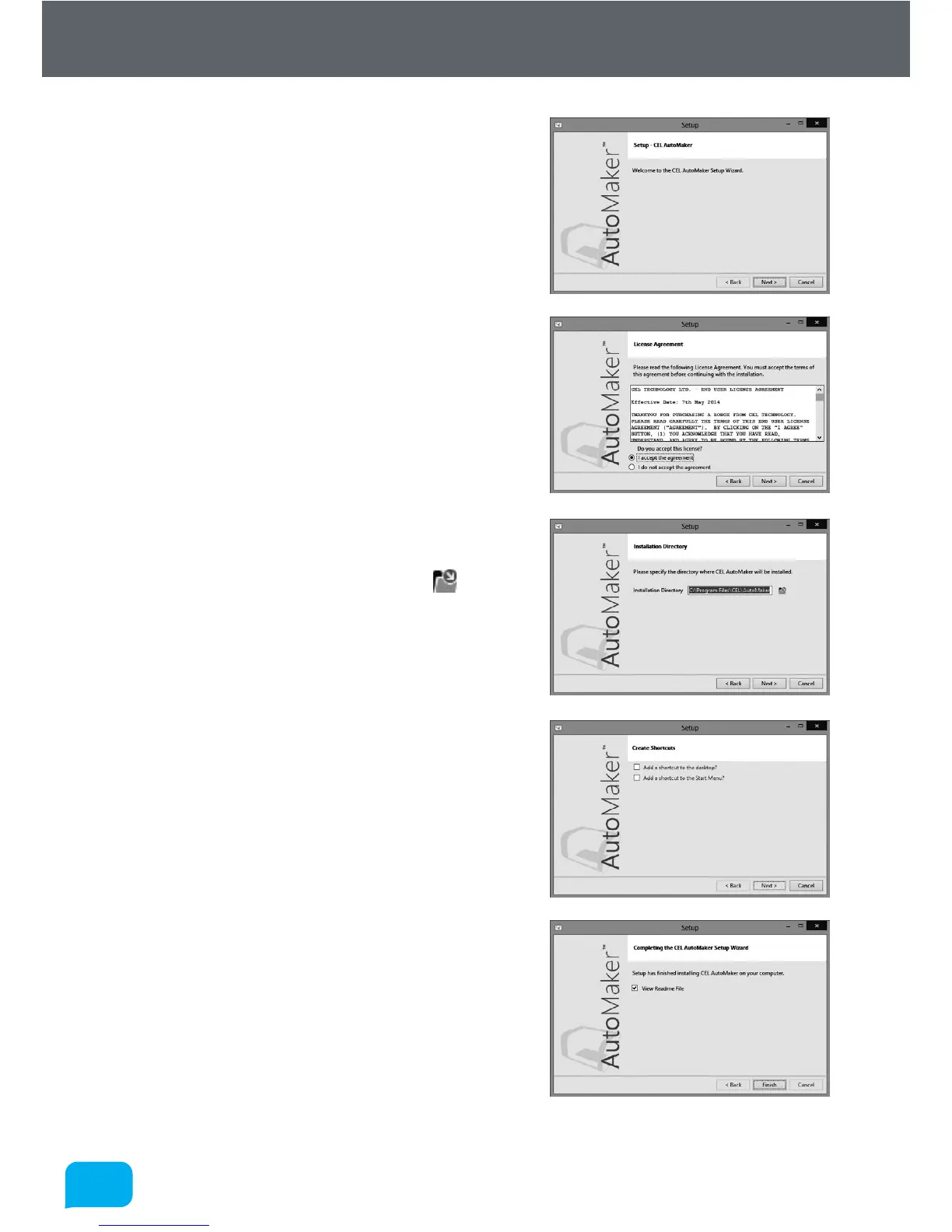
5. The installer will start, click Next > to
continue.
6. Please carefully read the Licence
Agreement and select ‘I accept the
agreement’, then select Next > to
continue.
7. Please choose where you would like to
install AutoMaker™ either by typing the
path directly, or by clicking the button.
Click Next > to continue and accept the
path and begin the installation. N.B. To
facilitate future support we recommend
using the default install location.
8. Choose whether you would like to add
Shortcuts to the Start Menu or Desktop.
Then click Next > and wait as AutoMaker™
is installed to your hard drive.
9. Installation is complete. Tick the checkbox
if you would like to read the ‘Readme’ file
aer clicking Finish.



 To Next Page