www.cel-robox.com
7.0 Calibration and Maintenance
AutoMaker™ will then program the head with the values you have selected, and
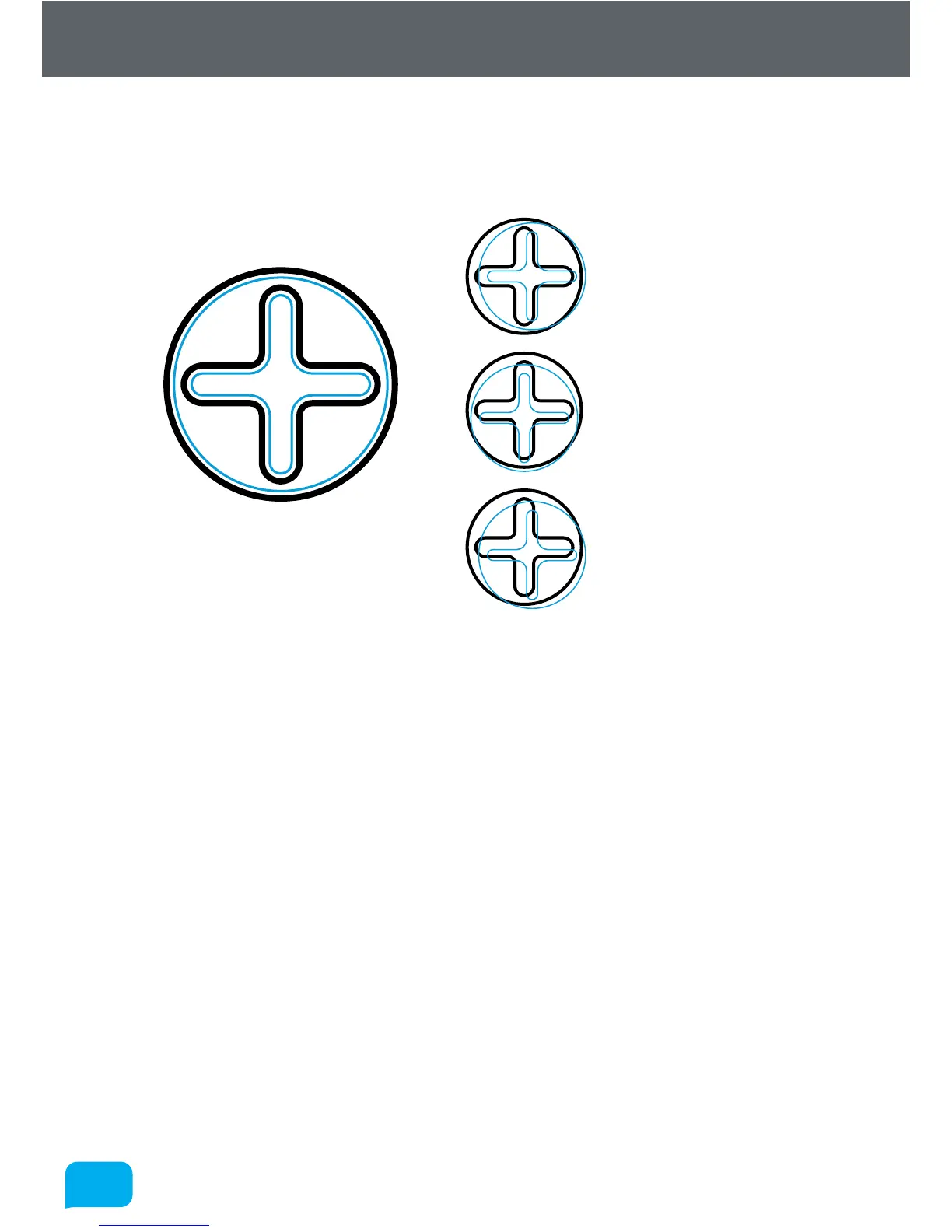
print some extra areas for verification. It will print a circle in the rear-le corner,
followed by a crosshair in the centre.
Perfect Alignment
X Alignment Error
Y Alignment Error
X and Y Alignment Error
If you are still seeing an alignment error, click the Retry Calibration button in the
bottom le to try again. If you are happy with the result, click Next to complete
the calibration and program the head.



 To Next Page