Robustel GoRugged R3000 Quad User Guide
RT_UG_R3000 Quad_v.1.2.0 02.07.2015 63 / 136
Confidential
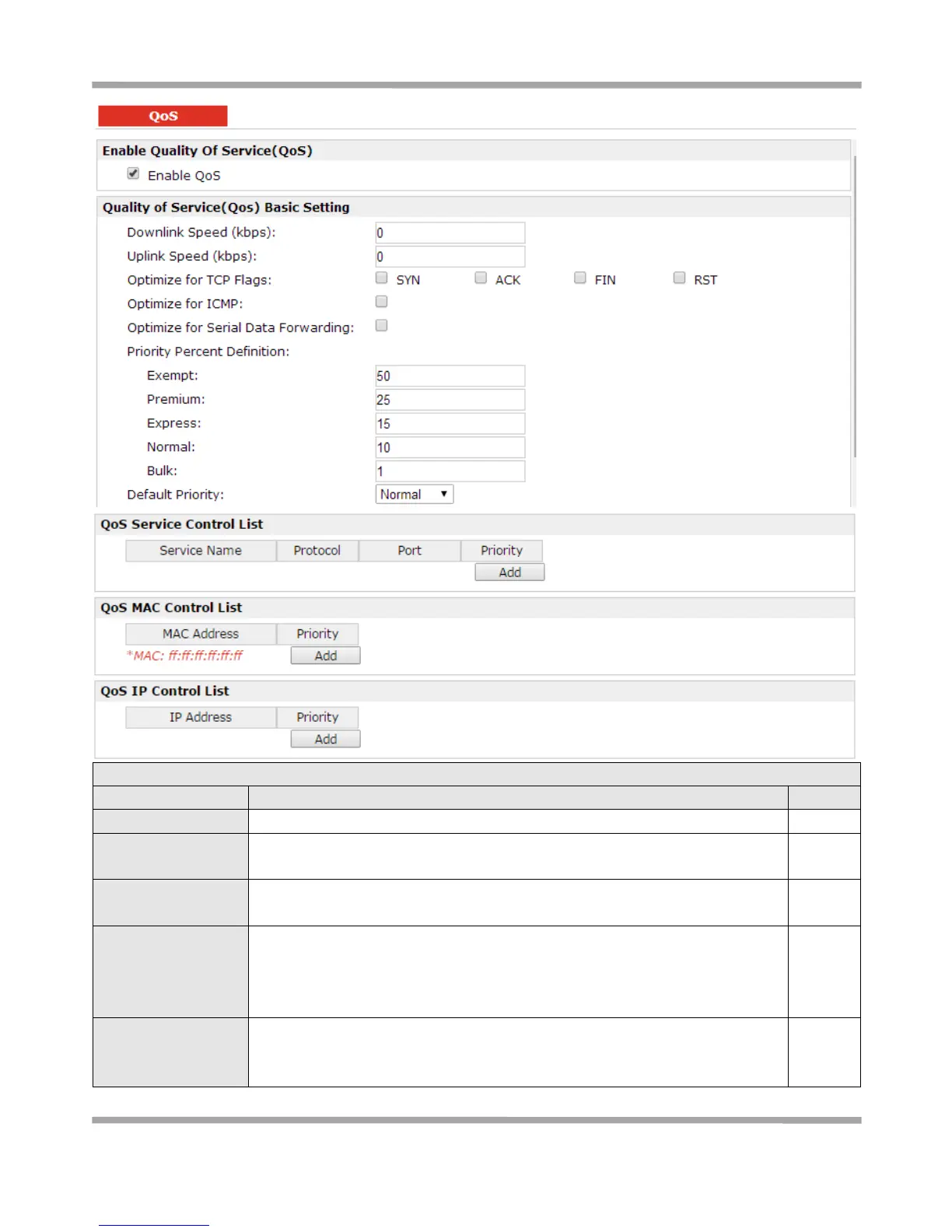
Click to enable “QoS” function.
Prescribe downlink speed of router.
Note: Default setting“0” means that there is no limitation of downlink speed.
Prescribe uplink speed of router.
Note: Default setting“0” means that there is no limitation of uplink speed.
User can choose to enable TCP flags: “SYN”, “ACK”, “FIN”, “RST”, which means
data with above TCP Flags will get the highest priority to occupy bandwidth.
After enabled, router will enhance respond timeout of TCP control, in case that
data resend frequently.
Enable to optimize for ICMP, which means ICMP will get the highest priority to
occupy bandwidth. After enabled respond interval of PING control will be
shorter.










 To Next Page