Robustel R1510 User Guide
RT_UG_R1510_v.1.0.1 Dec. 31, 2019 43/140
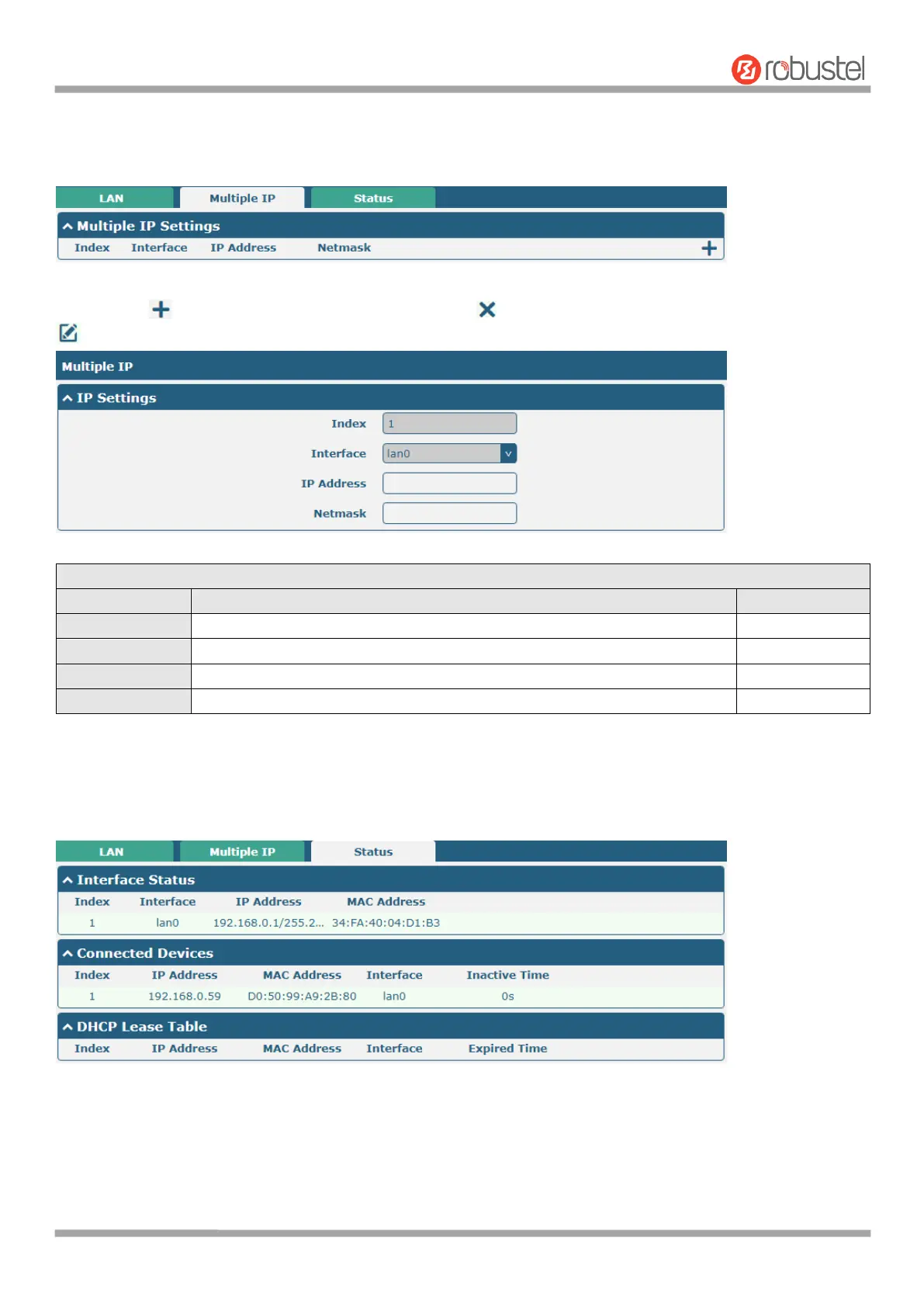
Multiple IP
You may click to add a multiple IP to the LAN port, or click to delete the multiple IP of the LAN port. Now, click
to edit the multiple IP of the LAN port.
Indicate the ordinal of the list.
Show the editing port, read only.
Set the multiple IP address of the LAN port.
Set the multiple Netmask of the LAN port.
Status
This section allows you to view the status of LAN connection.
Click the row of status, the details status information will be display under the row. Please refer to the screenshot
below.













 To Next Page