Robustel R3000 Lite User Guide
RT_UG_R3000 Lite_v.3.0.1 19 May, 2017 14/109
Confidential
Chapter 2 Hardware Installation
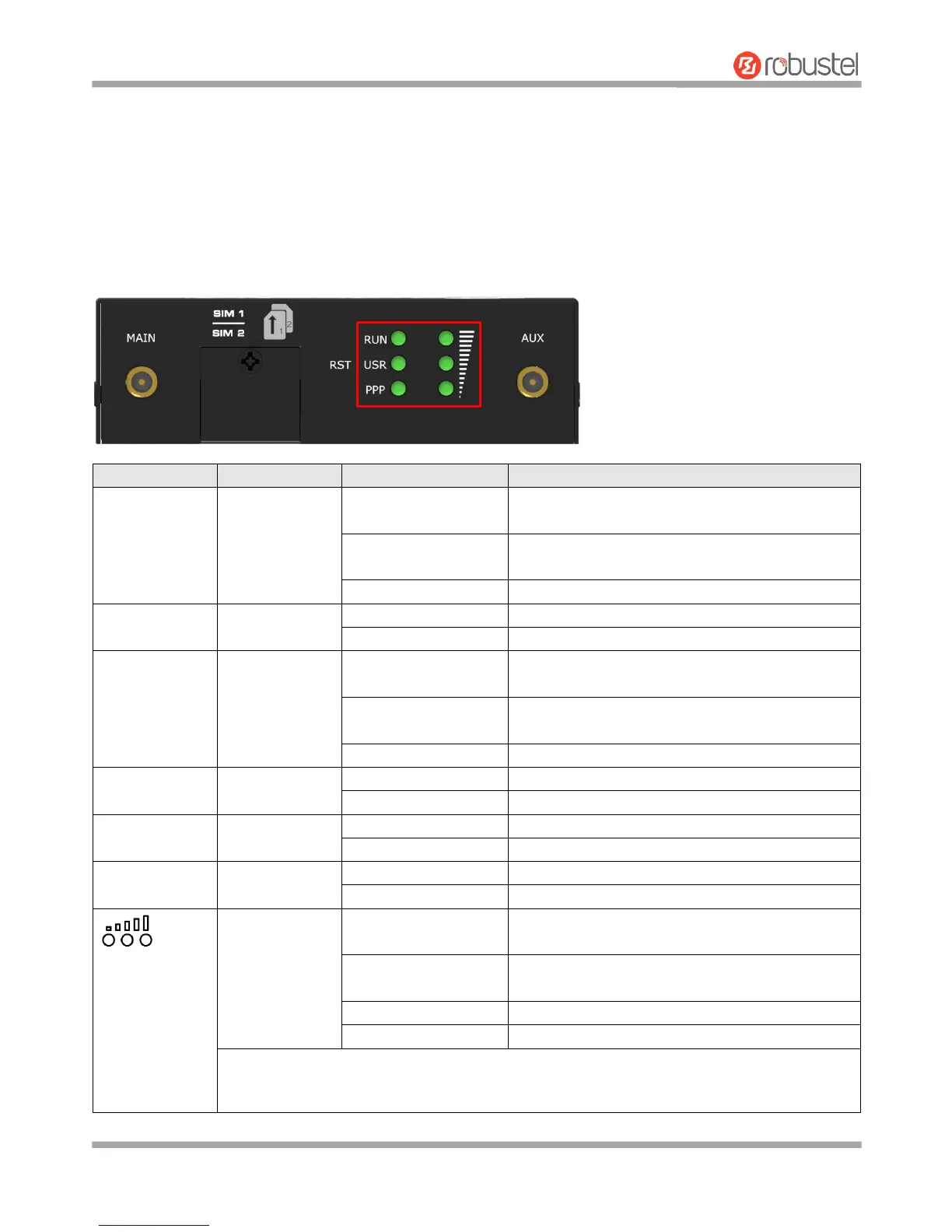
2.1 LED Indicators
The R3000 Lite has been designed to be placed on a desktop. Below is the top view of the R3000 Lite.
Router is powered on (System is initializing)
Backup card is being used
Network is joined successfully and worked in an
optimum one
Network is joined successfully but worked in a
lower-level than standard
Network is not joined or joining
OpenVPN connection is established
OpenVPN connection is not established
IPsec connection is established
IPsec connection is not established
Link connection is established
Link connection is not established
Three lights are solid
green
High signal strength (21-31) is available
Two lights are solid
green
Medium signal strength (11-20) is available
Low signal strength (1-10) is available
When the network is disconnected, those three signal LEDs are designed as a binary
combination code to indicate a series of error report.
Blinking: 1 Off: 0














 To Next Page