Robustel R3000 Lite User Guide
RT_UG_R3000 Lite_v.3.0.1 19 May, 2017 51/109
Confidential
Indicate the ordinal of the list.
Enter a description for this filtering rule.
Specify an access originator and enter its source address.
Specify an access originator and enter its source port.
Specify an access originator and enter its source MAC address.
Enter the target address which the access originator wants to access.
Enter the target port which the access originator wants to access.
Select from “All”, “TCP”, “UDP”, “ICMP” or “TCP-UDP”.
Note: It is recommended that you choose “All” if you don’t know which protocol of
your application to use.
Select from “Accept” or “Drop”.
Accept: When Default Filtering Policy is drop, router will drop all the
connecting requests except the hosts which fit this accept filtering list
Drop: When Default Filtering Policy is accept, router will accept all the
connecting requests except the hosts which fit this drop filtering list
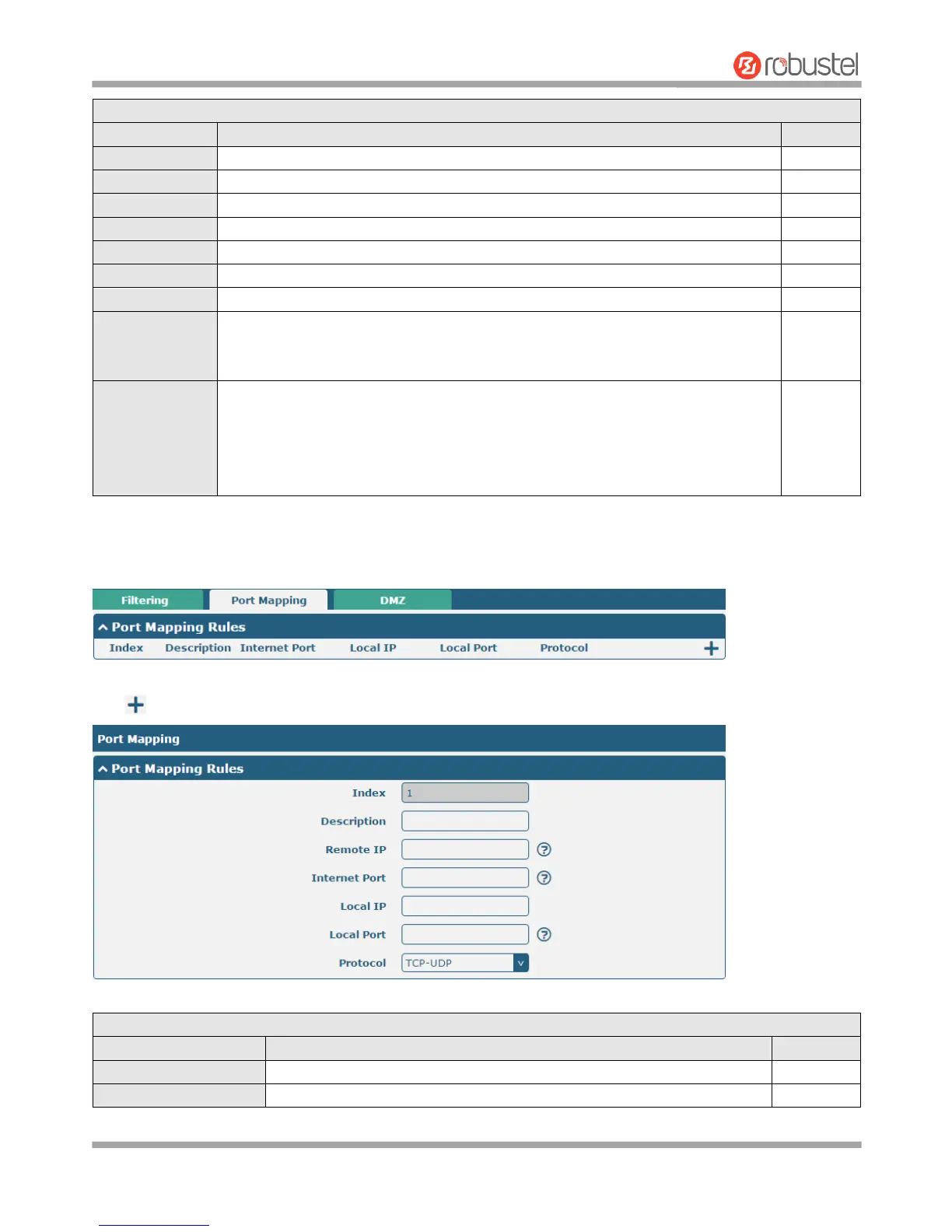
Port Mapping
Click to add port mapping rules. The maximum rule count is 40.
Indicate the ordinal of the list.
Enter a description for this port mapping.














 To Next Page