Robustel R3000 Lite User Guide
RT_UG_R3000 Lite_v.3.0.1 19 May, 2017 44/109
Confidential
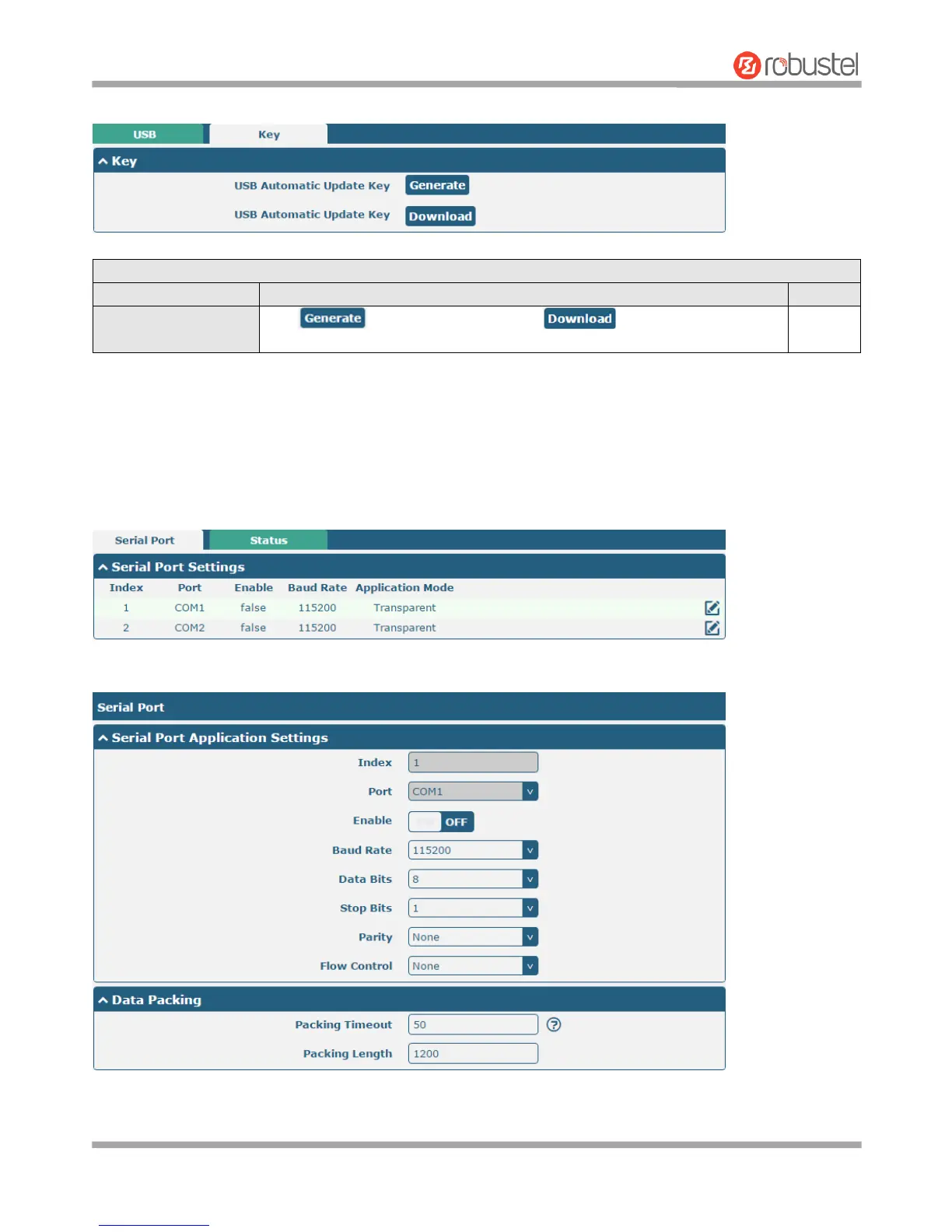
Router has the key for USB automatic update. User can generate the key in this page.
3.11 Interface > Serial Port
This section allows you to set the serial port parameters. R3000 Lite Router supports one RS-232 and one RS-485
across a DB9 connector. Serial port provides a way to transfer serial data to IP data, or vice versa, and transmit these
data via wired or wireless network to achieve data transparent transmission.
Click the edit button of COM1.














 To Next Page