Robustel R3000 Lite User Guide
RT_UG_R3000 Lite_v.3.0.1 19 May, 2017 52/109
Confidential
Specify the host or network which can access the local IP address. Empty
means unlimited, e.g. 10.10.10.10/255.255.255.255 or 192.168.1.0/24
Enter the internet port of router which can be accessed by other hosts
from internet.
Enter router’s LAN IP which will forward to the internet port of router.
Enter the port of router’s LAN IP.
Select from “TCP”, “UDP” or “TCP-UDP” as your application required.
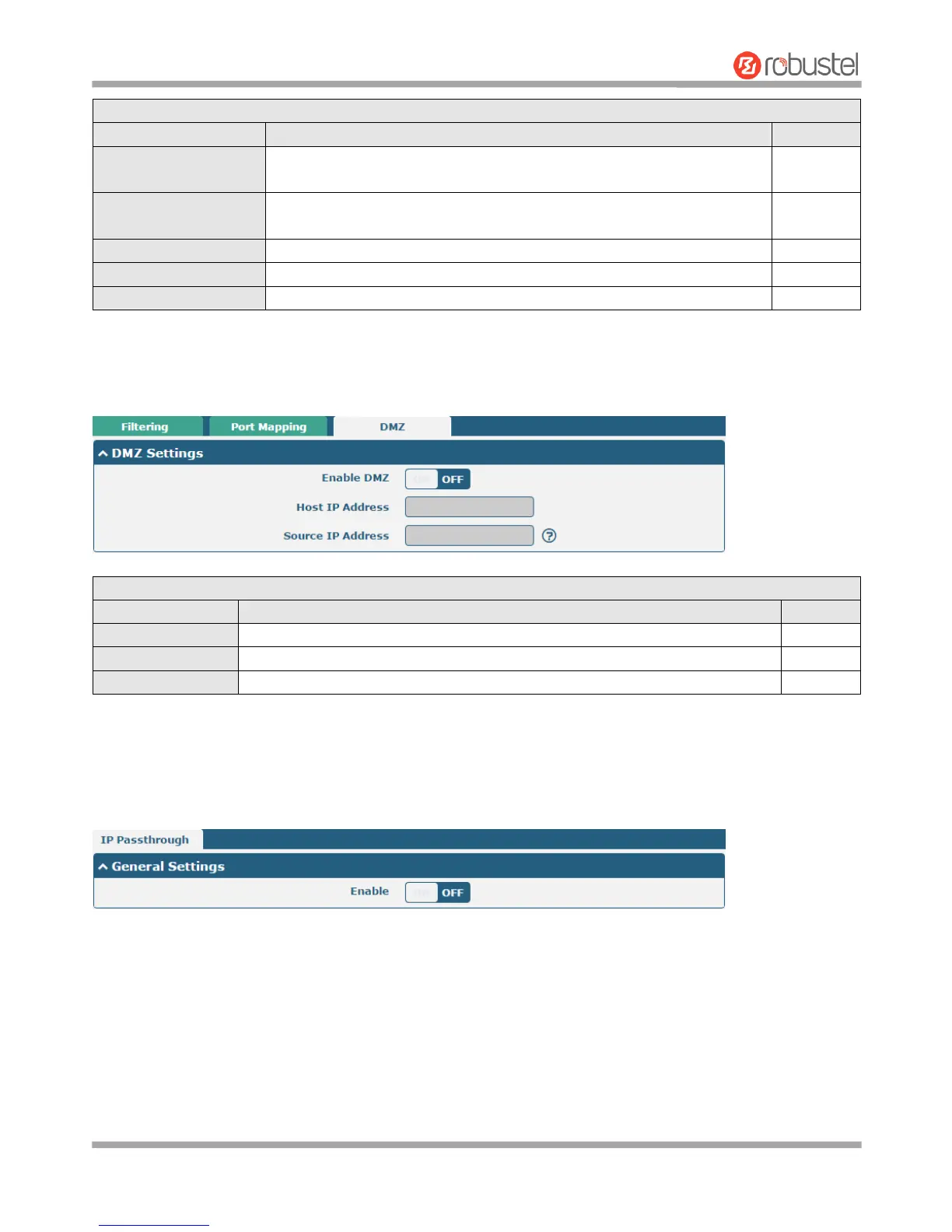
DMZ
DMZ host is a host on the internal network that has all ports exposed, except those ports otherwise forwarded.
Click the toggle button to enable/disable DMZ.
Enter the IP address of the DMZ host on your internal network.
Set the address which can talk to the DMZ host. Null means for any addresses.
3.14 Network > IP Passthrough
Click Network > IP Passthrough > IP Passthrough to enable or disable the IP Pass-through option.
If router enables the IP Pass-through, the terminal device (such as PC) will enable the DHCP Client mode and connect
to LAN port of the router; and after the router dial up successfully, the PC will automatically obtain the IP address and
DNS server address which assigned by ISP.














 To Next Page