Robustel R3000 Lite User Guide
RT_UG_R3000 Lite_v.3.0.1 19 May, 2017 87/109
Confidential
Chapter 4 Configuration Examples
4.1 Cellular
4.1.1 Cellular Dial-Up
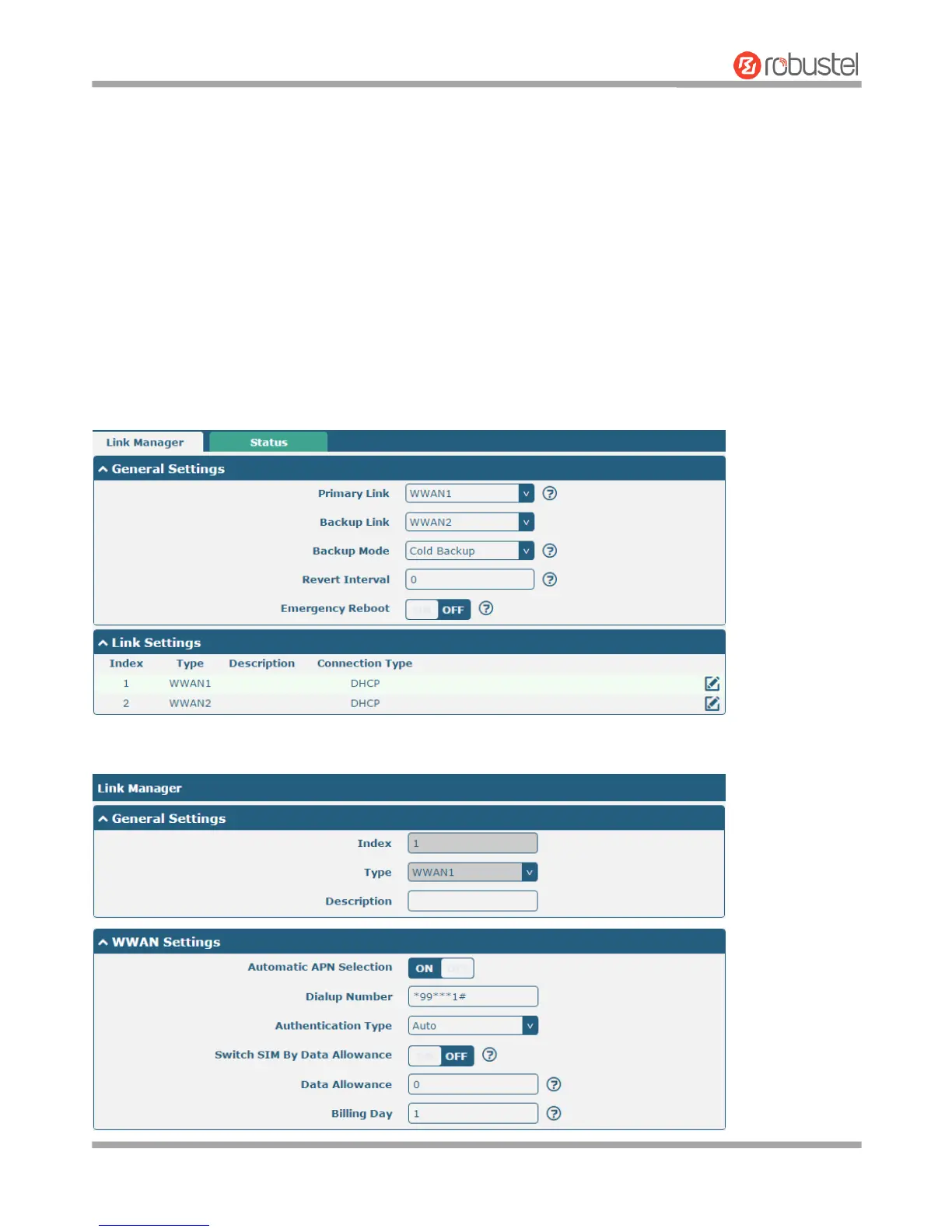
This section shows you how to configure the primary and backup SIM card for Cellular Dial-up. Connect the router
correctly and insert two SIM, then open the configuration page. Under the homepage menu, click Interface > Link
Manager > Link Manager > General Settings, choose “WWAN1” as the primary link, “WWAN2” as the backup link
and “Cold Backup” as the backup mode.
Click the edit button of WWAN1 to set its parameters according to the current ISP.














 To Next Page