Robustel R3000 Lite User Guide
RT_UG_R3000 Lite_v.3.0.1 19 May, 2017 86/109
Confidential
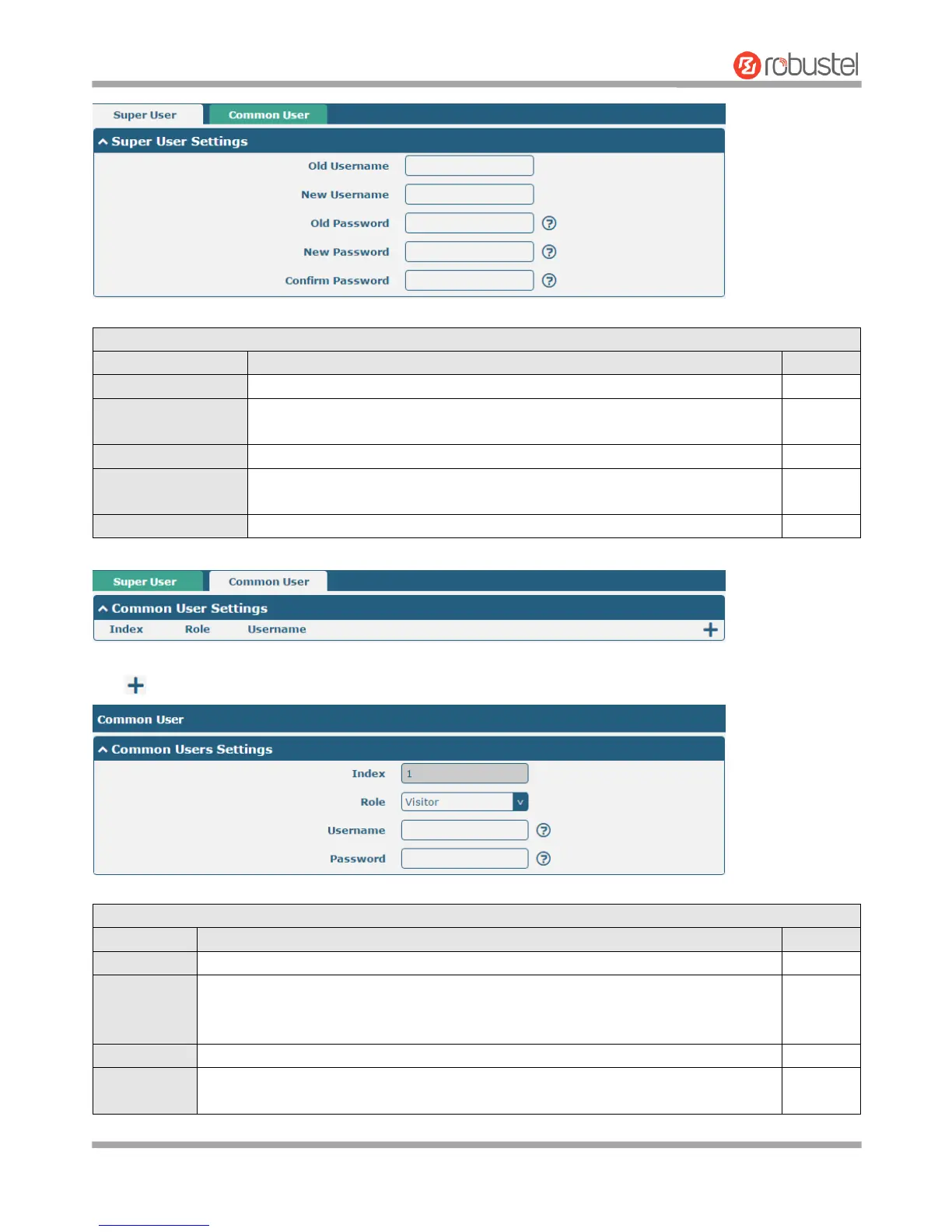
Enter the old username of your router. The default is “admin”.
Enter a new username you want to create; valid characters are a-z, A-Z, 0-9,
@, ., -, #, $, and *.
Enter the old password of your router. The default is “admin”.
Enter a new password you want to create; valid characters are a-z, A-Z, 0-9,
@, ., -, #, $, and *.
Enter the new password again to confirm.
Click button to add a new common user. The maximum rule count is 5.
Indicate the ordinal of the list.
Select from “Visitor” and “Editor”.
Visitor: Users only can view the configuration of router under this level
Editor: Users can view and set the configuration of router under this level
Set the Username; valid characters are a-z, A-Z, 0-9, @, ., -, #, $, and *.
Set the password which at least contains 5 characters; valid characters are a-z, A-Z,
0-9, @, ., -, #, $, and *.














 To Next Page