EasyManua.ls Logo

Robustel R3000 Lite - Ethernet Port; Insert or Remove SIM Card

Robustel R3000 Lite
111 pages
Print Icon
To Next Page IconTo Next Page
To Previous Page IconTo Previous Page
Loading...
Robustel R3000 Lite User Guide
RT_UG_R3000 Lite_v.3.0.1 19 May, 2017 17/109
Confidential
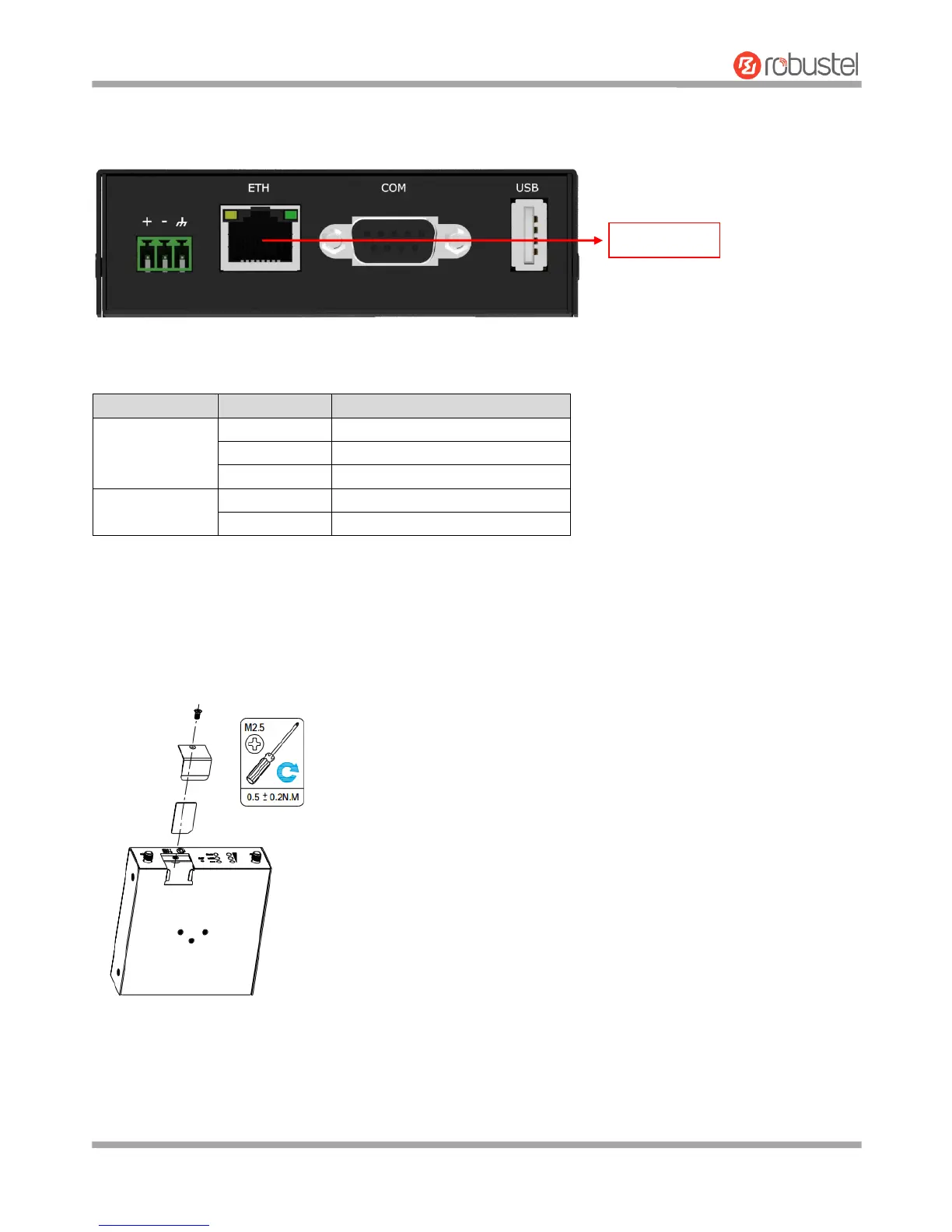
2.5 Ethernet Port
2.6 Insert or Remove SIM Card
Insert or remove the SIM as shown in the following steps.
Insert SIM card
1. Make sure router is powered off.
R3000 Lite Router has one Ethernet port with two LED indicators. The yellow one is link indicator and the green one
is speed indicator. For details about status, see the table below.
Indicator
Status
Description
Link indicator
On, solid
Connection is established
On, blinking
Data is being transferred
Off
Connection is not established
Speed indicator
On, solid
100 Mbps mode
Off
10 Mbps mode
Ethernet Port

Related product manuals