Robustel R3000 Lite User Guide
RT_UG_R3000 Lite_v.3.0.1 19 May, 2017 85/109
Confidential
Click the toggle button as “OFF” to ignore invalid settings.
Click on to locate the XML configuration file from your
computer, and then click to import this file into your router.
Export Configuration File
Click the toggle button as “OFF” to ignore the disabled features.
Click the toggle button as “On” to add detailed information.
Click the toggle button as “ON” to encrypt the secret data.
Click button to generate the XML configuration file, and click
to export the XML configuration file.
Save Running Configuration
as Default
Click this button to save the current running parameters as default
configuration.
Restore to Default
Configuration
Click this button to restore the factory defaults.
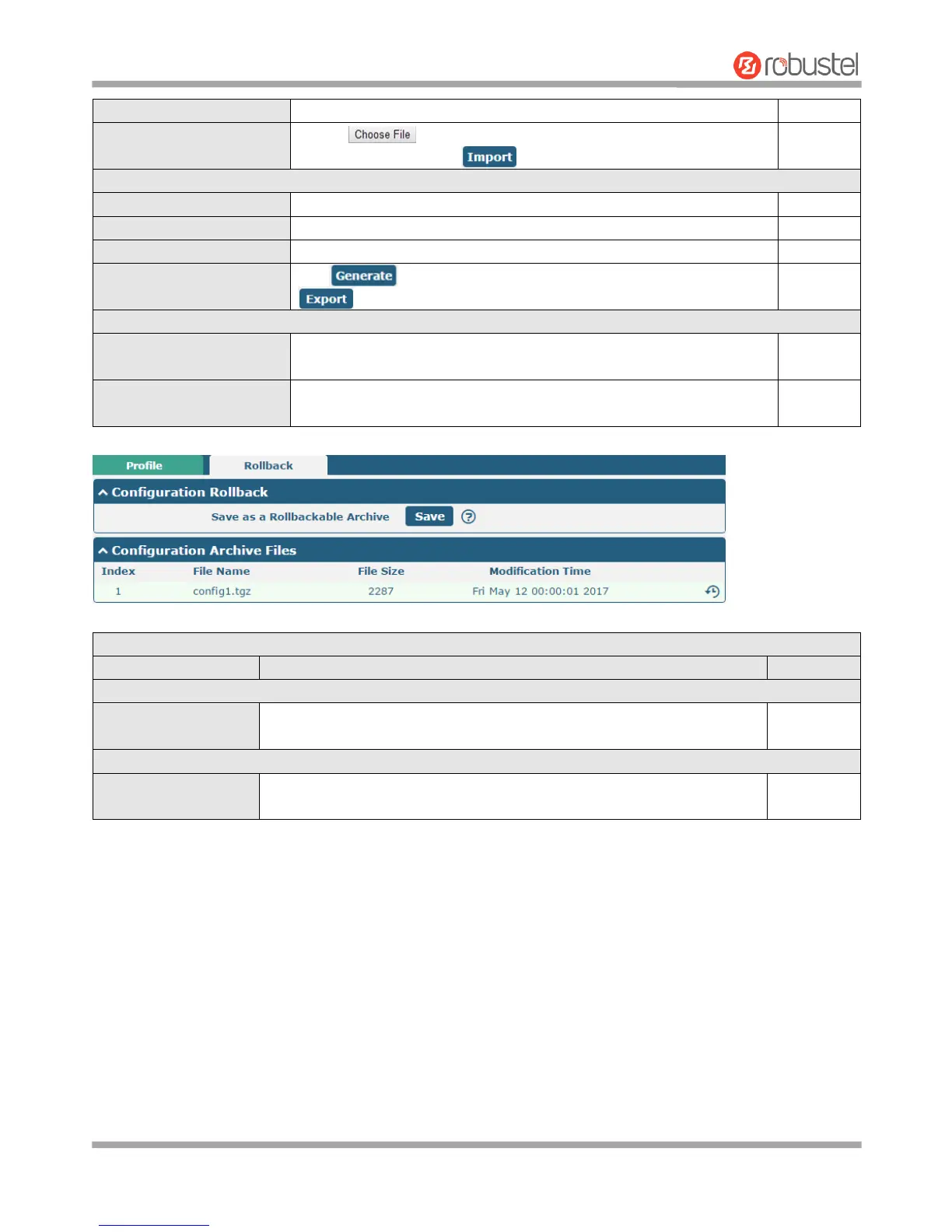
Save as a Rollbackable
Archive
Create a save point manually. Additionally, the system will create a save
point every day automatically if configuration changes.
Configuration Archive Files
Configuration Archive
Files
View the related information about configuration archive files, including
name, size and modification time.
3.32 System > User Management
This section allows you to change your username and password, and create or manage user accounts. One router has
only one super user who has the highest authority to modify, add and manage other common users.
Note: Your new password must be more than 5 character and less than 32 characters and may contain numbers,
upper and lowercase letters, and standard symbols.














 To Next Page