Robustel R3000 Lite User Guide
RT_UG_R3000 Lite_v.3.0.1 19 May, 2017 76/109
Confidential
Enter the hostname provided by the DDNS server.
Enter the username provided by the DDNS server.
Enter the password provided by the DDNS server.
Enter the URL customized by user.
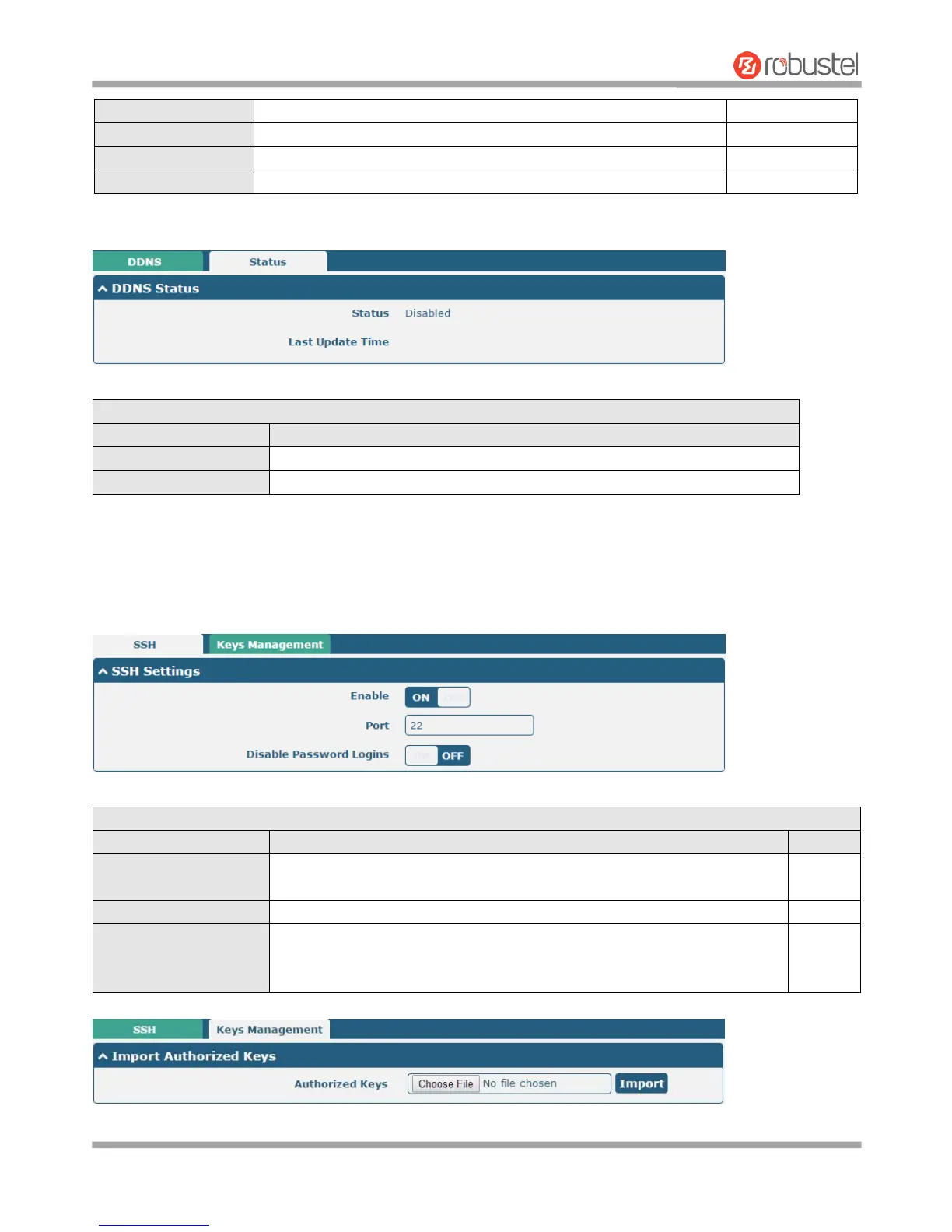
Click “Status” bar to view the status of the DDNS.
Display the current status of the DDNS.
Display the date and time for the DDNS was last updated successfully.
3.24 Services > SSH
Router supports SSH password access and secret-key access.
Click the toggle button to enable/disable this option. When enabled, you can
access the router via SSH.
Set the port of the SSH access.
Click the toggle button to enable/disable this option. When enabled, you
cannot use username and password to access the router via SSH. In this
case, only the key can be used for login.














 To Next Page