Robustel R3000 Lite User Guide
RT_UG_R3000 Lite_v.3.0.1 19 May, 2017 54/109
Confidential
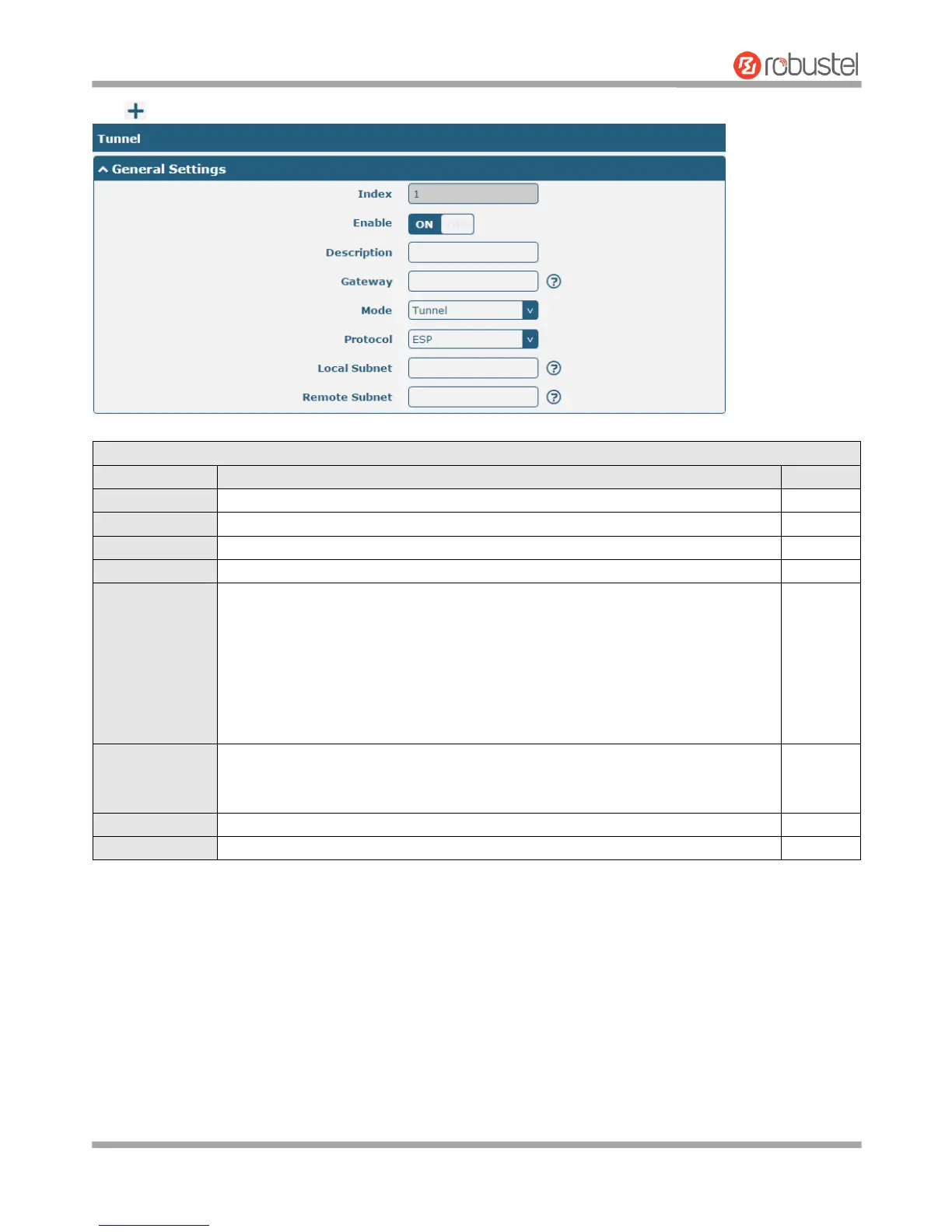
Click to add tunnel settings. The maximum count is 3.
General Settings @ Tunnel
Indicate the ordinal of the list.
Click the toggle button to enable/disable this IPsec tunnel.
Enter a description for this IPsec tunnel.
Enter the address of remote IPsec VPN server. 0.0.0.0 represents for any address.
Select from “Tunnel” and “Transport”.
Tunnel: Commonly used between gateways, or at an end-station to a gateway,
the gateway acting as a proxy for the hosts behind it
Transport: Used between end-stations or between an end-station and a
gateway, if the gateway is being treated as a host-for example, an encrypted
Telnet session from a workstation to a router, in which the router is the actual
destination
Select the security protocols from “ESP” and “AH”.
ESP: Use the ESP protocol
AH: Use the AH protocol
Enter the local subnet’s address with mask protected by IPsec, e.g. 192.168.1.0/24
Enter the remote subnet’s address with mask protected by IPsec, e.g. 10.8.0.0/24














 To Next Page