Robustel R3000 Lite User Guide
RT_UG_R3000 Lite_v.3.0.1 19 May, 2017 59/109
Confidential
acknowledgment within the DPD packet retransmission interval, it retransmits
the DPD hello. If the local end still receives no DPD acknowledgment after
having made the maximum number of retransmission attempts, it considers
the peer already dead, and clears the IKE SA and the IPsec SAs based on the
IKE SA.
Set the timeout of DPD (Dead Peer Detection) packets.
Click the toggle button to enable/disable this option. Enable to compress the
inner headers of IP packets.
Add more PPP configuration options here, format: config-desc;config-desc,
e.g. protostack=netkey;plutodebug=none
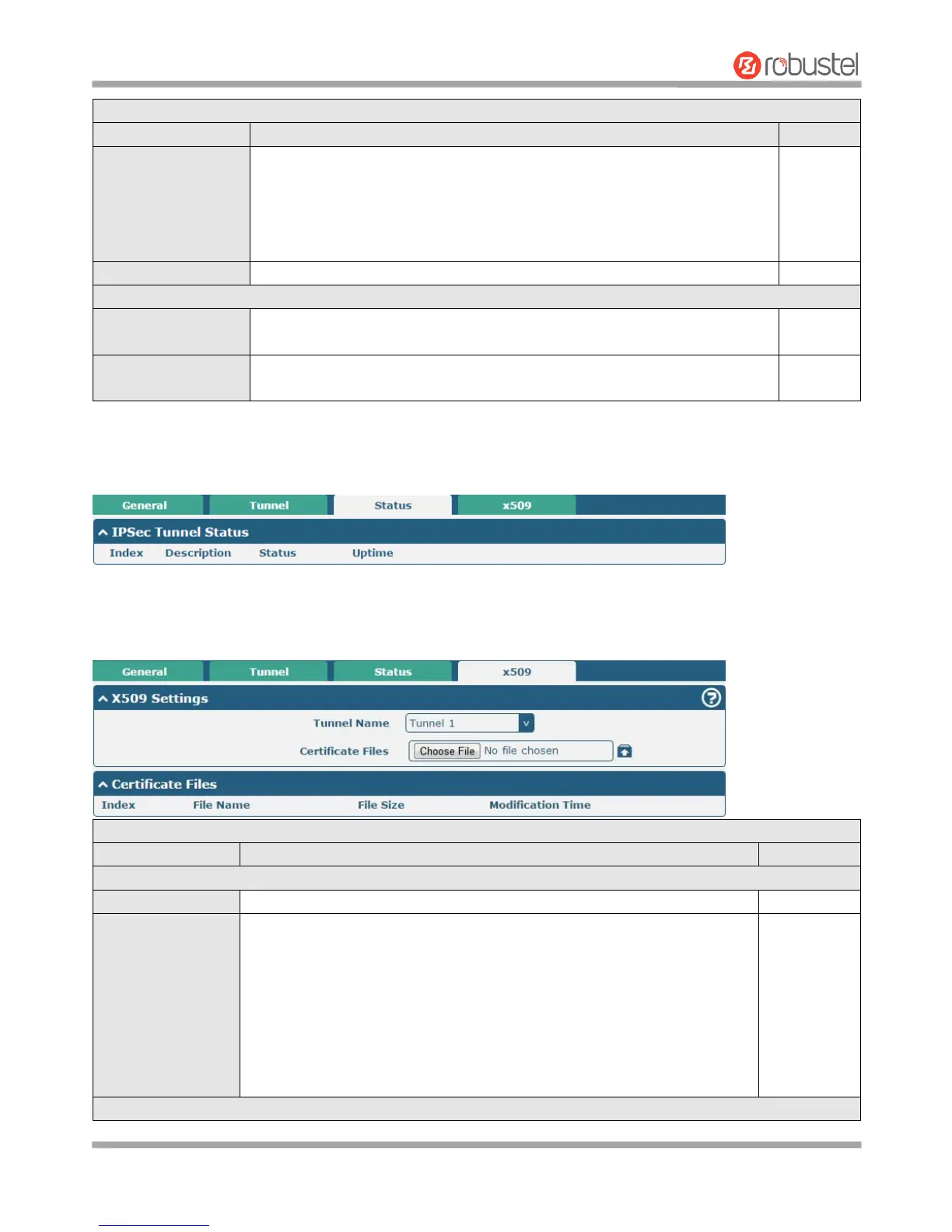
Status
This section allows you to view the status of the IPsec tunnel.
x509
User can upload the X509 certificates for the IPsec tunnel in this section.
Click on “Choose File” to locate the certificate file from your computer, and
then import this file into your router.
The correct file format is displayed as follows:
@ca.crt
@remote.crt
@local.crt
@private.key
@crl.pem














 To Next Page