RB48 BROOM
ROSCO - A LeeBoy Company
Operation 3. 8
OPERATION
BRUSH CONTROLS
The ROSCO Broom is equipped with the following
controls to provide operation of the brush:
Brush Drive Lever - The Brush Drive
Lever (item 7) is located on the control
panel on the operator's right side.
Brush Speed - As previously mentioned,
brush speed is controlled and adjusted by
changing the engine operating RPM.
Brush Swing Switches - The Brush
Swing Switches (item 1) are located on
the joystick on the control panel to the
operator's right.
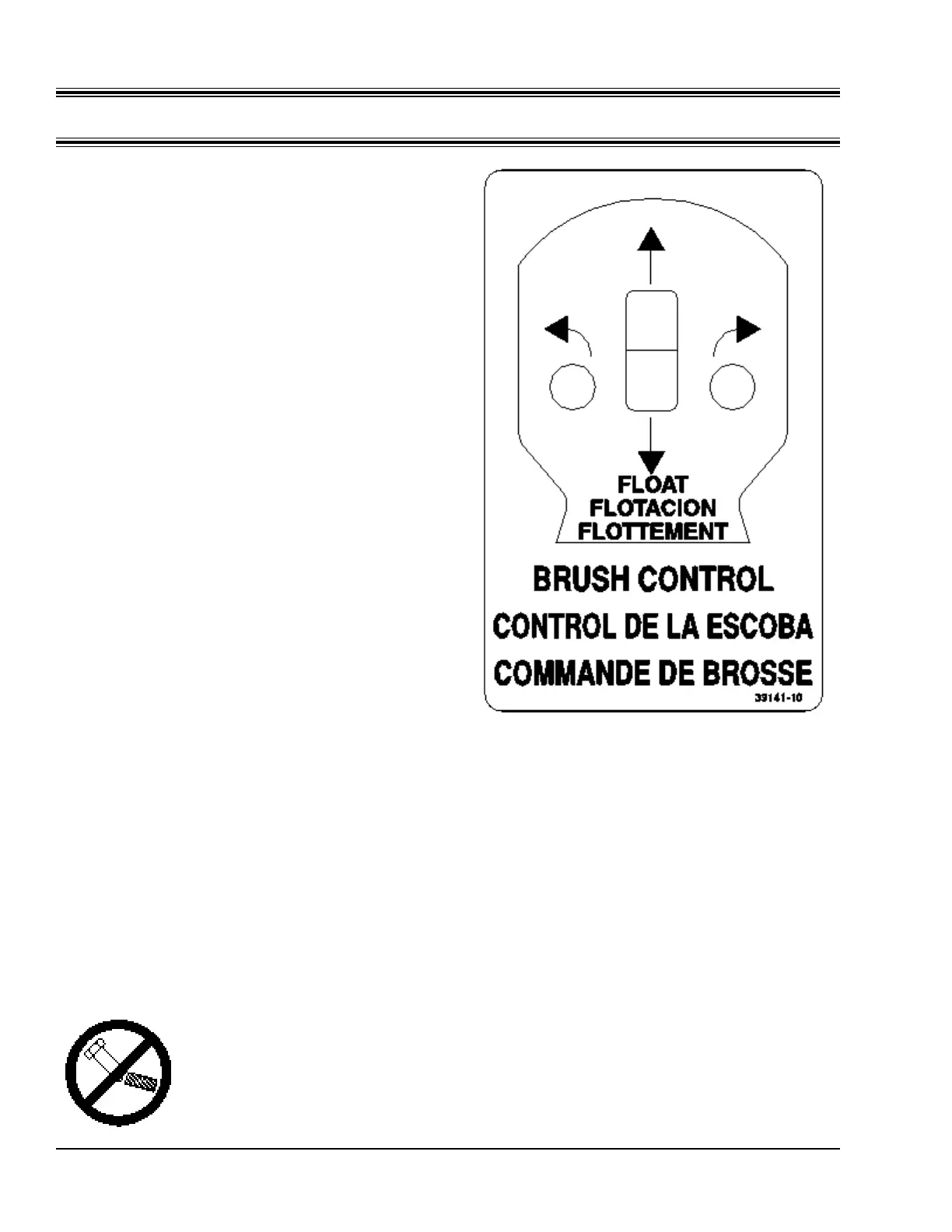
Operating Positions - The Brush Control Switch
has three possible positions as indicated by the
decal in Figure 3-C:
A. Up - Pushing fully forward lifts the brush
carrier. When pressure on the switch is
released, the switch automatically returns
to the HOLD position.
B. Hold - This position holds or “locks” the
brush carrier at the height it was moved to
by the last UP or DOWN operation of the
Brush Control Switch.
C. Down - Pushing back on the switch
moves the brush carrier down towards the
ground. This is a detented position. When
the switch is in the DOWN position, the
brush is in the FLOAT position.
Do not apply excessive DOWN force on the
brush. Brush stall can occur when applying
excessive force. For best results, operate in the
FLOAT position and use the
Brush Down Pressure Control.
Poor sweeping action and
excessive brush wear will result.
Refer to Brush Down Pressure
Control in this section to correct
excessive down force.
Brush Down Pressure Control - The Brush
Down Pressure Control (item 9) is on the control
panel to the right of the operator. This knob
controls the amount of hydraulic pressure needed
to keep the brush suspended over the work
surface. Turn the valve clockwise to increase
"down force" and counterclockwise to decrease
"down force".
NOTE: It is important to understand that by
decreasing the hydraulic pressure
suspending
the brush, you are
increasing the down force.
Brush "down force" control only works with
the Brush Control Switch in the DOWN, or
FLOAT position.
Figure 3-C
(Part #39141-10)


 To Next Page