L600N - Dual Band Wireless Router
20
CONFIGURATION GUIDE
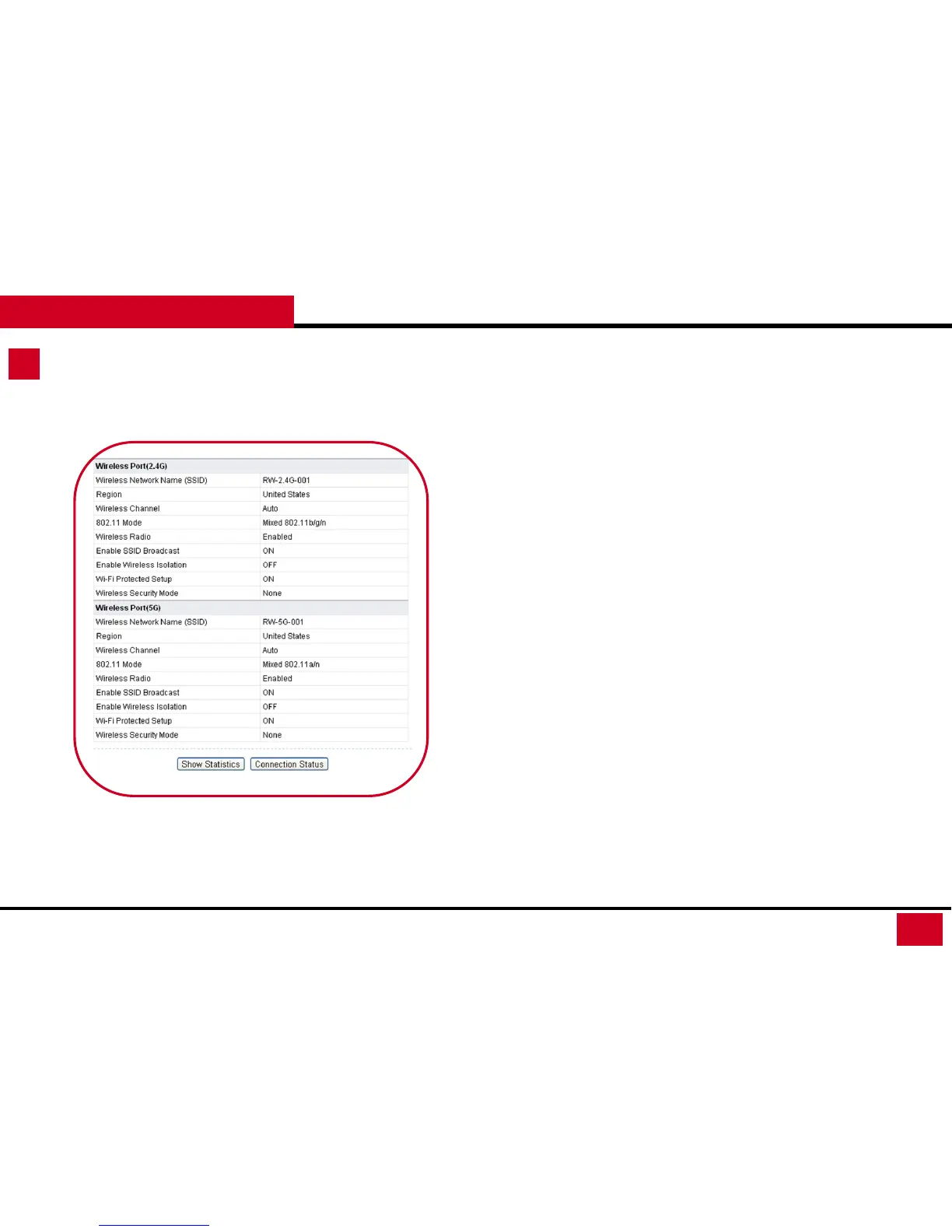
Running Status – Router Status
• Wireless Port (2.4G) / Wireless Port (5G):
• Wireless Network Name (SSID): SSID name of the Signal
• Region: The location (country).
• Wireless Channel: The current channel in use.
• 802.11 Mode: Indicates the current mode (802.11b, 802.11g
and 802.11b/g/n).
• Wireless Radio: Indicates if the access point feature of the
router is enabled or not. If not enabled, the Wireless LED on
the front panel is off.
• Enable SSID Broadcast: Indicates if the router is broadcasting
its SSID.
• Enable Wireless Isolation: Indicates if wireless isolation is
enabled.
• Wi-Fi Protected Setup: Indicates if the router's wireless
settings are configured.
• Wireless Security Mode: Indicates the Wireless Security Mode
of your L600N’s current setting



 To Next Page