2–2 • Overview NK Series User Guide (1.0)
Control of the routers can be done using a variety of methods, including:
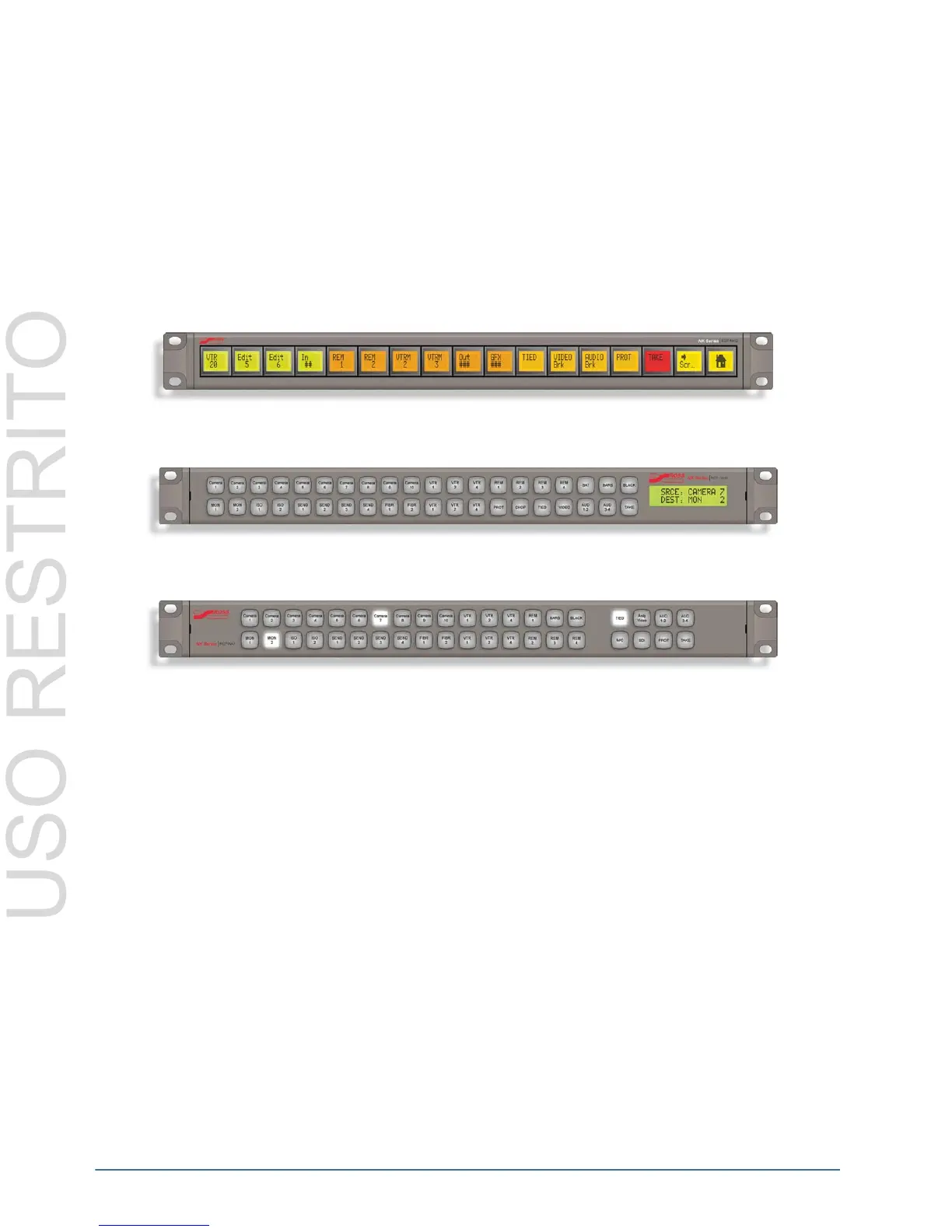
• 40 Button Remote Control Panel (RCP-NK1)
• 40 Button & LCD Display Remote Control Panel (RCP-NKM)
• 17 LCD Button Remote Control Panel (RCP-NKQ)
• Phoenix Control Surface software for setup and control
• 10/100 Ethernet Interface
• Virtual routing
• Third Party RS422 serial control
• RS232 and GPI/Tally Interface
Figure 2.4 RCP-NKQ Control Panel
Figure 2.5 RCP-NKM Control Panel
Figure 2.6 RCP-NK1 Control Panel



 To Next Page