3–18 • Installation NK Series User Guide (1.0)
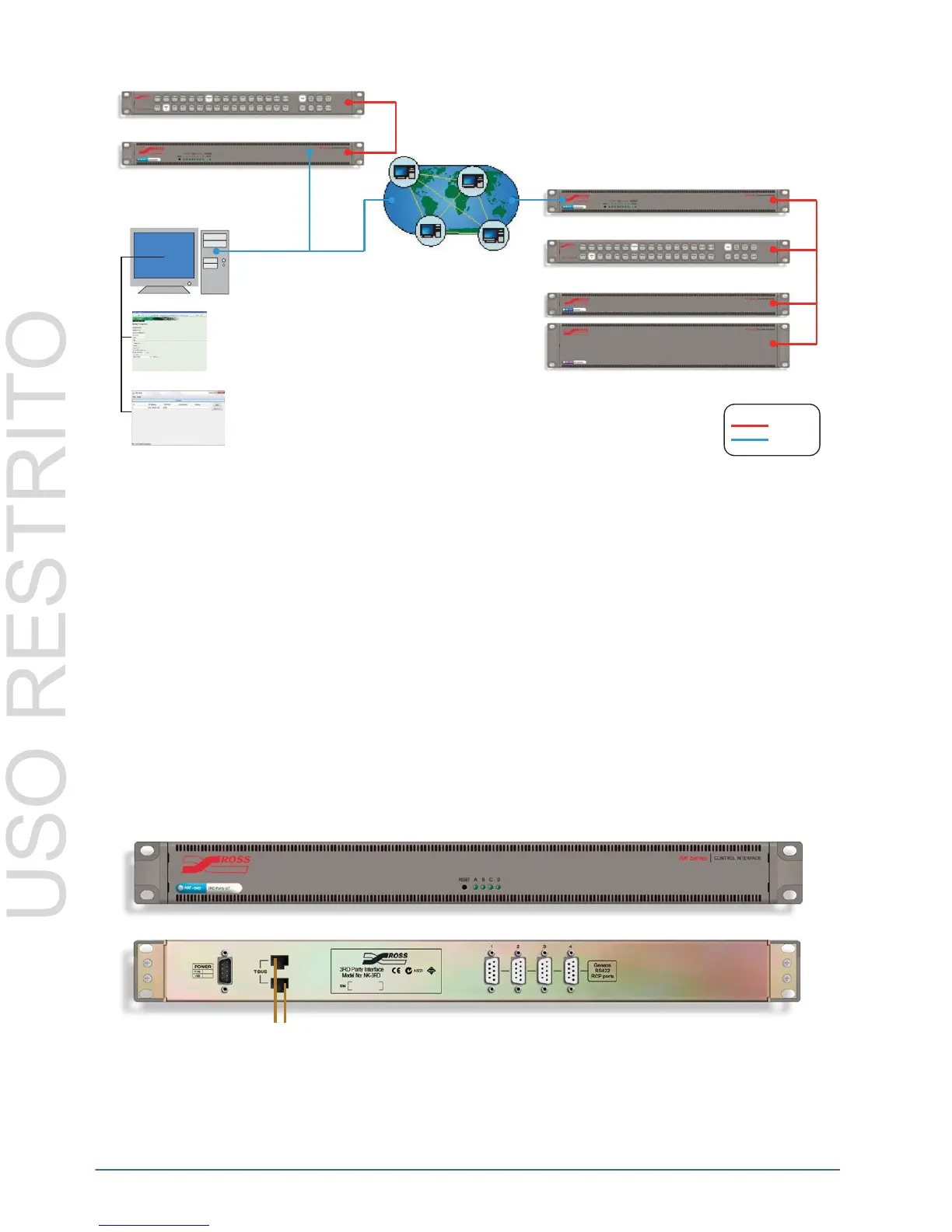
Figure 3.30 NK Hub Example
A local connection enables two NK-IPS devices within the same network to communicate with NK Series
components connected to each. A remote connection, via an Internet connection or Virtual Private Network (VPN),
allows two or more Internet Protocol Servers to communicate over longer distances.
The NK Hub is built with Java technology, enabling flexibility and cross-platform control. Users are advised to
have installed the latest version of the Java Runtime Environment (JRE) before using the NK Hub. For further
information on the NK Hub and the Java Runtime Environment, please refer to the NK-IPS Internet Protocol
Server User Guide.
Please note that as NK Hub connection and usage requires the NK-IPS, all configuration and functionality details
are outlined in the NK-IPS Internet Protocol Server User Guide.
The NK-3RD
The NK-3RD Third-Party Interface enables a third-party control system to control an NK Series routing switcher
system using the SW-P-08 protocol.
The NK-3RD works with any NK Series router and supports crosspoint switch commands and crosspoint status
requests. Up to 1024 inputs and 1024 outputs can be controlled and it supports up to 16 levels.
Figure 3.31 Front and Rear of NK-3RD
See the NK-3RD Third-Party Control Interface User Guide for more information.
Internet / LAN / VPN
Internet Protocol Server
NK Series Control Panel
NK Series Router Levels
Legend
T-Bus
Ethernet
Internet Protocol Server
NK Series Control Panel
Computer
NK Hub Control
Configuration



 To Next Page