User Manual - 16/32
Protection If this function is ON, the controller monitors the temperature. If the pre-set value is exceeded by the number of degrees
specied in “Range” parameter, all actuators in a given zone will close (0% opening). This function is active only when
SIGMA function has been enabled.
Emergency mode This function enables the user to dene the actuator opening which will be forced in the event of an alarm in a given zone
(sensor failure, communication error).
9. WINDOW SENSORS
Here you have the possibility to add and control up to 6 Roth Soline Window contacts to the zone.
Registration Choose “Window sensors” using ▼ – pres MENU. Choose “Registration” with ▼ or ▲ – press MENU. Conrm “YES” with MENU
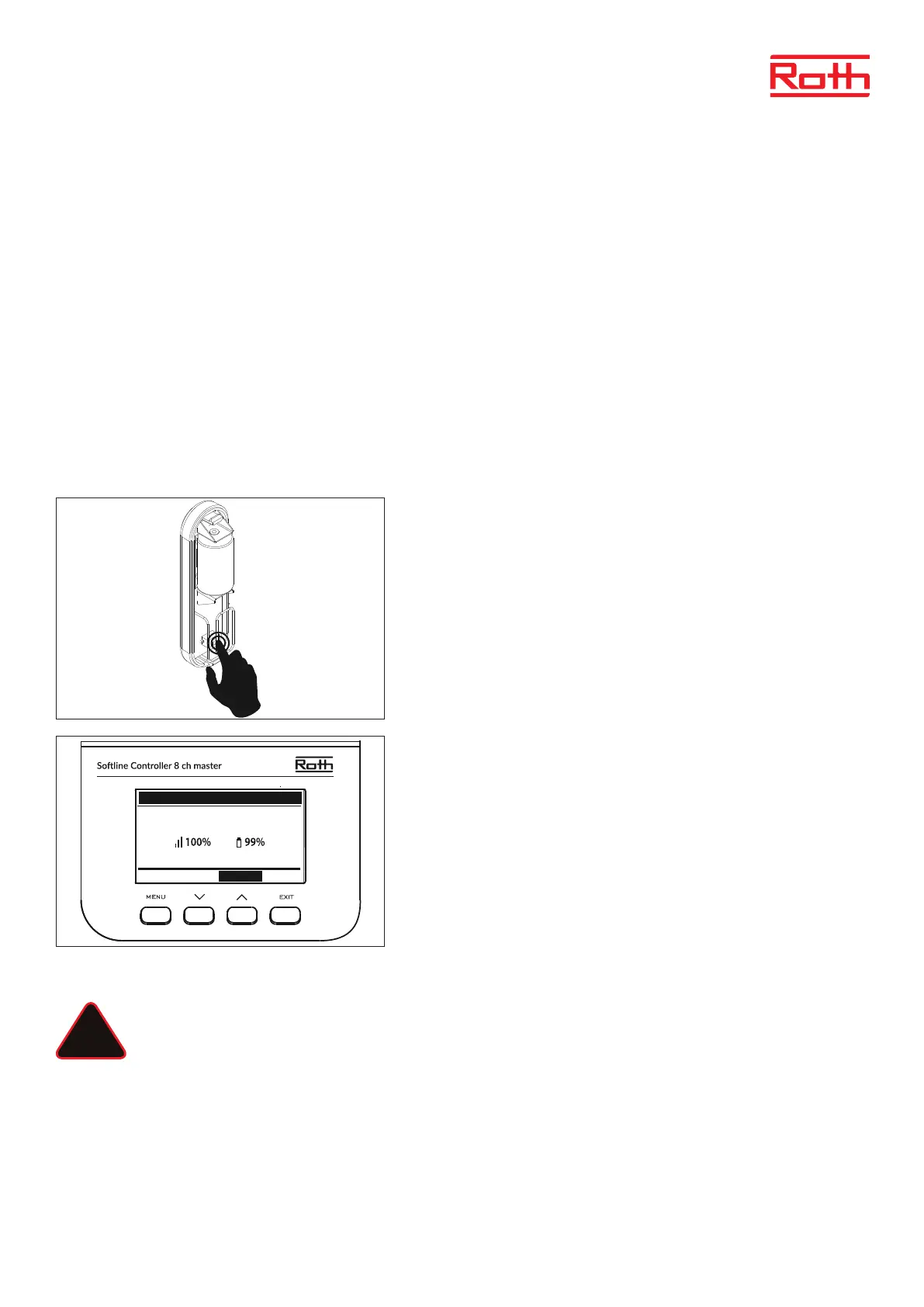
to start registration of Window sensor. Controller will search for the Window sensor, press the button (inside) on the Window
sensor to registrate it. Watch the LED inside the contact:
> LED ashes twice - proper communication established.
> LED lights up continuously - no communication with the main controller.
> Controller will conrm with “Sensor registered”, press MENU for OK.
You will now see in the display that 1/6 possible Window sensors is registered to
the zone.
Sensors removal It is possible for you to remove the sensor again using
“Sensors removal”.
Information Choosing “Information” gives you an overview of the specic
Window sensor:
Soware version, position (open/closed), wireless signal, battery level.
Settings Choosing “Settings” will enable you to see and change specic
settings for the actuator.
ON This option is used to activate sensors in a given zone (it is
possible aer the sensor has been registered).
Delay time This function enables the user to set the delay time. When the
delay time is over, the main controller responds to window
opening by disabling heating or cooling in a given zone.
Example: Delay time is set at 10 minutes. When the window is opened, the sensor
sends adequate information to the main controller and monitors the current win-
dow status. If the sensor sends another information that the window is open aer
10 minutes (delay time), the main controller will force the actuators to close and
disable heating in the zone.
NOTE
If the delay time is set at 0, the message forcing the actuators to close will be sent immediately.
WINDOW SENSOR 1 - ZONE 1
V.1.1.1
STSTUS: OPEN
DELETE CANCEL
!



 To Next Page