User Manual - 26/32
XIV. SCHEDULE SETTINGS
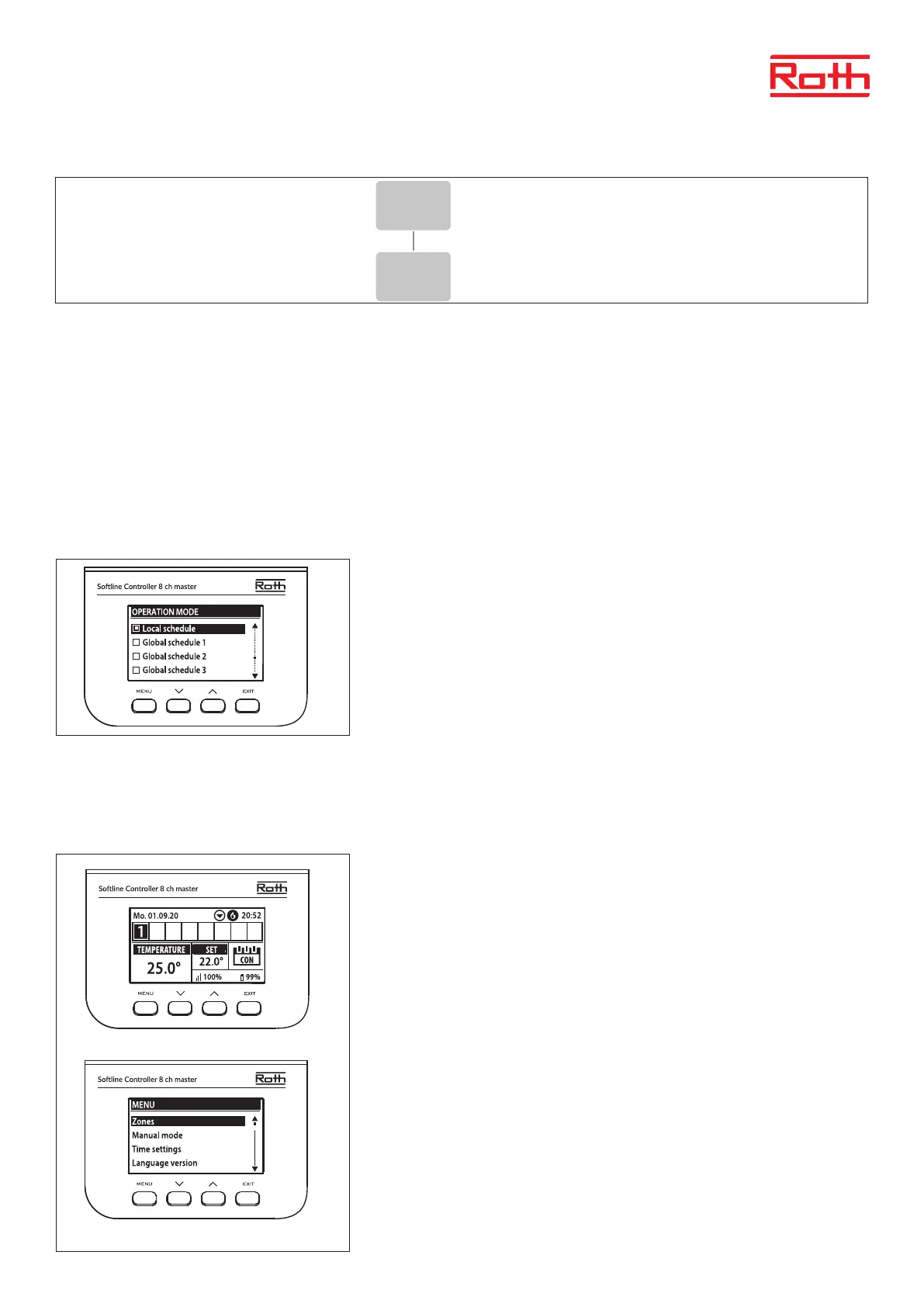
The operation mode “Local/Global schedule” can be selected, previewed and edited on the Controller.
Local schedule is used when separate settings are required for a single zone. Choose “Local schedule” with ▼ or ▲ and
press MENU button.
Choose “Select” to activate schedule.
Choose “Preview” to see the current schedule settings.
Choose “Edit” to change the schedule settings.
Global setting will control all zones.
Choose “Global schedule” (1 – 5) with ▼ or ▲
- Press MENU to “CONFIRM”.
Choose “Select” to activate schedule.
Choose “Preview” to see the current schedule settings
Choose “Edit” to change the schedule settings.
Re-activating time schedule
A schedule can be activated from the controller as described above. The latest activated schedule can be re-activated directly from a room ther-
mostat. Press the “▼ or ▲” (on Project thermostat “-/+”) button one time on the room thermostat. When the set temperature has nished ashing
press the “▼ or ▲” (“-” or “+”) buttons to navigate to “OFF”. It will automaticly conrm aer 5 seconds. The calendar symbol (L or G) will now be
shown on the controller display.
Deactivating time schedule
A schedule can be deactivated from the controller as described above. The schedule
can also be deactivated directly from a room thermostat. Press the “▼ or ▲” (on Project
thermostat “-/+”) button one time on the room thermostat. When the set temperature
has nished ashing press the “▼ or ▲” (“-” or “+”) buttons to navigate to “CON”. It will
automaticly conrm aer 5 seconds. The calendar symbol on the controller display will
now be replaced by the letters “CON” (continous mode).
Edit time schedule
Press MENU twice to see all zones.
XIII. SOFTWARE VERSION
Diagram – Soware version menu
When option is selected, the display shows the current controller soware version.
6
Diagram – montörsmeny
Diagram – servicemeny
Diagram – meny för programvaruversion
Fitters menu
Internet
module
Repeater
configuration
Additional
contacts
Contact
operation
mode
Potential-free
contact
Pump
Radiators
zones 1 - 8
DHW Open Therm
Heating
cooling
Operation
mode
Heating Cooling Automatic
Mixing valve
Max.
humidity
Factory
settings
Service
menu
Output type Relay delay
Antifreeze
protection
Zones
Floor
heating
Hysteresis
Hysteresis
Max
temperature
Min
temperature
Factory
settings
Menu
Software



 To Next Page