User Manual - 29/32
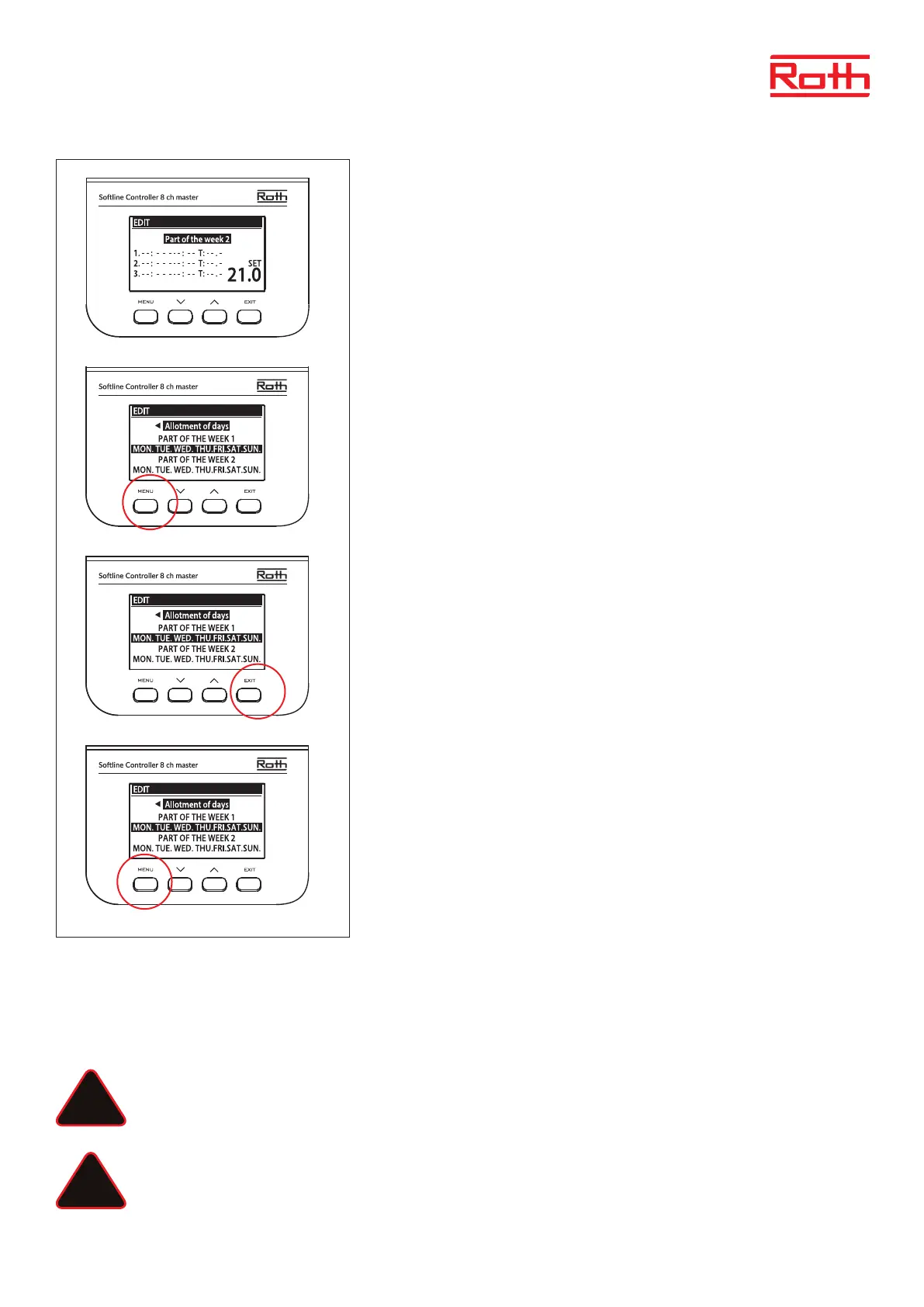
“Part of the week 2” an optional schedule that makes it possible to dene separate
settings for specic days. For example, if the set temperature is going to be higher only in
the weekends.
Press MENU button to dene “Part of the week 2.
The procedure is the same as for setting “Part of the week 1” (above).
In case no separate settings for specic days are required just press button UP button.
In this week overview “Allotment of days” will start ashing.
Press MENU bottom to start dening which days to be assigned to schedule “Part of the
week 1” and schedule “Part of the week 2”.
Use button UP/DOWN to navigate through the days (MON. - SUN.) and press MENU button
to include/exclude a day.
Press EXIT button twice to exit editing.
Press MENU button to “Conrm” and save the changes.
XV. SOFTWARE UPDATE
To install new soware, disconnect the controller from the power supply. Insert a ash FAT formatted drive with the new soware into the USB
port. Next, connect the controller to the power supply holding EXIT at the same time until a single sound signal is heard. It indicates that the
soware installing process has started. Aer successful update, the controller will reset automatically.
NOTE
Soware update may be conducted only by a qualied tter. Aer the soware has been updated, it is not possible to return
to the previous settings. All pairings and settings will be deleted.
NOTE
Do not switch o the controller during soware update.
!
!



 To Next Page